Zoom Meetings
cancel
Showing results for 
Search instead for 
Did you mean: 

What are Zoom Meetings?

Zoom Meetings are a simplified video conferencing solution for an optimized virtual meeting experience. Explore the Zoom Community's Recent Activity below to join the Meetings conversation and connect with other members. If you're still looking for support, browse our Zoom Meetings support articles or start a new discussion below!

Recent Activity

Creating a custom branded meeting where i am not the host

My client is looking at creating custom branded meetings for interviews that they set up, I have looked into this subject extensively but because of my lack of knowledge of zoom terminology, I'm not sure if I'm finding the right solutions. what they ... Show more

My client is looking at creating custom branded meetings for interviews that they set up, I have looked into this subject extensively but because of my lack of knowledge of zoom terminology, I'm not sure if I'm finding the right solutions. 


what they are looking to do is:
- set up a meeting between two clients not under their admin account 

- those two clients be able to see their banding so that they know the meeting has been hosted by them 

- ideally, they would have their custom zoom background 


I'm aware that there are branding opportunities in terms of a custom URL and maybe a logo but the background I have no idea if this is even possible. if you have any answers about the other bits of branding I could do and if this is possible if I'm setting up a meeting between two people and not hosting the meeting. thank you. 


Show less

Meetings

How to make a breakout room?

reply-icon Latest Reply - 

Polls

Hi, everyone. We would like to conduct polling during the Zoom Meeting. We have around 15 options for each question, is there any way to increase the limit of choices for each question in the poll? (I found that we can only set 10 choices for each qu... Show more

Hi, everyone. 
We would like to conduct polling during the Zoom Meeting. We have around 15 options for each question, is there any way to increase the limit of choices for each question in the poll? (I found that we can only set 10 choices for each question) Thanks!


Show less

reply-icon Latest Reply - 

How to ban invitations from specified person?

A specified annoying person always sends me immediate invitations during Zoom meetings that don't require my presence. I'm fine to receive email for invitation from that person as I can make my own arrangement. Instead, receiving immediately unnecess... Show more

A specified annoying person always sends me immediate invitations during Zoom meetings that don't require my presence.  I'm fine to receive email for invitation from that person as I can make my own arrangement.  Instead, receiving immediately unnecessary invitations are not welcome.  Besides pressing "Decline" button when I received the invitation every time, is there setting for banning immediate invitations from specified person?


Show less

Speaker’s WiFi Signal Icon Color Meaning?

I participate in a class several times per week with less than 20 online students. The teacher is at a facility with a Zoom license that allows many more than 20 participates. I use the free Zoom client on a mid-priced Windows 10 laptop which is conn... Show more

I participate in a class several times per week with less than 20 online students.  The teacher is at a facility with a Zoom license that allows many more than 20 participates.  I use the free Zoom client on a mid-priced Windows 10 laptop which is connected by WiFi to my router.  The teacher also connects to the facility’s router with WiFi.


When I select the Speaker display mode, in the lower left-hand corner of my screen I see a WiFi signal strength icon (several vertical bars of decreasing height from left to right).  The number of bars never changes, but the color sometimes changes from white to yellow to red .  When the icon is red, I usually experience freezing of the speaker’s video and/or audio.


What do the icon’s colors indicate?  Is it the capacity of the teacher’s WiFi connection to the facilities router and/or the signal congestion on the particular WiFi channel in use at the facility, or something else?  I don’t believe it refers to the capacity of my WiFi connection, because even if the teacher video freezes that of participant’s video that are displayed do not freeze.


Show less

reply-icon Latest Reply - 

As Host being kicked off

I am host, and am kicked off immediately "unexpectedly" but the meeting continues and others, even those on the same network can continue the session. When I go to another computer, I can see me on the session but cannot participate from my Windows 1... Show more

I am host,  and am kicked off immediately "unexpectedly" but the meeting continues and others, even those on the same network can continue the session. When I go to another computer, I can see me on the session but cannot participate from my Windows 10 Lenovo laptop. I uninstalled and reinstalled the Zoom software and my profile is up to date. This is a paid account.


Show less

Resolved! 49 windows in lenovo T410 and T450

Hi! my lenovo t450 have i5 5300U  and 8 ram  and I can't turn on 49 windows. However, my old laptop t410 has an i7 640m 8 ram and has 49 windows available. what do I need to do to run windows 49 on a new laptop?

reply-icon Latest Reply - 

The Zoom Panel Assets does not load completely

Hello, The Zoom Panel Assets does not load completely and the panel does not load . Please host the Panel Assets in your own hosting account space and please do not use far assets in other sites and so the assets will load for us. The Screenshot of P... Show more

Hello,


The Zoom Panel Assets does not load completely and the panel does not load .

Please host the Panel Assets in your own hosting account space and please do not use far assets in other sites and so the assets will load for us.

The Screenshot of Panel Status is attached .


Thanks

Ghofrani


Show less

Advancing video to a specific start time

I need to advance a shared video multiple times to share several short portions. Which video player will make it easy to see the time location? I'm using QuickTime on a Mac and I have to "pull" the circle along the timeline and cannot see the time un... Show more

I need to advance a shared video multiple times to share several short portions.  Which video player will make it easy to see the time location?


I'm using QuickTime on a Mac and I have to "pull" the circle along the timeline and cannot see the time until I let go, requiring additional adjustments and wasting broadcast time.


I'd like to place the cursor on the timeline and see what time it is.


TIA,


Richard


Show less

reply-icon Latest Reply - 

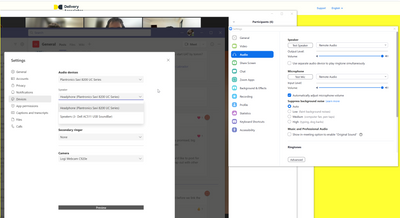
Zoom cannot switch off audio signal processing

Regardless of the setting for "Signal processing by Windows audio device drivers", signal processing cannot be turned off. While attending a meeting where music is being shared by another attendee, the sound is muffled (i.e. music instruments are fil... Show more

Regardless of the setting for "Signal processing by Windows audio device drivers", signal processing cannot be turned off. While attending a meeting where music is being shared by another attendee, the sound is muffled (i.e. music instruments are filtered out, voice become hisses, etc.).


While changing the setting of "Signal processing by Windows audio device drivers" from one setting to another (regardless of start-end settings), there is a few seconds where "Raw" sound comes through, and then it becomes muffled again.


AMD Ryzen 7 5825U with Radeon Graphics, 2000 Mhz, 8 Core(s), 16 Logical Processors

Dell Inspiron 15 3525

AMD High Definition Audio Device

AMD Audio Device

Realtek Audio

Windows 11 Home - 2022-07 patch installed


Show less

reply-icon Latest Reply -