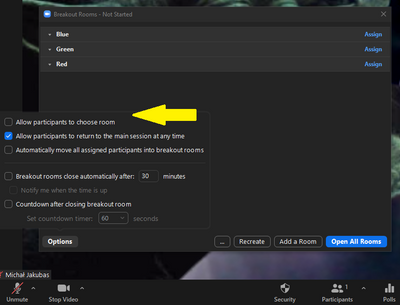
Monitorar Salas de Reunião com anfitrião
Bom dia,
Teria alguma ferramenta ou plugin que consiga monitorar as salas, com usuário anfitrião.
Exemplo: monitorar sala está aberta, quantidade de pessoas na sala, etc...
Desde já agradeço.
Zoomtopia is here. Unlock the transformative power of generative AI, helping you connect, collaborate, and Work Happy with AI Companion.
Register nowEmpowering you to increase productivity, improve team effectiveness, and enhance skills.
Learn moreKeep your Zoom app up to date to access the latest features.
Download Center Download the Zoom appDownload hi-res images and animations to elevate your next Zoom meeting.
Browse Backgrounds Zoom Virtual BackgroundsEmpowering you to increase productivity, improve team effectiveness, and enhance skills.
Zoom AI CompanionUser groups are unique spaces where community members can collaborate, network, and exchange knowledge on similar interests and expertise.

Help & Resources is your place to discover helpful Zoom support resources, browse Zoom Community how-to documentation, and stay updated on community announcements.
The Events page is your destination for upcoming webinars, platform training sessions, targeted user events, and more. Stay updated on opportunities to enhance your skills and connect with fellow Zoom users.
Zoom Meetings are a simplified video conferencing solution for an optimized virtual meeting experience. Explore the Zoom Community's Recent Activity below to join the Meetings conversation and connect with other members. If you're still looking for support, browse our Zoom Meetings support articles or start a new discussion below!
Bom dia,
Teria alguma ferramenta ou plugin que consiga monitorar as salas, com usuário anfitrião.
Exemplo: monitorar sala está aberta, quantidade de pessoas na sala, etc...
Desde já agradeço.
I just updated from v5.11.1 to v5.11.3 this morning. Any time I would turn on my camera during the meeting, Zoom would report that it has crashed and wanted to send a crash report. After three times, the video would freeze. This would occur both on Windows and Mac OS.
Show less
I'm thinking of buying the MXL AC-360-Z V2, i was wondering how many Mxl can i connect to my laptop without any additional services or hardware just with ZOOM (basic version) and a Laptop with an Usb input. The mics will all show up in Zoom (up to 3 devices) without any issues?
Show less
I meet with someone weekly who sends me a copy of the zoom invite that their outlook generates. For some reason, the URL in the hyperlink is not correct. So, let's say the URL should be "https://us02web.zoom.us/j/###?pwd=###" That's the text of the hyperlink, but the actual URL in the hyperlink instead has extra characters at the end: "https://us02web.zoom.us/j/###?pwd=###%20%5Ct%20_blank" As a result, when the meeting loads I have to enter the password manually each time. If I copy the URL and paste it or if I remove the extra characters at the end, everything works just fine. Any idea what would cause this? Anyone else encounter this? The person who is sending me the link isn't computer-savvy so I'm not even sure whether they are using the add-in or the plugin.
Show less
Hi all! I manage scheduling all the meetings in my company and each of the meetings we have an alternative host (incase anyone is out and needs to cover). We have noticed that for example: Ashley is in a current meeting BUT is also an alternative host to Tom's meeting - Tom is trying to start his meeting however get a notification to "end other meeting" which will kick off Ashley in her current one. IS THERE A WAY I CAN PREVENT THIS? - Also, meetings randomly ending?! Is this because it's over the assigned time frame? HELP!
Show less
Hi,
Is there a way that zoom videos once processed can automatically be transferred to Google drive, so that we can avoid the manual process of uploading them?
Hi! Is there a way to set Zoom webinar so attendees can chat or do Q&A with the host only (and panelists cannot see the questions) buy default?
Thanks!
hi All, I wonder whether anyone can help. I have the add in on my Microsoft web 365 for zoom. When I click on add zoom meeting, but asks if I will allow a new page. I say yes. The log in page for zoom comes up. I put in my details correctly. the page goes then I get another question asking if I would allow a new page. If I say no, nothing happens and the calendar event page just says 'adding zoom meeting' but it never completes. If I say yes to allow the new page top up, it asks me for my log in details again! So I'm going round in a circle??? Anyone able to help?
Show less
Hello,
I have a paid Zoom account and I am able to host unlimited meetings. Can I set up a meeting
for others and not host the meeting. Can I assign someone to host the meeting who does not have a paid zoom account?
Thank you,
Darrell
Hello I am away without my laptop and need to access a zoom meeting in couple of hours. I have a meeting details ID and password. I would like to access this meeting online without downloading zoom applications. I must not dand cannot download on my work mobile phone anything without a permission of administrator. However when I try to access joinzoom, on my mobile via chrome the only page I can see is join via app or download zoom.. There is no option to access zoom online and enter zoom meeting details. This option must have been hidden somewhere so I would appreciate your help finding it. Thank you
Show less