Zoom Meetings
cancel
Showing results for 
Search instead for 
Did you mean: 

What are Zoom Meetings?

Zoom Meetings are a simplified video conferencing solution for an optimized virtual meeting experience. Explore the Zoom Community's Recent Activity below to join the Meetings conversation and connect with other members. If you're still looking for support, browse our Zoom Meetings support articles or start a new discussion below!

Recent Activity

@Local recordings

Hello, I lost my old computer where I had my local recordings saved. How can I have access to view and download them on my new compute…T


reply-icon Latest Reply - 

Password wrong->access denied, even if password is correct

While hosting a meeting (over the last few days, always using the same Meeting-ID and meeting code) I had two users which could enter the meeting first but couldnt re-enter. First one left himself and got denied while trying to get back into the meet... Show more

While hosting a meeting (over the last few days, always using the same Meeting-ID and meeting code) I had two users which could enter the meeting first but couldnt re-enter. First one left himself and got denied while trying to get back into the meeting, the second one was removed (although neither my co-host or me did it) and had the same issue while trying to come back in. I could help the first one by resending the invitation (which contained same link and codes as the original one of course), for the second one I had to deactivate the waiting room and password to get him back into the meeting. In both cases I had a remote look onto the users devices and checked error sources like activated caps lock or deactivated number pad and even if they had a stable internet connection. Both had the desctop client installed and completely updated.

As it seems, its not only my users facing this problem at the moment and also it had also been a problem some years ago, so I would be happy to get this problem solved by Zoom support. We work with sensible patient data during our medical trainings so using no password or waiting room is no option for us.


Show less

unable to be heard by others when on Zoom

Hi there, when I connect onto Zoom on my Apple IMac, I can hear others, but they can't hear me.When I did the input level check its very faint.I've checked security / privacy settings and have ticked the Zoom box.I have recently had the logic board r... Show more

Hi there, when I connect onto Zoom on my Apple IMac, I can hear others, but they can't hear me.

When I did the input level check its very faint.

I've checked security / privacy settings and have ticked the Zoom box.

I have recently had the logic board replaced due to a different issue and contacted Apple Support who said it wasn't the microphone as when I tried using FaceTime, I can be heard fine.

Not sure what to try next???


Show less

reply-icon Latest Reply - 

attendee display of chat response. filed of view very narrow.

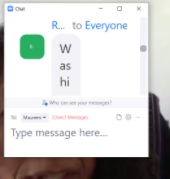
attendee display of chat response. Field of view very narrow.  I am not able to read it.  I wish to resize the response so that it is horizontal and not vertical.

This is what I see:

cherylweinstein_0-1641666664594.png


reply-icon Latest Reply - 

No Blur options on Mac OS

No Blur options in Zoom are available on my Mac OS system, as some have already reported. I meet the version qualifications but do have a free plan. Has this issue been solved for any other Mac users? If yes, how? Thanks.

reply-icon Latest Reply - 

IPad Fiasco

After using Windows for decades, I switched to an iPad Pro. Zoom doesn’t work the same. When I share, I can’t see participants. I can’t see any annotation panel. In short, it sucks. Perhaps Im missing something and would be grateful for advice.

Turning all Cameras off as Host

I want all cameras off when hosting a meeting. I have switched all settings to disable video, however, one video camera is always on regardless. How can I fix this?

reply-icon Latest Reply - 

Zoom Meeting "NOT RESPONDING" When Start Using Video

Windows 11 - Zoom "Not Responding" when trying to use camera. Not good, please help

reply-icon Latest Reply - 

BOSE earbuds

Using BOSE earbuds and I can only hear from the right one.  Anyone knows how to fix this issue?  I would like to hear from both sides.


thanks!

reply-icon Latest Reply - 

How quickly can we increase the number of participants?

We're hosting a public event tomorrow night, a virtual Mardi Gras party (CAN"T WAIT to get back to doing these in person!). At this point, we don't have 100 participants, our plan's max, signed up, but if we do - how quickly can we upgrade our plan t... Show more

We're hosting a public event tomorrow night, a virtual Mardi Gras party (CAN"T WAIT to get back to doing these in person!). At this point, we don't have 100 participants, our plan's max,  signed up, but if we do - how quickly can we upgrade our plan to allow more than 100 participants? On a weekend?


Show less

reply-icon Latest Reply -