Customer Success Forum
cancel
Showing results for 
Search instead for 
Did you mean: 

Welcome to the Customer Success Forum!

Welcome to the Customer Success Forum! This is a collaborative place for Zoom users to share customer success stories, learn about upcoming events, and exchange use cases for helpful ways to use Zoom features.

Recent Activity

Resolved! Eğitim için zoom

Eğitim birimleri için ya da öğrenciler için ayrı bir fiyatlandırma var mı


reply-icon Latest Reply - 

Changing your permanent contacts display names

Hello, As an educator, I have multiple permanent students as contacts. They write whatever they want in the profile which makes it really hard for me sometimes to locate them and to remember what it is that they are learning with me. On Skype, I can ... Show more

Hello,


As an educator, I have multiple permanent students as contacts. They write whatever they want in the profile which makes it really hard for me sometimes to locate them and to remember what it is that they are learning with me. On Skype, I can mark students with names that I recognize and useful details straight in their profile name for my display.


I expected this feature to become perhaps available when I upgraded, which doesn't seem to be at all an option on zoom.

Is this in the works ? As I'm sure it would be highly valuable to those of us with many permanent contacts.


Many thanks,

Maria.


Show less

reply-icon Latest Reply - 

Question

JasonZheng_0-1644076728018.png

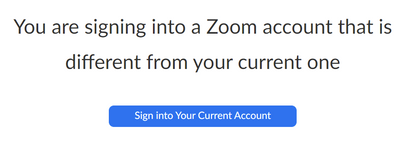
When I signed out of the personal zoom account and want to log into the school account for the first time, I keeps redirecting to the page shown above. I don't know what's wrong.

reply-icon Latest Reply - 

Resolved! Telehealth assessment - can patient have free basic zoom

My mom's telehealth assessment can be done with the assessor using Zoom for Healthcare.  Does it work if she just has the free basic (i.e. unpaid) Zoom, and is that secure then, in the way that Zoom for Healthcare is supposed to provide?

reply-icon Latest Reply - 

I have daily Multiple meeting invites for my scheduled classes. how to add those to zoom app .

I have received for multiple meeting invites for my scheduled classes( daily 7-8 meetings) .These are daily scheduled classes .These invites send by different people.How I can add these meeting to zoom so I can easily open zoom app and login in my la... Show more

I have received for multiple meeting invites for my scheduled classes( daily 7-8 meetings) .These are daily scheduled classes .These invites send by different people.

How I can add these meeting to zoom so I can easily open zoom app and login in my laptop .


Show less

reply-icon Latest Reply - 

Power point slides not displaying properly

Hi there. I have been using power point to teach online with zoom for quite sometime now and I have started to run into the following issue: My students are saying that the bottom end of the slides, when I am using the full screen presentation mode, ... Show more

Hi there. I have been using power point to teach online with zoom for quite sometime now and I have started to run into  the following issue: My students are saying that the bottom end of the slides, when I am using the full screen presentation mode, are not displaying correctly. Basically anything that it is near or at the lower end of the slide is cut off and they are not able to read. Anyone has had this issue? I have toyed with PP and zoom setups to no avail.

Thanks in advance.

Marcio


Show less

reply-icon Latest Reply - 

Screen Sharing low to no sound when playing a video

I have a teacher that has shared her screen with the student and then played a video. The student can hear her just fine talking no issues at all, as soon as she plays the video for him to see, he cannot hear the video or it is very quite. For her it... Show more

I have a teacher that has shared her screen with the student and then played a video. The student can hear her just fine talking no issues at all, as soon as she plays the video for him to see, he cannot hear the video or it is very quite. For her it is blasting so loud. I also tried this with her and had the same issue her sharing screen and me not being able to hear the video but can hear her talking just fine. Is anybody else having this issue? 


Show less

reply-icon Latest Reply - 

How to make a chart of join/leave times after my meeting

I would like to know if there is some way to see join/leave times in a graph/chart form after my meeting is over. For teachers, this would be extremely helpful. It's often necessary to see when participants first arrived and whether they left early. ... Show more

I would like to know if there is some way to see join/leave times in a graph/chart form after my meeting is over. For teachers, this would be extremely helpful. It's often necessary to see when participants first arrived and whether they left early. I know that you can download a spreadsheet of the join/leave times from Reports->Usage Reports on the zoom.us website. However, this data is difficult to read and is not convenient for someone who wants to quickly see when participants joined and left.


Is there such an app that creates a chart of join/leave times for the meeting creator to see afterwards? I created a web extension of my own that does this, but I was wondering if there is something better out there. https://chrome.google.com/webstore/detail/tmshelper/kddbjmggjbbkfkpajcaccfpoonfehhab


Show less

reply-icon Latest Reply - 

Zoomtopia Innovation Awards for Healthcare

‍⚕️Dear Healthcare community, The Zoomtopia Innovation Awards are accepting submissions through July 30th, and there is a special category just for healthcare! From telehealth treatment to health education to mental health consultations and beyond, ... Show more

👩‍⚕️Dear Healthcare community, The Zoomtopia Innovation Awards are accepting submissions through July 30th, and there is a special category just for healthcare! From telehealth treatment to health education to mental health consultations and beyond, we want to hear how using Zoom is helping you to engage with patients, expand your reach, and encourage collaboration to ensure healthcare continuity.


🐋Learn more and tell us your story at: https://www.zoomtopia.com/innovation-awards/


Show less

reply-icon Latest Reply - 

Individual meetings with students

Hi:

I am teaching a course virtually and using zoom. I want to set up a way for students to individually meet with me before class should they wish to, like individual office hours online.

Can anyone help?

Thanks,

Cyndy

reply-icon Latest Reply -