

Zoom Meetings
cancel
Showing results for 
Search instead for 
Did you mean: 
Weekly Leaderboard

What are Zoom Meetings?

Zoom Meetings are a simplified video conferencing solution for an optimized virtual meeting experience. Explore the Zoom Community's Recent Activity below to join the Meetings conversation and connect with other members. If you're still looking for support, browse our Zoom Meetings support articles or start a new discussion below!

Recent Activity

reply-icon Latest Reply - 

Zoom shuts down because device is overheating

Hello! We've been using Zoom to stream yoga classes from our hotroom (we offer yoga at 40 degrees Celsius) since the beginning of the pandemic. We use a Samsung Tablet and never had any issues. We only bring the tablet into the room during class, so ... Show more

Hello! We've been using Zoom to stream yoga classes from our hotroom (we offer yoga at 40 degrees Celsius) since the beginning of the pandemic. We use a Samsung Tablet and never had any issues. We only bring the tablet into the room during class, so its not exposed to the heat all the time. A couple of days ago, we started receiving a message a couple of minutes into the meeting that our device is overheating and that zoom will therefore shut down. The device itself does not shut down and doesn't say it's overheating either. We have also tried using our phones instead and get the same message. Why is this happening now? Did something change within Zoom? I understand that we're using the tablet in a hot environment, but it never caused any problems until a couple of days ago... Thanks!


Show less

reply-icon Latest Reply - 

entrance problem

Hi.

when I wan to sign in the site for attending in focus rooms ( study stream ) It keeps saying 'Your IP is blocked for 30 minutes due to reaching the maximum 1000 failed login attempts '

can u please fix that 

thnx

reply-icon Latest Reply - 

Issue with seeing Zoom meeting on my laptop

I use Zoom on both my Lenovo laptop (Windows) and my Chromebook. I have been having an issue with use on my Windows laptop over the past month when I join a meeting. I click on the meeting invite I received in email and everything goes through the ty... Show more

I use Zoom on both my Lenovo laptop (Windows) and my Chromebook.  I have been having an issue with use on my Windows laptop over the past month when I join a meeting.  I click on the meeting invite I received in email and everything goes through the typical connection process but then once I am connected, the actual Zoom meeting does not appear on my laptop.  It is minimized in the task bar at the bottom of desktop but I cannot maximize it and can only see the person talking.   I have tried restarting my computer and getting back in but the same thing occurs again.  Yet, I don't have this issue when I join a Zoom meeting on my Chromebook.   Has anybody else had this problem and if so, have you been successful in resolving it? 


Thank you.


Show less

reply-icon Latest Reply - 

My video box won't pop up after saying allow

Can someone help me? Every time I try to join a meeting, I press allow and the actual video box doesn't appear. I got a new computer. This never happened on my old one. PLEASE HELP!

reply-icon Latest Reply - 

Virtualbackground on Intel(R) Celeron(R) N4100 CPU

Can you give me solution for Virtualbackground on Intel(R) Celeron(R) N4100 CPU?

Thanks


reply-icon Latest Reply - 

Features

Hello, I'm a zoom account holder and I have different devices in my home. However, my features for the Samsung, Apple, and HP computer are different. Oh and for my devices such as Samsung tablet, iPad, as well as the cell phones. I purchased a HP chr... Show more

Hello,


I'm a zoom account holder and I have different devices in my home. However, my features for the Samsung, Apple, and HP computer are different. Oh and for my devices such as Samsung tablet, iPad, as well as the cell phones. I purchased a HP chromebook for my daughter to do her classes on and some of the classes require her to use zoom. Well here's the problem! I can't click on the settings and view my video or adjust my sounds or anything in the preview session before I turn on my camera. However, I can do it with my Samsung tablet, and Apple devices. I can also do it with my regular HP computer or laptop. My furstration with this is I'm a paying account holder and I expect the same features on all my devices. Zoom really need to fix this if they want to keep paying customers.  


Show less

reply-icon Latest Reply - 

Resolved! Some Suggestions

Allow participants to multi-pin others without permission of the Host. Add all chat features like Record Audio, Screenshot, Format, Edit messages, delete messages, Reply a message, and reactions for a sent or received messages & all other features to... Show more
  1. Allow participants to multi-pin others without permission of the Host.
  2. Add all chat features like Record Audio, Screenshot, Format, Edit messages, delete messages, Reply a message, and reactions for a sent or received messages & all other features to in-meeting chat.
  3. Enable a option which shows if others have viewed a viewed a message, who are they & and at which time have they viewed the message.
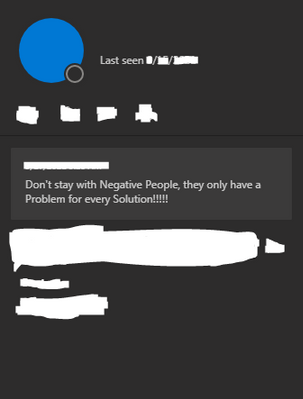
  4. When showing whether friends are offline & away show when they were last online as shown below 👇the 5th suggestion.
  5. And also show the personal note we have set in meetings as shown below👇.


ZoomUser2008_2-1632707746978.png


Thank You.


Show less

reply-icon Latest Reply - 

can participants start the meeting without the host?

I am currently helping my boss set up meeting but he is based in the USA and I am in Shanghai. I cant be helping him start the meeting due to time difference. Can i check if I can use my boss' zoom account and help him set up meetings so he is the ho... Show more

I am currently helping my boss set up meeting but he is based in the USA and I am in Shanghai. I cant be helping him start the meeting due to time difference. Can i check if I can use my boss' zoom account and help him set up meetings so he is the host and can start meetings himself?


Show less

reply-icon Latest Reply - 

Share Screen Issues on a Chromebook

Recently I have been experiencing issues when sharing my screen via a zoom meeting. I share screen and present google slides in presentation mode. I never had issues but lately, there seems to be a terrible lag between me and the participants which h... Show more

Recently I have been experiencing issues when sharing my screen via a zoom meeting.  I share screen and present google slides in presentation mode.  I never had issues but lately, there seems to be a terrible lag between me and the participants which has resulted in much frustration.  One of the participants thinks I picked up a virus.


Basically, when I change the slide, it takes ages for that new slide to appear to the participants viewing it.  Is there anything I can do to fix this?  


I have done the following:

Signed out and signed back in

Shut down and restarted

Uninstalled the Zoom app and then reinstalled it.


Show less

reply-icon Latest Reply -



