Customer Success Forum
cancel
Showing results for 
Search instead for 
Did you mean: 
The Zoom Community will be placed in read-only mode January 9th, 2026 through January 22nd, 2026 to deliver you a new and improved community experience!

The community will still be accessible, however, the creation of any new discussions or replies will be temporarily unavailable. We appreciate your patience during this time.

Welcome to the Customer Success Forum!

Welcome to the Customer Success Forum! This is a collaborative place for Zoom users to share customer success stories, learn about upcoming events, and exchange use cases for helpful ways to use Zoom features.

Recent Activity

This campaign does not have enough numbers available

This campaign does not have enough numbers available.
 
Is anyone else running into this when enrolling users in a campaign?

reply-icon Latest Reply - 

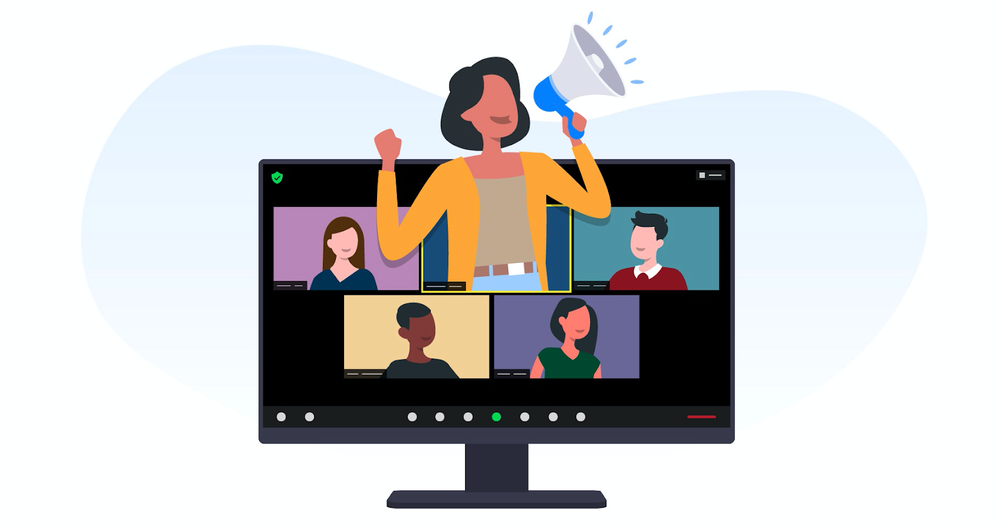
This meeting should have been a webinar

“Can everyone please mute?” Have you heard or spoken these words during a company all-hands or virtual event? Or struggled to switch presenters and screen-sharing access during a meeting? Or scrambled to get everyone the same virtual background for c... Show more

Elevate-marketing-with-webinar.png


“Can everyone please mute?” 


Have you heard or spoken these words during a company all-hands or virtual event? Or struggled to switch presenters and screen-sharing access during a meeting? Or scrambled to get everyone the same virtual background for consistent messaging? 


Hosting a virtual event, large-scale presentation, or company-wide all-hands requires more control and polish than your standard Zoom meeting. That’s why we have Zoom Webinars and Zoom Events. One of the most significant advantages is controlling the narrative and maintaining engagement. Webinars are typically structured presentations with a designated speaker or panel leading the discussion — audience members get to listen without appearing on camera. 


This format helps minimize the risk of distractions and tangential conversations, allowing participants to stay focused on the key points being presented. Integrating features such as screen sharing, slideshows, and multimedia elements in webinars helps to ensure that the content remains dynamic and holds the audience’s attention throughout the session. 


Produce all-hands like a pro


Our new production studio for Zoom Events makes adding pizzazz and polish to your event even easier. Need the same (dynamic) background for every presenter? Check. Need to switch between pre-defined scene layouts depending on whether you have a fireside chat, a presentation, or an announcement? Included. Need a backstage area for presenters to check their audio and video capabilities and align on the latest tweaks to the narrative? Already set up for you. 


And, of course, you can record every webinar and make it available to your audience afterward — with automatic transcriptions, smart chapters, and password protection if needed. So it’s easy to distribute the news to the entire team, regardless of if everyone can join the live session. 

Let us show you what Zoom Webinars and Zoom Events can do for your company. Get in contact and ask for a live demonstration


*Original article posted in Zoom Blog


Show less

reply-icon Latest Reply - 

Zoom Not Working with ManyCam

Yesterday my camera would not work through ManyCam. A black screen appeared where my picture should have been displayed. I'm a basic user, using Zoom for teaching students around the world. I create my lessons in ManyCam and need to be able to use th... Show more

Yesterday my camera would not work through ManyCam. A black screen appeared where my picture should have been displayed.  I'm a basic user, using Zoom for teaching students around the world.  I create my lessons in ManyCam and need to be able to use this as my camera source.  I switch to my LG camera and everything is fine.  Anyone else having trouble with third party cameras??  My student could hear me, but no luck with the camera.  I'm using an LG Gram laptop and open Zoom through Chrome.  Any suggestions or update on changes would be great.  Thanks!


Show less

reply-icon Latest Reply - 

Coming Up: Harnessing the Power of AI in Healthcare Webinar

The presence of artificial intelligence in healthcare is growing. However, deploying AI in the healthcare sector requires careful consideration, as this evolving technology comes with accuracy, reliability, and privacy concerns — among others — and d... Show more

The presence of artificial intelligence in healthcare is growing. However, deploying AI in the healthcare sector requires careful consideration, as this evolving technology comes with accuracy, reliability, and privacy concerns — among others — and directly influences patients’ experiences.


Join our webinar on Thursday, December 14 at 10 AM PST / 1 PM EST to learn about Zoom’s AI Roadmap, how we’re addressing concerns around AI, and also hear from Ryan Atwood, Chief Commercial Officer at Engooden Health, on how they’re harnessing the power of AI by utilizing Zoom’s Revenue Accelerator.


Register here, and tell your colleagues to join you as well! 


Show less

reply-icon Latest Reply - 

Resolved! I want to Add Zoom Support on My Website

Hy, My name is Amir and I am running an educational platform by the Name Pifra. I belong to Pakistan and I want to know how I can add Zoom support on my website. I have a number of students to whom I teach Ecom and Digital skills. I want to add a zoo... Show more

Hy, My name is Amir and I am running an educational platform by the Name Pifra. I belong to Pakistan and I want to know how I can add Zoom support on my website. I have a number of students to whom I teach Ecom and Digital skills. 


I want to add a zoom button on my website and link it to my zoom account. When ever a student purchase a specific membership which ovcourse is a one-to-one meeting, I want a zoom button on the screen where when the user click it need to auto open zoom session. 


If this is possible let me know and how can i add it to my website. Thank you


Show less

reply-icon Latest Reply - 

La sala de Espera: una herramienta fundamental

La Sala de Espera es una herramienta fundamental para su Reuniones de Zoom. Lo primero de todo y más importante es que se trata de una función de seguridad que nos permite filtrar aquellas personas que queremos que se unan o no a nuestra Reunión. Ade... Show more

Screenshot 2023-12-19 at 16.38.56.png


La Sala de Espera es una herramienta fundamental para su Reuniones de Zoom. Lo primero de todo y más importante es que se trata de una función de seguridad que nos permite filtrar aquellas personas que queremos que se unan o no a nuestra Reunión. Además de esto nos puede servir como una breve plataforma de marketing para anunciar campañas, productos o eventos de su organización gracias a la posibilidad de incluir un soporte audiovisual. Todo esto está disponible de manera sencilla para todos los usuarios con una licencia de Zoom.

Echémosle un vistazo a la Sala de Espera en este breve vídeo creado con Zoom Clipshttps://zoom.us/clips/share/6U9C46Vqj-baPIyK802c90FA7eFJT33wdURGEpGXRpgefyakKZ31g6qTh6c7DYfdehv8jRG-vAdfrHYGgWlhfqJG.T9h1RZ8ZnxzB9oei 


Espero que este post les haya resultado útil. No duden en dejar comentarios y participar en la Comunidad de Zoom.

¡Hasta la próxima!


Show less

reply-icon Latest Reply - 

¿Qué tipo de suscripción necesito para tener varias reuniones a la vez?

Hola, Estoy desarrollando una clínica psicológica online. Quiero integrar las citas online con Zoom a través de su API y que cada vez que se haga una reserva a través de la web se creen automáticamente los enlaces. Actualmente voy a utilizar https://... Show more

Hola,


Estoy desarrollando una clínica psicológica online. Quiero integrar las citas online con Zoom a través de su API y que cada vez que se haga una reserva a través de la web se creen automáticamente los enlaces.


Actualmente voy a utilizar https://wpamelia.com/configuring-zoom/ pero tengo dudas sobre qué tipo de plan de Zoom necesito.


Los requisitos es que puede haber varios profesionales a la vez haciendo terapia a través de Zoom en diferentes reuniones.


Un saludo.


Show less

Resolved! Zoom changing from .us to .com?

Hey all, I received an email saying that Zoom "over the next few months we will be migrating our email addresses from @Anonymous.us to @Anonymous.com." It is requesting that I make sure @Anonymous.com emails are approved on my teams email lists. It j... Show more

Hey all, I received an email saying that Zoom "over the next few months we will be migrating our email addresses from @Anonymous.us to @Anonymous.com." It is requesting that I make sure @Anonymous.com emails are approved on my teams email lists. It just seems like a strange email because I am the only one on my team who received it and it isn't signed off. I can't seem to find any other information regarding this and am trying to make sure it is legitimate. 


Any thoughts or information is appreciated! Thanks!


Show less

reply-icon Latest Reply - 

Zoom Huddles: The Ultimate Virtual Collaboration Playground

Ever miss the feeling of being in the office without leaving your home?  Are you tired of the same old boring meetings?  Do you want to find a way to connect with your team and boost productivity?  Then you need to try Zoom Huddles!  Zoom Huddles... Show more

Ever miss the feeling of being in the office without leaving your home? 🏠 Are you tired of the same old boring meetings? 😴 Do you want to find a way to connect with your team and boost productivity? 📈 


Then you need to try Zoom Huddles! 🚀


Zoom Huddles are small, informal video meetings that can be used for a variety of purposes. 🗣

They are a great way to:

  • **Brainstorm ideas and generate new solutions.**💡
  • Resolve problems and make decisions quickly. 🔨
  • Check in with team members and make sure everyone is on track. 
  • Share knowledge and expertise. 🎓
  • Provide customer support. 🦸‍♀️


Why should you use Huddles over Meetings? 🤔
Zoom Huddles replicate the 'working alongside' aspect of an open office, allowing you to seamlessly transition between meetings and conversations without losing your virtual workspace.


Will Huddles replace Zoom Meetings?

No. Zoom Huddles seamlessly integrate into Zoom's existing suite of tools, offering a distinct virtual coworking space for spontaneous collaboration and fostering a sense of camaraderie among distributed teams.


What are the different views in Huddles?

Zoom Huddles offer two viewing options: expanded view for active participation and minimized view for passive monitoring.


Here are some additional benefits of using Zoom Huddles:

  • They are a great way to build relationships with colleagues. 💯
  • They can help you to brainstorm ideas and get quick feedback. 🧠
  • They can help you to check in with team members and make sure everyone is on the same page. 👥
  • They are a great way to get quick answers to questions.
  • They are a great way to share updates and information with team members. 📢

Try Zoom Huddles today and see how they can transform your team! 🏆


Enable Zoom Huddles for Your Account

TLDR Version of this Post in YT


Show less

reply-icon Latest Reply - 

Zoom Team Chat: A Collaboration Hub

This week I had an extremely interesting strategic conversation with an Association Management firm that stood out to me. Apart from their own account, they are also managing 34 individual Zoom accounts. With this work setup, their team heavily relie... Show more

This week I had an extremely interesting strategic conversation with an Association Management firm that stood out to me. Apart from their own account, they are also managing 34 individual Zoom accounts. With this work setup, their team heavily relies on the Zoom Team Chat.  Zoom Team Chat allows both free and paid users to streamline communications between team members and external Zoom users with instant messaging integrated to the Zoom platform. For them, this is a one-stop shop because it helps them keep their distributed teams informed and company culture alive. 


During the session, some of the benefits mentioned were: it’s easy to manage and deploy, improved time-to-employee effectiveness which empowers their staff and offers advanced features and functionality that save time and enhance collaboration.


Also, some of the key features that they’re fond of are the Meet with Video, Zoom Phone Call (for their ad hoc meetings) and Schedule Meeting buttons. Since they are happy with these accessible features, I shared a recently added button which is the Share screen in chat which allows users to click the new Screen Share button to share their screen with another chat user which made them very excited to try.


They’re also leveraging another new feature which is the Continuous Meeting Chat. This allows meeting participants to communicate before, during, and after a meeting by creating a dedicated group chat in Zoom Team Chat for all meeting participants. I also told them that the ability to Schedule a Message is now part of the Team Chat roadmap and they’re really looking forward to utilizing it. Since they are working with various accounts, this upcoming functionality will allow them to schedule a chat to be sent at a later time, to better align with a team member’s time zone, working hours, and OOO plans.


These helpful items really confirmed that Zoom Team Chat is adding value to their subscription and is continuously evolving to meet various customer use cases. It’s definitely not only for instant messaging but a lot more! Truly with Zoom, productivity knows no bounds. Your days will be filled with seamless collaboration, intelligent insights, and boundless opportunities for growth.


Are you using the Zoom Team Chat today? If so, how and what are your favorite features? Join the fun by adding comments and posting your questions below!


Additional Resources:

Getting started with Zoom Team Chat

Maximize Collaboration and Cost Savings with Zoom Team Chat

Zoom Team Chat comparison by platform

How does Zoom Team Chat stack up against Slack and Microsoft Teams?

Using the Team Chat Migration app (Slack Migration tool)


Show less

reply-icon Latest Reply -