Zoom Meetings
cancel
Showing results for 
Search instead for 
Did you mean: 
Weekly Leaderboard

What are Zoom Meetings?

Zoom Meetings are a simplified video conferencing solution for an optimized virtual meeting experience. Explore the Zoom Community's Recent Activity below to join the Meetings conversation and connect with other members. If you're still looking for support, browse our Zoom Meetings support articles or start a new discussion below!

Recent Activity

no zoom recording

Zoom meetings are recorded to the cloud. I get an email that the recording is ready. The link participants are sent doesn't work. The link is from an email from Zoom. For example:Your cloud recording is now available.Topic: Bus Strategy And Economic ... Show more

Zoom meetings are recorded to the cloud.   I get an email that the recording is ready.  The link participants are sent doesn't work.  The link is from an email from Zoom. 

For example:


Your cloud recording is now available.

Topic: Bus Strategy And Economic Envr
Date: Nov 13, 2021 12:13 PM Central Time (US and Canada)

Click here to view your recording (this link can be used only by the host):
https://us02web.zoom.us/recording/detail?meeting_id=L9gRHGkWS3aTPCtoO6SkQA%3D%3D

Copy the link below to share this recording with viewers:
https://us02web.zoom.us/rec/share/Ky-5hJAZXAjPhAN0qKNG5ktbpMt35HRECa7scTALTnhKfJh8SJvJDlUywwFwj2wk.CvZlbO-6lNbsDPP5


Thank you for choosing Zoom.
-The Zoom Team


None of these link work. 

What do I need to do?


Thanks


Show less

reply-icon Latest Reply - 

Add users

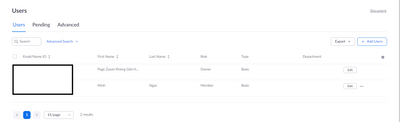
Can you tell me, when I upgrade to Pro account for $14.99/month. How many members can I invite to use with me at the Licensed level. And for each membership do I have to pay extra or just $14.99 per month

JackieChannVN_0-1637075090633.png


reply-icon Latest Reply - 

EventBrite will not connect to Zoom

Hi,Trying to connect eventbrite to zoom and I get the following error: You cannot authorize Eventbrite 2.0 -You cannot install the app because you don't have the required permissions. Please contact your IT administrator for permission and try againT... Show more

Hi,

Trying to connect eventbrite to zoom and I get the following error: You cannot authorize Eventbrite 2.0 -

You cannot install the app because you don't have the required permissions. Please contact your IT administrator for permission and try again


Then told to go to : 

User and Permission Management >View and Edit "Users"

I am working on the back end and have all permisson access .

Show less

reply-icon Latest Reply - 

Zoom.exe wastes screen space below and above the main video area

Both your standalone and Web applications have a cool feature: showing the video in original size (pixel for pixel). Of course, when the original is large, it cannot be entirely shown. But which namely rectangle does it occupy? Zoom has toolbar (at t... Show more

Both your standalone and Web applications have a cool feature: showing the video in original size (pixel for pixel). Of course, when the original is large, it cannot be entirely shown. But which namely rectangle does it occupy?

Zoom has toolbar (at the bottom) and another bar (at the top) which both can be hidden, e.g. with the [Alt] button. This is like the task bar in many desktop environment (e.g. Windows). What Windows does to the space formerly occupied by (hidden) task bar? It offers it for reuse! Likewise, I expect a large picture to fill all the space in Zoom not currently occupied by other elements.


If the space in the bars on the bottom and the top isn’t reusable, then for which benefit do you hide the widgets at all?

The bars become empty worthless black bars.

This is Zoom Meetings 5.8.3.1581 for Windows.


Show less

reply-icon Latest Reply - 

Delink personal email from work zoom

I realise I could not used my personal email to create a personal zoom account separate from my work zoom account. Tried terminating my zoom account and sign up one new zoom account with personal email. Received an email from zoom saying that the ema... Show more

I realise I could not used my personal email to create a personal zoom account separate from my work zoom account. Tried terminating my zoom account and sign up one new zoom account with personal email. Received an email from zoom saying that the email has been used to create an account and thus could not be used again. Short of creating another personal email, is there any way to resolve the issue?


Show less

reply-icon Latest Reply - 

Trying to find reports of Zoom activity of a particular (my) email address....

Whether initiated by me on my account, or whether I participated in a meeting set up by someone else that I logged into with the same email address. For instance if I set up a meeting using my Zoom account, call it jack@jackandjill.com, or whether th... Show more

Whether initiated by me on my account, or whether I participated in a meeting set up by someone else that I logged into with the same email address. For instance if I set up a meeting using my Zoom account, call it jack@jackandjill.com, or whether that email address was invited to and attended a Zoom meeting arranged by someone else.  Need it to verify client billing. 


Show less

reply-icon Latest Reply - 

Zoom crashing when joining a meeting

Hi all - I'm hoping someone can assist with the issue I am experiencing. I am using Windows 11 and the 64 bit version of the Zoom client (version 5.8.4 (1736)) - I have also tried the 32 bit version of the client and have the same issue. Basically af... Show more

Hi all - I'm hoping someone can assist with the issue I am experiencing.


I am using Windows 11 and the 64 bit version of the Zoom client (version 5.8.4 (1736)) - I have also tried the 32 bit version of the client and have the same issue.


Basically after I sign in with my Gmail account, before doing anything else (e.g. navigating any Zoom screens), Zoom immediately crashes.  I have also tried the version in the Microsoft store which I note is older than the one listed above and have the same issue.  Interestingly enough if I try to join a Zoom meeting using the browser (any browser) this works successfully.


I have checked the registry to see if there is a Zoom branch in HKEY_LOCAL_MACHINE etc with a view to deleting that branch in case some old settings are being remembered, but nothing is present.


Does anyone have any ideas on how to further investigate the issue which might be causing this please?


There are no firmware or driver updates available for the machine I am running and also there are no pending Windows Updates to be installed.


Many thanks in advance.


Show less

reply-icon Latest Reply - 

Zoom is not Connecting on my Mac

Despite trying to connect to meetings, zoom will not connect on my Mac book pro. Internet connectivity is good. 

reply-icon Latest Reply - 

Minutes with Zoom Pro

I was just offered Zoom Pro for 7.50 a month. How many minutes are offered with this plan beyond the 40 minutes for Zoom regular? 

reply-icon Latest Reply -