how many people can use one license (14 dollars)
Could you help me please. Can my employee use my 14 dollar license to host meetings with more than 2 participants longer that 40 mins? Note: I need to host zoom meetings at the same time
Zoomtopia is here. Unlock the transformative power of generative AI, helping you connect, collaborate, and Work Happy with AI Companion.
Register nowEmpowering you to increase productivity, improve team effectiveness, and enhance skills.
Learn moreKeep your Zoom app up to date to access the latest features.
Download Center Download the Zoom appDownload hi-res images and animations to elevate your next Zoom meeting.
Browse Backgrounds Zoom Virtual BackgroundsEmpowering you to increase productivity, improve team effectiveness, and enhance skills.
Zoom AI CompanionUser groups are unique spaces where community members can collaborate, network, and exchange knowledge on similar interests and expertise.

Help & Resources is your place to discover helpful Zoom support resources, browse Zoom Community how-to documentation, and stay updated on community announcements.
The Events page is your destination for upcoming webinars, platform training sessions, targeted user events, and more. Stay updated on opportunities to enhance your skills and connect with fellow Zoom users.
Zoom Team Chat connects teams and streamlines communication through securely integrated messaging software. Explore the Zoom Community's Recent Activity below to join the Team Chat conversation and connect with other members. If you're still looking for support, browse our Zoom Team Chat support articles or start a new discussion below!

Could you help me please. Can my employee use my 14 dollar license to host meetings with more than 2 participants longer that 40 mins? Note: I need to host zoom meetings at the same time
Hi, I registered Zoom ID by my work email and bought premium package. But i just quit my company and my work email was already removed by my company. I keep want to use my ID but when i login, i received a notice that "We detected an unusual login from a device or location you don't usually use or have not used in a while. To sign in to your Zoom account, check your email (***********) and input the verification code below." But i cant enter that work email any more. So please help me about solution. Thanks.
Show less
If I downgrade to a free account, will my personal meeting ID stay the same?
Does anybody know how I can reactivate a Meeting which was all of a sudden gone. A meeting which ran for a longer period.
My webinar is 2 days so i set as recurring so that participants can use the same link to join again the next day. But why is that I am no longer able to import attendees? The registration function is turned on.
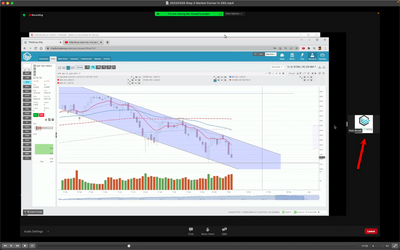
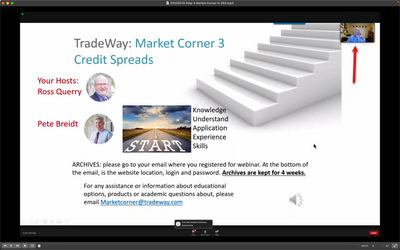
One business that I and others use has several weekly webinars. Sometimes, I and other attendees cannot view the webinar fullscreen. There are two windows. 1) the host's computer screen and 2) the host's camera view or a company logo. There is a vertical bar between the two windows that attendees can drag to increase or decrease the size, but there is no way to close the window with the host's camera view (or the company logo)., so we can see the host's computer screen full screen. When this issue occurs, it exists for the duration of the webinar. In other webinars that the same company hosts, the host's camera view is shown picture-in-picture and the host's computer screen is displayed full screen. The hosts say that they are all using the latest version of Zoom. The hosts say they are not aware of anything they are doing that causes the issue of the participants not being able to view the webinar fullscreen. Webinar attendees using both Mac and Windows have observed the issue. Is there anything the webinar host can do to ensure that fullscreen is used?
Show less
My user name is gr8mney. When I am on a webinar the streaming video of the host keeps blinking while it shows them. The screen shots don't blink, only when the host is showing themselves.
Sending meeting invitation using "copy to clipboard" and inserting link in an email (using AOL) will go the invitee. Using the option "send email"; the email invite does not get delivered to the recipient. This is using the Zoom app on an Ipad.
Show less