
Improve your Zoom Experience
Improve your Zoom Experience - in five steps, in five minutes.
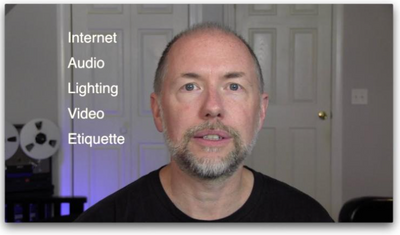
A great guide from Jeff Francis - professional Audio Engineer and Educator.
https://www.youtube.com/watch?v=rCnoGRmZmxg
What do people think?

Zoomtopia is here. Unlock the transformative power of generative AI, helping you connect, collaborate, and Work Happy with AI Companion.
Register nowEmpowering you to increase productivity, improve team effectiveness, and enhance skills.
Learn moreKeep your Zoom app up to date to access the latest features.
Download Center Download the Zoom appDownload hi-res images and animations to elevate your next Zoom meeting.
Browse Backgrounds Zoom Virtual BackgroundsEmpowering you to increase productivity, improve team effectiveness, and enhance skills.
Zoom AI CompanionUser groups are unique spaces where community members can collaborate, network, and exchange knowledge on similar interests and expertise.
Help & Resources is your place to discover helpful Zoom support resources, browse Zoom Community how-to documentation, and stay updated on community announcements.
The Events page is your destination for upcoming webinars, platform training sessions, targeted user events, and more. Stay updated on opportunities to enhance your skills and connect with fellow Zoom users.
Zoom Meetings are a simplified video conferencing solution for an optimized virtual meeting experience. Explore the Zoom Community's Recent Activity below to join the Meetings conversation and connect with other members. If you're still looking for support, browse our Zoom Meetings support articles or start a new discussion below!
Improve your Zoom Experience - in five steps, in five minutes.
A great guide from Jeff Francis - professional Audio Engineer and Educator.
https://www.youtube.com/watch?v=rCnoGRmZmxg
What do people think?

Olá. Eu realizei uma reunião do zoom e gravei porém, ela não aparece nas gravações. Onde posso verificar ou onde ela pode estar? Por gentileza me ajudem, é muito importante essa gravação. Detalhe, essa reunião foi feita em um outro computador, mas fiz login na minha conta e tudo correu normalmente, só que agora a gravação sumiu. Minha conta é paga. Desde já agradeço a ajuda!
Show less
We have ensured compliance with all 720p requirements on the following link https://support.zoom.us/hc/en-us/articles/207347086-Group-HD except for this: "Setting must be enabled by Zoom Support for 720p for the Pro account" How to contact Zoom Support to enable 720p? I initiated a Web Ticket and received following reply: "Unfortunately, we are unable to respond to your open ticket at this time. If you are part of a corporate account...... please contact your zoom account administrators"
Show less
Ever since I updated my MacBook to the newest update, I am not able to log into zoom at all. It says connecting for a minute but then it gives me a popup that says "unable to connect, please check you're internet connection and try again later". My wifi/internet is completely fine and I even tried logging on on a family members laptop and I got into my account no problem. I've even tried using my hotspot and a different locations wifi with my laptop and nothing. In addition I tried shutting down and restarting my laptop as well as deleting and re-downloading zoom and still nothing. Is anyone having the same problem? I need to be able to use zoom on my laptop for school.
Show less
I paid for a large meeting license for one month. .I have scheduled a meeting with 1000 participants. I need to know that the meeting I have scheduled in that one month period is in fact a large meeting. I would hate to have 900 people unable to get in. And there is nothing that tells me it is in fact a large meeting. thanks, Nicola
Show less
Why won't my Mac allow me to launch my meeting? I click on the button and nothing happens. Someone please help me out, I need to join my zoom calls for class lol.
HELLO, I WILL BE HOSTING FOR THE FIRST TIME AND WOULD LIKE TO LEARN HOW TO TRANSITION SMOOOTHLY BETWEEN: #1 LETTING PARTICIPANTS OUT OF THE WAITING ROOM and then,,,(HOW DO I HIT THE BUTTON TON LET PEOPLE IN AND AT THE SAME TIME HIT THE BUTTON TO START THE VIDEO?) #2 STARTING THE INTRODUCTORY VIDEO and then... #3 SWITCHING FROM THE VIDEO TO MY PPT BACKGROUND. I BELEIVE THAT I NEED TO SHARE MY SCREEN ONCE I OPEN THE MEETING AND I UNDERSTAND HOW TO GET THE VIDEO GOING WHILE IN SHARE MODE...BUT HOW CAN I SMOOTHLY GET BACK TO THE ZOOM DASHBOARD TO GRAB THE PPT FOR THE VIRTUAL BACKGROUND AND THEN SHARE AGAIN TO START THE CONTENT? THANK YOU! P.S. SINCE I RECENTLY LEARNED HOW TO DO THE PPT SLIDES AS THE VIRTUAL BACKGROUND. I WOULD APPRECIATE CLARITY ON HOW TO DO THE VIRTUAL BACKGROUND AND SPLIT MY SCREEN SO THAT I HAVE MY TALKING POIINTS AVAILABLE. ANY TIPS?
Show less
We have a scheduled recurring US based meeting and will have one attendee from New Zealand. Is there a way to provide the New Zealand attendee a closer regional URL?
HI
Hope you are doing well.
My name is Michal Shawn and I am a senior developer at shawnztech. I have to consult with my clients through zoom. Today I faced an strange issue when I was talking with my client laptopsadviser. Suddenly meeting cancelled and after that time I am unable to connect it. I also send him link again and again but whenever he click on the link we always show a notification of connecting but it is not connecting. Please let me know how can I sort out this issue. Thank You
Show less
Hi there. I want to provide 1080p resolution for my consulting business, however, I only need one license because I work with single clients at a time. Is there a way to purchase a business account (~$20/mo) without having to get 10-99 licenses? I only need one license (for myself). Just looking to provide 1080p quality--any way to accomplish this? Thank you.
Show less



