Changing Meeting menu bars
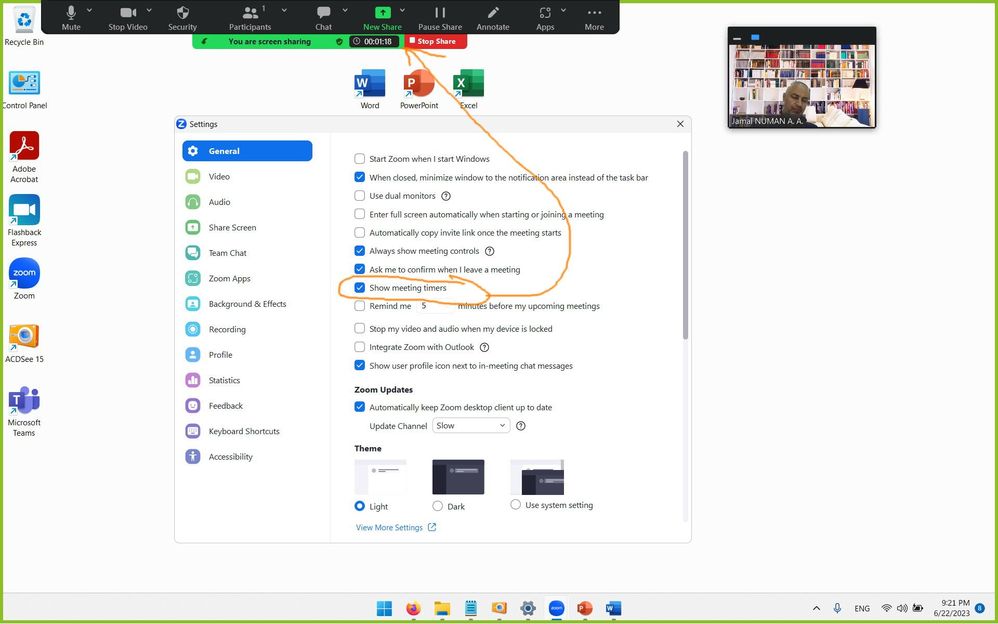
As a teacher of English, I use a graphics tablet/pen to write on the wide screen of my PC during meetings, jump from page to page on my browser and have many tabs open in order to do so, and switch from program to program using my taskbar. The problem is that the menus for the meeting and for annotation are horizontal so having moved them to the top and bottom of my screen so as to not obscure my view, I have to move them every time I want to open a tab or view a running program (e.g. a pdf file, jpeg image, word doc, etc). And the main menu bar, self-hiding when moved to the bottom of the screen, is not helpful all the time.
Is there an option to make the menus vertical, so that I can move them to the sides of my screen (like the apps menu bar - which I switch off) and therefore not have to keep moving them? If this option is not available, why not, as it's a no brainer for making meetings more user friendly?
Thanks in advance for any replies,
A
Show less