Zoom Rooms and Workspaces
cancel
Showing results for 
Search instead for 
Did you mean: 
The Zoom Community will be placed in read-only mode January 9th, 2026 through January 22nd, 2026 to deliver you a new and improved community experience!

The community will still be accessible, however, the creation of any new discussions or replies will be temporarily unavailable. We appreciate your patience during this time.

Weekly Leaderboard

What are Zoom Rooms and Workspaces?

Zoom Rooms are modern workspaces that enable in-person and remote participants to interact in real-time in a hybrid setting. Explore the Zoom Community's Recent Activity below to join the Rooms and Workspaces conversation and connect with other members. If you're still looking for support, browse our Zoom Rooms and Workspaces support articles or start a new discussion below!

Recent Activity

Zoom Rooms and wandering Waiting Room

We have zoom rooms at two campuses. An instructor has set up their zoom meeting and scheduled it so it will automatically start. The zoom meeting does put participants into a waiting room. The meeting is between two zoom rooms on both campuses, and o... Show more

We have zoom rooms at two campuses.   An instructor has set up their zoom meeting and scheduled it so it will automatically start.   The zoom meeting does put participants into a waiting room.   The meeting is between two zoom rooms on both campuses, and occassional students who need to connect from home.    The instructor has been in a position on several occassions where the remote non-instructor zoom room site will be required to admit the instructor and the participants in the room with them and their site.     Both campuses are set to permit the  zoom rooms to co-host meetings.    this is the one instance where the instructor is instructing from Site B to Site A, rather than vice versa, and that is immediately after a class teaching from Site A to a different zoom room at Site B.


Show less

reply-icon Latest Reply - 

Resolved! Room Check-In and Check-Out remains gray

I have reset this function in all hierarchy levels (floor, building, city and country), it means the account setting should affect all rooms.
In some rooms this function is not active and cannot be changed.


Jfr_0-1661373669286.png


reply-icon Latest Reply - 

Getting Digital Signage Content to Display

Hi. I'm trying to help out with getting a display up on our TV using the Zoom app but nothing is appearing when we open the Zoom Rooms program on Windows and connect using the Zoom Controller app.On the Zoom portal we have created a room and linked c... Show more

Hi. I'm trying to help out with getting a display up on our TV using the Zoom app but nothing is appearing when we open the Zoom Rooms program on Windows and connect using the Zoom Controller app.

On the Zoom portal we have created a room and linked content that we want to display to that room. However, when we enter the pairing code on the controller app the TV just shows the Zoom start page.

Is there another code that we need to enter to link the content setup on the portal with the Zoom Rooms program running on our TV?


Show less

reply-icon Latest Reply - 

Music in Zoom Event Lobby

Is this a feature? Can I add music to the lobby of this zoom event? It's quite boring otherwise.

reply-icon Latest Reply - 

'Raised Hand' Feature bug on Zoom Rooms Monitors

We are having an issue in the Zoom meeting rooms where the ‘raised hand’ feature stays showing on the screen in the meeting room after it has been ‘lowered’.On individual’s laptop screens the ‘raised hand’ would not be showing.We were able to replica... Show more

We are having an issue in the Zoom meeting rooms where the ‘raised hand’ feature stays showing on the screen in the meeting room after it has been ‘lowered’.
On individual’s laptop screens the ‘raised hand’ would not be showing.

We were able to replicate the issue.

Also there is a warning message on top of every meeting window about the time left but that shows 1092:00 and it doesn’t count down.

Any suggestions?

Thanks


Show less

reply-icon Latest Reply - 

Zoom Room: wrong raised hands

We have the following problem: when a person lowers the virtual hand, in zoom rooms it automatically raises the hand of another person. This person has not really raised his hand.This erroneous display of raised hands is only seen in zoom rooms. If a... Show more

We have the following problem: when a person lowers the virtual hand, in zoom rooms it automatically raises the hand of another person. This person has not really raised his hand.
This erroneous display of raised hands is only seen in zoom rooms. If another person is following the meeting from a Zoom Desktop he sees the correct status of the raised hands.
It looks like it's a bug. Anyone else has happened?
The problem can be replicated as many times as you want.


Show less

reply-icon Latest Reply - 

Zoom room 3rd party teams meeting camera issue

So we finally got our Zoom rooms to be able to work with Teams meeting invites. But in one specific room, the camera zooms all the way out as soon as the Teams meeting is started by the external attendee who sent the invite. While we are waiting to g... Show more

So we finally got our Zoom rooms to be able to work with Teams meeting invites.  But in one specific room, the camera zooms all the way out as soon as the Teams meeting is started by the external attendee who sent the invite.  While we are waiting to get into the meeting, it shows the camera, mute, and custom controls options on the teams windows on the screen, but on the polycom controller, there are no options to make any adjustments, its just a white screen saying waiting for meeting to start (or something like that).  


Question is, how can i set the default zoom level for the camera for 3rd party teams meetings in a zoom room?  OR if that cannot be done, is there anyway to get a mouse connected through the polycom controller so we can try and select the "custom controls" option while waiting for the meeting to start?


Show less

reply-icon Latest Reply - 

Zoom Workspaces: Discussion and Ideas

I'm making this post purely out of curiosity and to discuss this wonderful Zoom feature. For those currently using Zoom Workspaces, how are you going about creating floormaps? Are you just using an existing blueprint of your building, or did you have... Show more

I'm making this post purely out of curiosity and to discuss this wonderful Zoom feature.  For those currently using Zoom Workspaces, how are you going about creating floormaps?  Are you just using an existing blueprint of your building, or did you have some kind of artwork done?


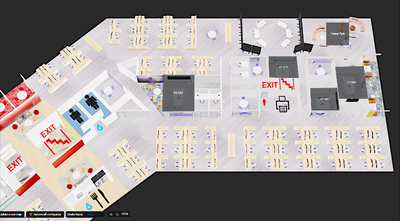
For my part, I took my building's 2D blueprint and went around taking pictures of everything throughout the building, and then used Blender to make a 3D representation of the building:


StefanScherbik_0-1662728468323.png


Just to fire off some more discussion questions:


I'm also curious how people are listing things like amenities.  For instance, did anyone included something like a legend on their floormap that indicates which amenities are available in which rooms.  On my floormaps, I just used basic symbols placed over the 3D map to indicate exits, kitchens, stairs, water coolers, etc.


And how do you have everything set up?  Did you do kiosks like DTEN Me's in a lobby to let people select workspaces and conference rooms?  Do you have scheduler tablets mounted outside of conference rooms that let people view these floormaps?  Did you enable the Zoom Workspace Reservation app to allow people to use Workspaces from the Zoom application itself?  Or do you just link to zoom.us/workspace to let people book spaces from the web?


Anyone have any issues with Workspaces?  I had some--for instance, DTEN Me's are great to use as kiosks, but sometimes they have a bit of trouble loading the floormaps and switching between floors.  And when using zoom.us/workspace, sometimes when you try to move across the map or zoom in and out, it gets glitchy and messes up the image.  Hopefully kinks like this will be worked out soon enough.


Also curious if anyone switched from something like Robin for workspace reservation to Zoom, and how they feel the two compare.


Would love to have a discussion with other users to share ideas and inspiration regarding Workspaces.  Anything you all want to talk about.


Show less

reply-icon Latest Reply - 

Rename the Zoom Room

If I have a person being deposed in our Zoom Room, I would like their name to appear in the meeting as "Jane Smith", not "Law Firm Small Conference Room." I am not the host. I have the Neat Bar with Neat Pads and Zoom Room licenses. Is there any way ... Show more

If I have a person being deposed in our Zoom Room, I would like their name to appear in the meeting as "Jane Smith", not "Law Firm Small Conference Room." I am not the host.


I have the Neat Bar with Neat Pads and Zoom Room licenses.


Is there any way to accomplish this on-the-fly, or do I need to go into the Zoom account and rename the room?


Show less

reply-icon Latest Reply - 

Resolved! Zoom Room Controller App on Andoid doesn't work after update

Hi, We are using a Logitech Rally Bar with Zoom Room application in Appliance Mode. We then have a Samsung Andoid tablet which hosts the Zoom Room Controller app. Yesterday the app ran an Auto Update. Since then the app hangs at 'Requesting Zoom Room... Show more

Hi, We are using a Logitech Rally Bar with Zoom Room application in Appliance Mode. We then have a Samsung Andoid tablet which hosts the Zoom Room Controller app. Yesterday the app ran an Auto Update. Since then the app hangs at 'Requesting Zoom Rooms Information'.  I have tried uninstalling and re-installing app, and have power cycled all devices and network. Is this an issue with the new app...?


Show less

reply-icon Latest Reply -