Introducing Zoom AI Companion 3.0: Turn Conversations into Outcomes
Experience the next generation of AI Companion today.
Show less

Zoomtopia is here. Unlock the transformative power of generative AI, helping you connect, collaborate, and Work Happy with AI Companion.
Register nowEmpowering you to increase productivity, improve team effectiveness, and enhance skills.
Learn moreKeep your Zoom app up to date to access the latest features.
Download Center Download the Zoom appDownload hi-res images and animations to elevate your next Zoom meeting.
Browse Backgrounds Zoom Virtual BackgroundsEmpowering you to increase productivity, improve team effectiveness, and enhance skills.
Zoom AI CompanionUser groups are unique spaces where community members can collaborate, network, and exchange knowledge on similar interests and expertise.
Help & Resources is your place to discover helpful Zoom support resources, browse Zoom Community how-to documentation, and stay updated on community announcements.
The Events page is your destination for upcoming webinars, platform training sessions, targeted user events, and more. Stay updated on opportunities to enhance your skills and connect with fellow Zoom users.
Zoom AI Companion is an AI assistant that works across the Zoom platform, facilitating higher individual productivity and better team collaboration. Explore the Zoom Community's Recent Activity below to join the AI Companion conversation and connect with other members. If you're still looking for support, browse our Zoom AI Companion support articles or start a new discussion below!
Experience the next generation of AI Companion today.
Show less

https://support.zoom.us/hc/en-us/articles/16269138857229#h_01H9H953JKNXPKHZME709A7B8N We are currently recording Zoom locally. In this case, I checked the support site. It states that cloud recording data and audio transcripts are required to use smart recording. Do you understand that smart recording cannot be used in this case? Also, in the case of the local storage type, the audio transcript is temporarily saved on the Zoom side, but is the mechanism the same as the recorded content on Zoom? Finally, is it correct that 'Content used to provide the service' is recognized as being discarded after the AI is generated?
Show less
Hi,
I am the account owner.
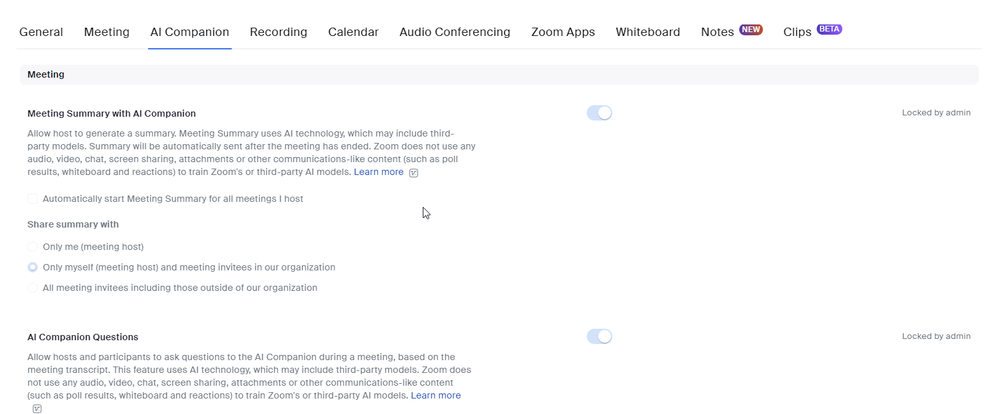
I am trying to activate AI companion but is says it is locked by Admin.
Since I am the only account holder how do I activate this?
We’re not sure there’s much spookier than a double or triple-digit notification number in Zoom Team Chat 🫣
Luckily, AI Companion can help you catch up with the click of a button! ✨
Have you tried Zoom’s new virtual assistant, Zoom AI Companion?
Check out what these users have to say about it 👇🏽
What do you like most about Zoom AI Companion? Share in the replies below ✏️
Is there anyway of turning on the AI Meeting summary and include Timestamps?
I am attempting to test the Zoom AI companion feature before rolling out the function to all users in my environment. The issue is that I am using an admin account and I attempt to allow only a few users but it says Locked by Admin even though I unlocked the feature. Ultimately, my goal is to have a few users enabled to test the features. Here are the sequence of events that I have tried: Please assist as I have tried following the instructions on the Tiered settings page but none of that has helped.
Show less
I am trying to find the answers to couple of questions regarding AI companion that I read from the following article - https://support.zoom.us/hc/en-us/articles/16269138857229-How-Zoom-IQ-free-trial-features-handle-your-data- 1. How long does Zoom store audio transcripts for non-recorded meetings that are stored temporarily in order for Zoom to provide the service and support to customers? 2. When temporary transcripts are generated how long are they stored for and how do we know when they are deleted? 3. Are the temporary transcripts/audio transcripts only stored in the US data centers, if not what are the other locations where they are stored? 4. What other data used/created by AI companion does Zoom temporarily store? 5. How do we confirm that any data temporarily retained by 3rd parties is destroyed and what data are they retaining?
Show less
I received a meeting summary following a meeting, but hadn't activated the AI Companion. How did that happen?
Hello, I turned on Meeting Summary to have notes for someone who was not at a meeting, and I forgot to tell remaining participants until later in our meeting. Someone is concerned about potentially sensitive information, and would like it deleted. Can you help me with this? Thank you.
Show less