Zoom Webinars
cancel
Showing results for 
Search instead for 
Did you mean: 

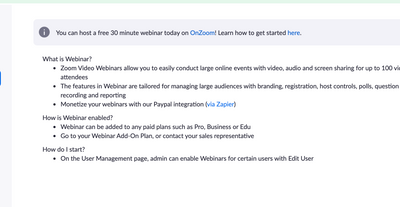
What are Zoom Webinars?

Host interactive online events with Zoom Webinars. Explore the Zoom Community's Recent Activity below to join the Webinars conversation and connect with other members. If you're still looking for support, browse our Zoom Webinars support articles or start a new discussion below!

Recent Activity

Zoom webinar features

Hi everyone! Struggling to connect with Zoom, maybe someone could help me here to understand if with Zoom webinars it's possible to hide the number of attendees (so only the host could see it) and add labels to the panelists (like to have a nice litt... Show more

Hi everyone! Struggling to connect with Zoom, maybe someone could help me here to understand if with Zoom webinars it's possible to hide the number of attendees (so only the host could see it) and add labels to the panelists (like to have a nice little banner saying their name on the video, etc.)? Thank you! 


Show less

reply-icon Latest Reply - 

Manual Approval: What happens if you leave registrant in pending approval?

When manual approval is set up for a Zoom webinar, what happens if the registrant is not approved or denied but just left in "pending approval" status?

Thanks!

reply-icon Latest Reply - 

webinar invitation has typos

This is what is on my copy attendee invitation Topic: Return to Learn and Beyond: The SLP's Guide to TBI and Concussion Management The ' should not be there. However, I have proofread everything that I input and there are no seen typos on the informa... Show more

This is what is on my copy attendee invitation 
Topic: Return to Learn and Beyond: The SLP's Guide to TBI and Concussion Management    The &#39 should not be there.  However, I have proofread everything that I input and there are no seen typos on the information that I entered.  Any help is appreciated. 


Show less

reply-icon Latest Reply - 

Reconnect Button

I have seen a feature called "reconnect" on webinar tutorials. However, I don't see that on my screen next to "record". What plan do I need to use the reconnect button

reply-icon Latest Reply - 

Resolved! Video/Profile Image

I'm hosting an upcoming Zoom Webinar and would like to be able to turn off Video -and- my Profile Image at certain points during the webinar. I know how to turn off video, but how can I turn off my profile image as well? I don't want it to be visible... Show more

I'm hosting an upcoming Zoom Webinar and would like to be able to turn off  Video -and- my Profile Image at certain points during the webinar.  I know how  to turn off video, but how can I turn off my profile image as well?  I don't want it to be visible to me or my audience because I want the entire screen to be available for content.  Thank you!


Show less

reply-icon Latest Reply - 

Panelist Needs to Join By Phone and On Laptop Separately

Our company has a webinar coming up and one of the panelists said that their audio is not great on their PC, but needs that to show the presentation. He would like to join by his PC to able to show his presentation/screen but then join by phone on hi... Show more

Our company has a webinar coming up and one of the panelists said that their audio is not great on their PC, but needs that to show the presentation. He would like to join by his PC to able to show his presentation/screen but then join by phone on his mobile device and use that as his audio. What is the best way to do this?


Show less

reply-icon Latest Reply - 

Zoom Webinars-attendees without Zoom accounts logged in

Hi, when our attendees join our Zoom Webinars without a Zoom account created or logged in, they're requested to provide their email and name to move forward. Is there a way to turn off that? 

reply-icon Latest Reply - 

Adding More slots to Webinar via API

How can we add more slots to an existing webinar via API?


Is there any end point available for it?  

reply-icon Latest Reply - 
reply-icon Latest Reply -