How to enable in meeting collaboration on whiteboards | Community
Skip to main content
Employee
March 28, 2024
Question

How to enable in meeting collaboration on whiteboards

  • March 28, 2024
  • 1 reply
  • 1 view

If participants in a meeting are unable to collaborate on a shared whiteboard, it might the result of an account setting limiting sharing to only users in the same organization. There was an issue recently where Zoom Pro accounts defaulted off external sharing. Meeting participants from outside your account or who are not signed in are considered external users and cannot collaborate on whiteboards unless the sharing setting is "Allow sharing with users in the same organization and outside your organization."


Follow these steps to enable external and un-signed in user collaboration in and out of meetings:


  1. Open a web browser and navigate to https://zoom.us/account/setting (NOTE: This page requires account permission. If you cannot access it, then you will need help from your account owner or admin to adjust this setting.)
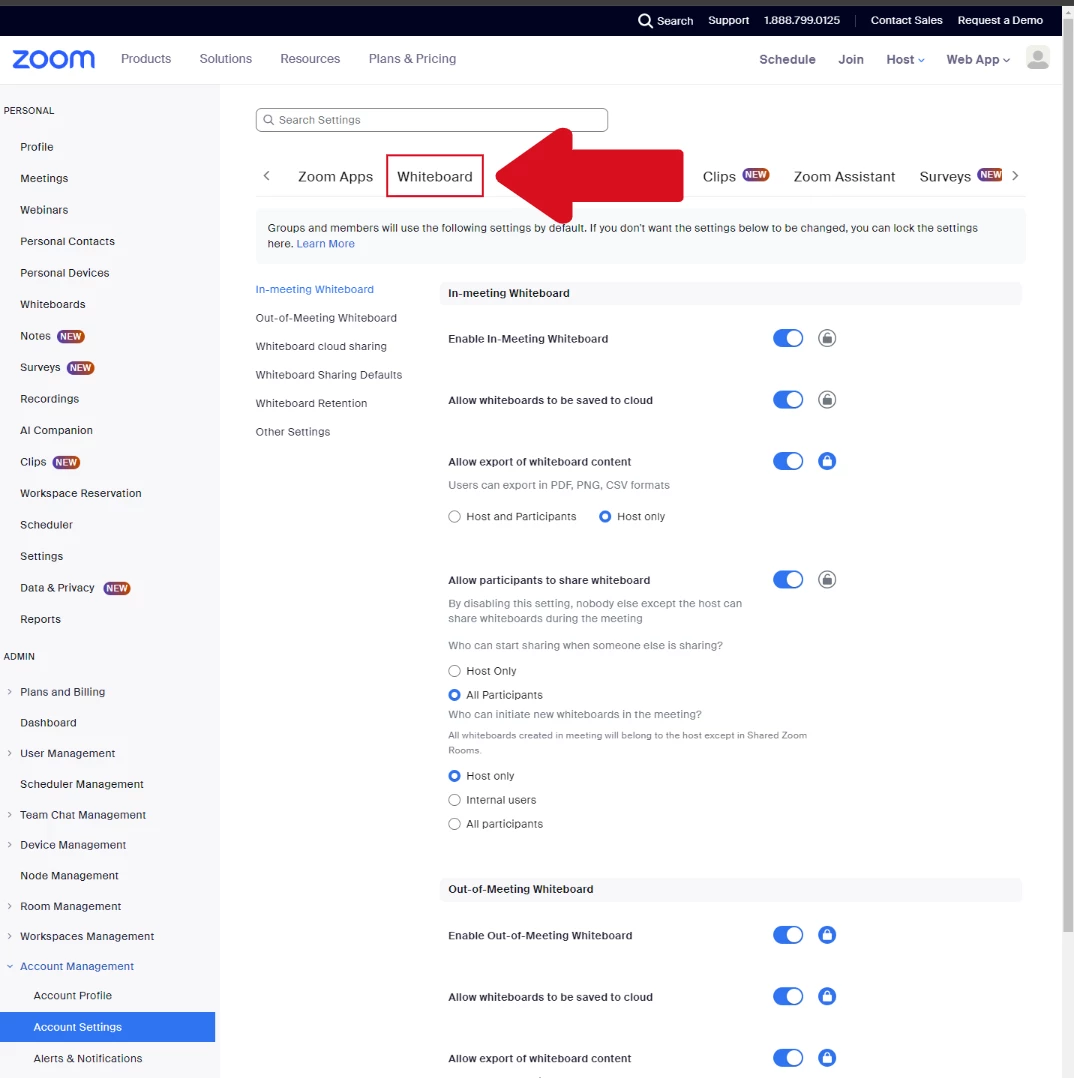
  2. Navigate to the Whiteboard Tab 

  3. Under "Whiteboard Cloud Sharing", enable "Sharing" and pick the option "Allow sharing with users in the same organization and outside your organization" 
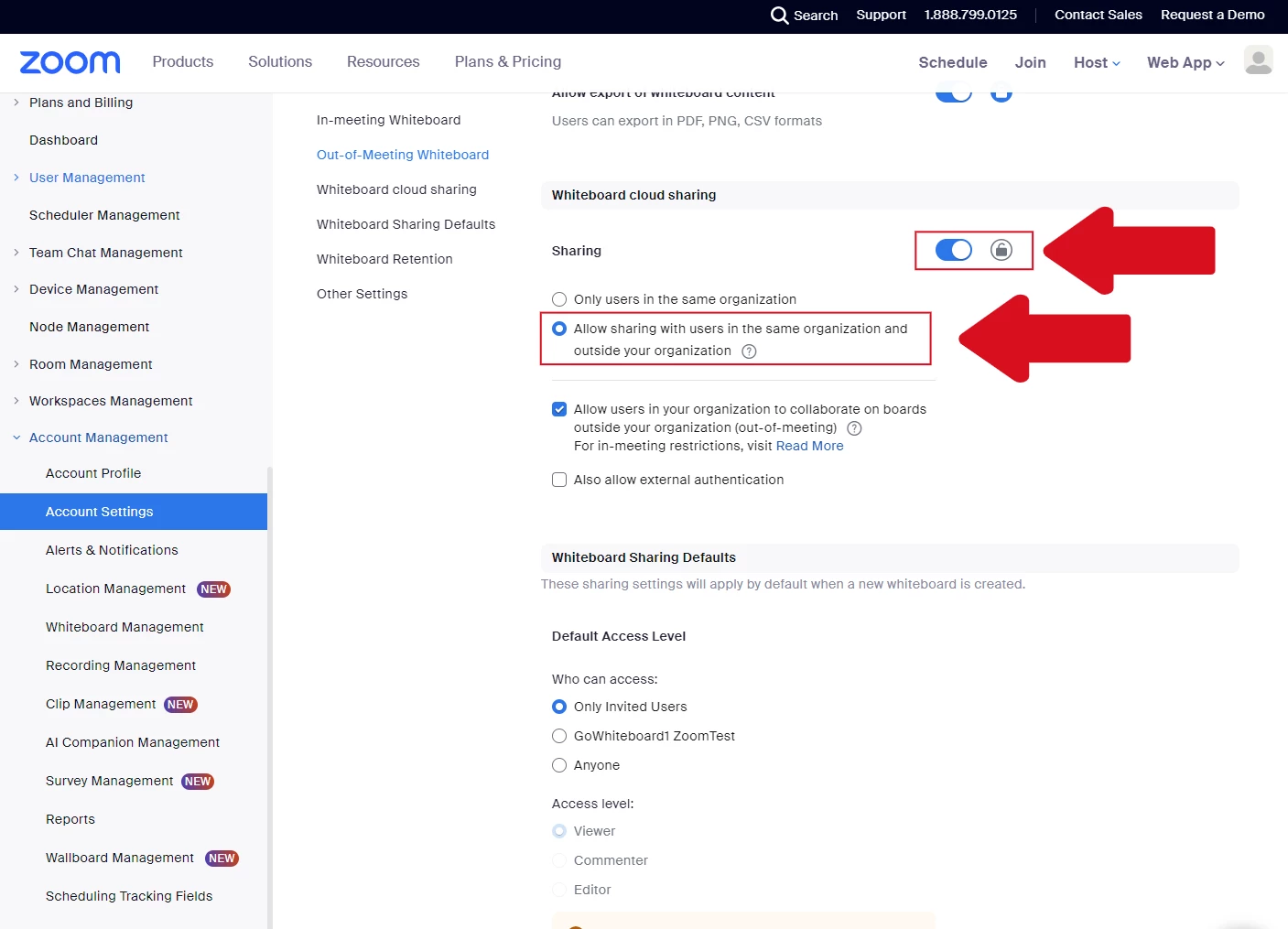
     

This setting controls who can collaborate on whiteboards shared in and outside a meeting.

1 reply

Newcomer
April 4, 2024

Following your steps in that link, I already have "Allow sharing with users in the same organization and outside your organization" set. And for Whiteboard Sharing Defaults: Default Access Level: Who can access: I have "Anyone" selected, but below that it still has only the Viewer access level selectable whereas both Commenter and Editor levels are dimmed and cannot be selected.


As I noted, even with those two Commenter and Editor access level disabled and only Viewer access level selected, anyone in my meeting does seem to have Editor access as I desire. So, it is working despite what the UI would suggest.


Thanks for engaging on this and looking forward to a clearer overhaul. It is particularly strange when I'm told that I can't do something when I am the only person in the account and thus I'm the account Owner and Admin.

PalmerAuthor
Employee
April 4, 2024

HI @JayZooms thank you again for reaching out. Its abundantly clear we need to make it easier to understand what these settings do, and we have prioritized that work over the next month.


Those default settings you are describing apply to the share link of the board. If you create a whiteboard in a meeting, all the participants are shared the board regardless of what default share link settings are because they are explicitly added to the documents access roster (you can check that our by clicking on "share" and seeing who shows up). The share links are useful for quickly granting access to folks who were not in the meeting where it was shared as it allows them to access the document outside the meeting.


Does that make more sense?