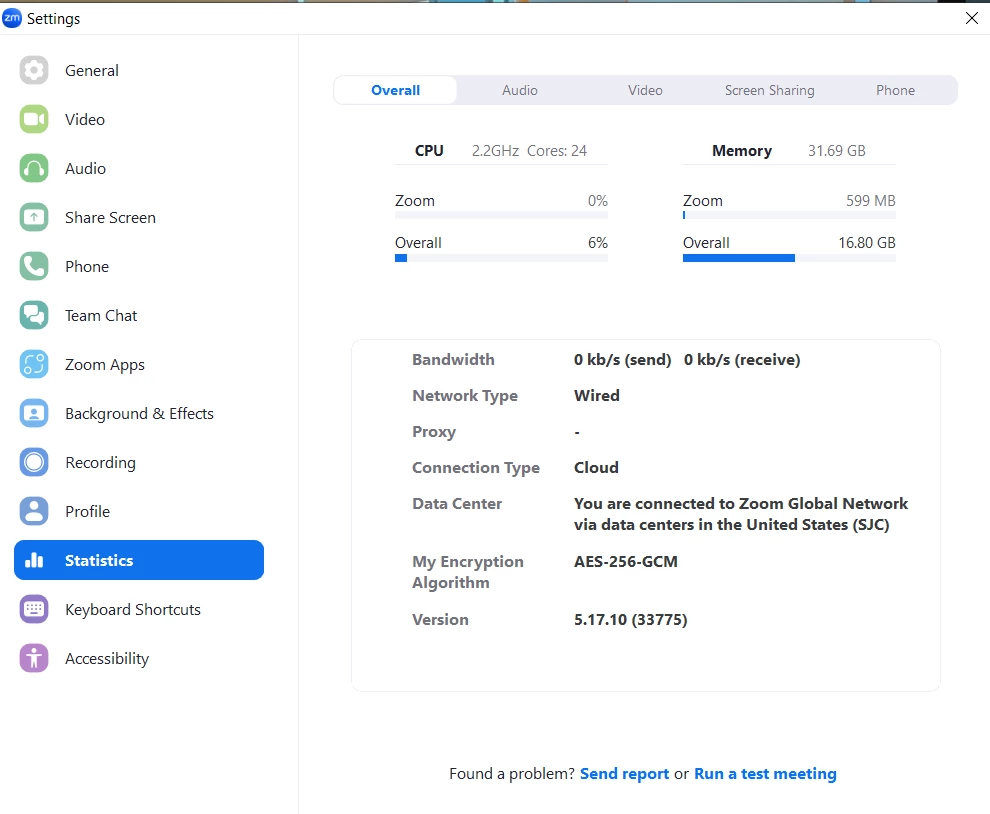
Struggling with Poor Internet Connection and Audio Breakup in Zoom Classes: Need Advice!
Hey everyone,
I hope you're all doing well. I'm reaching out because I've been facing some frustrating issues during my Zoom classes, and I'm hoping to get some advice or suggestions from the community here.
The main problems I'm encountering are poor internet connection and audio breakup, which make it difficult for me to follow along with the class discussions and lectures. It's incredibly frustrating, especially when important information is being shared, and I don't want it to impact my learning experience any further.
Here's a bit more detail about the issues I'm facing:
Poor Internet Connection: Despite having what I thought was a decent internet plan, I often experience lagging, freezing, and even disconnections during my Zoom classes in my intel core i7 laptop. This makes it difficult to keep up with what's being discussed and participate actively.
Audio Breakup: In addition to the internet issues, I also encounter frequent audio breakup, where voices become distorted or choppy, making it hard to understand what's being said. This adds another layer of frustration to the situation.
I've tried troubleshooting on my own by restarting my router, checking for any background downloads or uploads, and even contacting my internet service provider, but the issues persist.
If anyone has experienced similar problems or has expertise in dealing with poor internet connection and audio breakup during Zoom meetings, I would greatly appreciate any advice or suggestions you can offer. Here are some specific questions I have:
Are there any other tips or tricks you can share for optimizing Zoom performance and ensuring a smoother experience during classes?
Any advice or insights you can provide would be immensely helpful in resolving these issues and making my Zoom classes more productive and enjoyable. Thank you in advance for your help!
Best regards, emilyawalker