Recover Paused Recording
I was recording a webinar, however, I clicked the pause recording button and only after a certain time did I start recording again, it is possible to see the content that was paused in the recording?
Zoomtopia is here. Unlock the transformative power of generative AI, helping you connect, collaborate, and Work Happy with AI Companion.
Register nowEmpowering you to increase productivity, improve team effectiveness, and enhance skills.
Learn moreKeep your Zoom app up to date to access the latest features.
Download Center Download the Zoom appDownload hi-res images and animations to elevate your next Zoom meeting.
Browse Backgrounds Zoom Virtual BackgroundsEmpowering you to increase productivity, improve team effectiveness, and enhance skills.
Zoom AI CompanionUser groups are unique spaces where community members can collaborate, network, and exchange knowledge on similar interests and expertise.
Help & Resources is your place to discover helpful Zoom support resources, browse Zoom Community how-to documentation, and stay updated on community announcements.
The Events page is your destination for upcoming webinars, platform training sessions, targeted user events, and more. Stay updated on opportunities to enhance your skills and connect with fellow Zoom users.
Host interactive online events with Zoom Webinars. Explore the Zoom Community's Recent Activity below to join the Webinars conversation and connect with other members. If you're still looking for support, browse our Zoom Webinars support articles or start a new discussion below!
I was recording a webinar, however, I clicked the pause recording button and only after a certain time did I start recording again, it is possible to see the content that was paused in the recording?
Hello, Can someone please explain what this means? We are setting up a recurring webinar with registration where registrants can select which webinar they would like to attend. Our panelists will change for each webinar so they will have to edited/added during the time period of the recurring webinars. Will this affect our registrations? Also, is there a way to have an option for "All of the Above" when registrants are choosing which webinar to register for on the registration page? Please explain what this means if you can.
Show less
I know this question was asked a little over two years ago and the answer was no, but wondering whether the suggestion was acted upon. It's so awkward to say goodbye to panelists and attendees at the same time. I don't know about others, but I'm often hosting someone from outside my org, spending their time to present within my org, and an in-the-moment debrief or thanks feels important.
Show less
At last nights Webinar meeting my remote participants couldn't hear me. I could hear them. Is there a setting I'm missing?
I need to generate a Q&A report for our previous Zoom webinar last May 2024. I tried following the instructions on the Zoom article for it, but I cannot seem to find the reports on our dashboard. Is it possibly because our Webinar subscription has ended? Would it be possible to request that one report?
Show less
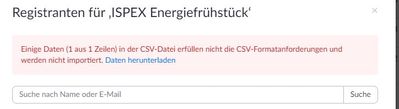
I uploaded a .csv document with approx. 270 email addresses for pre-registration, and it's showing I've registered 270 people when I click on the Registration Report. However, it's been over an hour and no one I've checked with has received their registration confirmation email. Then when I check the counter for confirmation emails sent, it's not showing that 270 emails were sent, only the few I tested out before I sent uploaded the .csv. How do I ensure folks receive their confirmation emails.
Show less
When I export a csv of a webinar's attendees, there are records that in the Attended column show as Yes and then the same person (identical email addresses and names) show as No.
Why is this happening?
Does an admin have permission to make edits to a zoom webinar registration page ( if they are not the owner or creater of the webinar)
Hello,
In zoom event I can edit already existing emails but cant create a new one from the scratch. Tried following email builder article in zoom support centre but it does not help. Please help with this issue
Thanks
Hi, We have a zoom webinar account. To enter a webinar, registration is not necessary. So in registration settings, we filled in: registration not mandatory. In the email settings we also filled in not to send an email to participants. Emails are also not part of the user rapports. But still, users need to fill in their email adress. If you click on the info-button, zoom says it's because the organisation demands it. That's not the case.. How can we fix this? Thanks!
Show less