Zoomtopia is here. Unlock the transformative power of generative AI, helping you connect, collaborate, and Work Happy with AI Companion.
Register nowEmpowering you to increase productivity, improve team effectiveness, and enhance skills.
Learn moreKeep your Zoom app up to date to access the latest features.
Download Center Download the Zoom appDownload hi-res images and animations to elevate your next Zoom meeting.
Browse Backgrounds Zoom Virtual BackgroundsEmpowering you to increase productivity, improve team effectiveness, and enhance skills.
Zoom AI CompanionUser groups are unique spaces where community members can collaborate, network, and exchange knowledge on similar interests and expertise.

Help & Resources is your place to discover helpful Zoom support resources, browse Zoom Community how-to documentation, and stay updated on community announcements.
The Events page is your destination for upcoming webinars, platform training sessions, targeted user events, and more. Stay updated on opportunities to enhance your skills and connect with fellow Zoom users.
ā2023-05-22 06:12 AM - edited ā2023-05-22 07:33 AM
I am the owner and only user of this account.
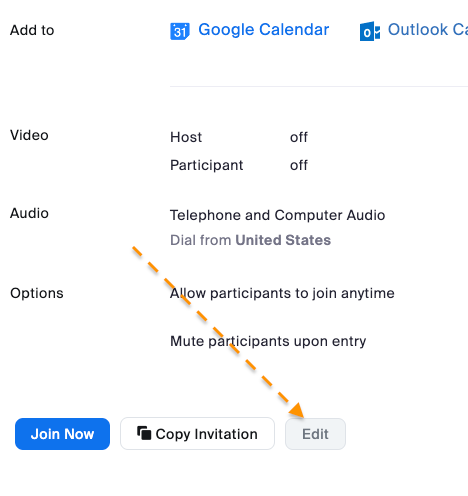
For the life of me, I can not figure out how to change my passcode b/c the EDIT button is disabled.
Location: Personal-->Meetings-->Personal Room
I have a paid account.
Solved! Go to Solution.
ā2023-05-22 08:47 AM - edited ā2025-07-23 07:12 AM
Hey, @georgedean.
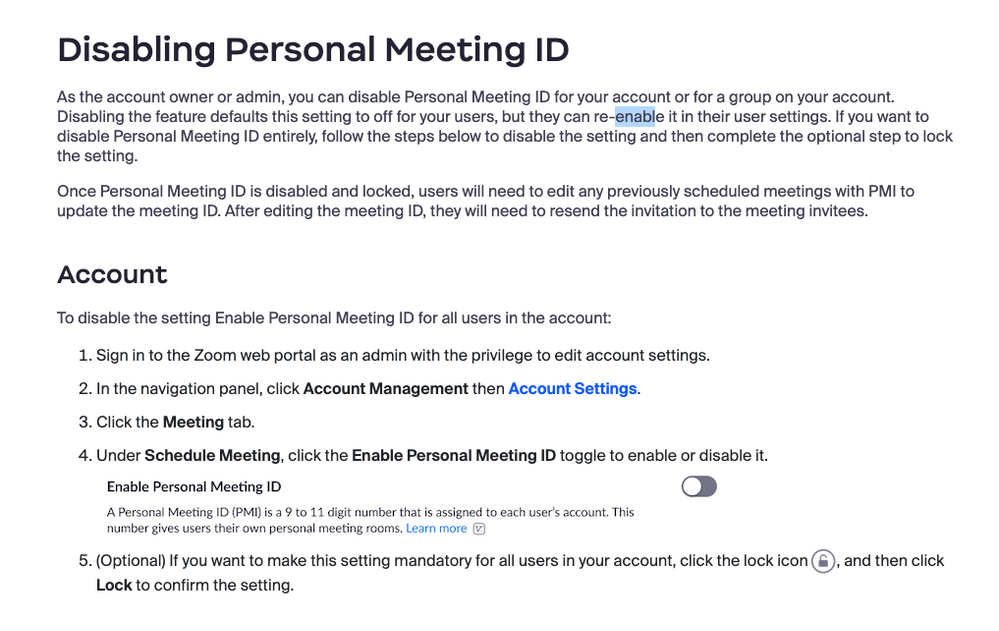
Iām not sure why your Edit button is greyed out. This Zoom Support article might be helpful:
Added July 23, 2025:
You canāt edit parameters of any meeting in progress, and if anyone is in your meeting, the Edit button will be greyed out.
ā2023-05-22 08:57 AM
I had to turn this OFF and then back ON... then the edit button was "Active"
ā2023-05-22 07:53 AM
Hi @georgedean , I'd be happy to help. Do you know if the Passcode checkbox is selected in the Security section?
ā2023-05-22 08:28 AM
Thank you. It is.
ā2023-05-22 08:47 AM - edited ā2025-07-23 07:12 AM
Hey, @georgedean.
Iām not sure why your Edit button is greyed out. This Zoom Support article might be helpful:
Added July 23, 2025:
You canāt edit parameters of any meeting in progress, and if anyone is in your meeting, the Edit button will be greyed out.
ā2023-05-22 08:57 AM
I had to turn this OFF and then back ON... then the edit button was "Active"
ā2023-05-22 08:59 AM
Glad you were able to get it figured out! Thanks for sharing š
ā2024-03-25 04:08 PM
I'm seeing the same problem and the above solution is not working for me.
ā2025-02-18 10:45 AM
I share your frustration. I need to edit my information on Zoom and it is not allowed me to do so itās been over a year now. Iām not sure why Iām not allowed to change my own personal information, but Iāve tried everything.
ā2025-07-22 07:09 PM
The PMI disable/enable solution didn't work for me either.
ā2025-07-23 07:11 AM
Welcome to the Zoom Community, @dnintzel.
ts anyone in your PMI meeting? You canāt edit parameters of any meeting in progress, and if anyone is in your meeting, the Edit button will be greyed out.
ā2025-07-23 12:59 PM
Thanks @Ray_Harwood. That must have been it. I was in the meeting when I tried, but thought it would just not let me edit the current date, but would let me update subsequent dates. I just tried and it is working now. Thanks!