Calendly integration error
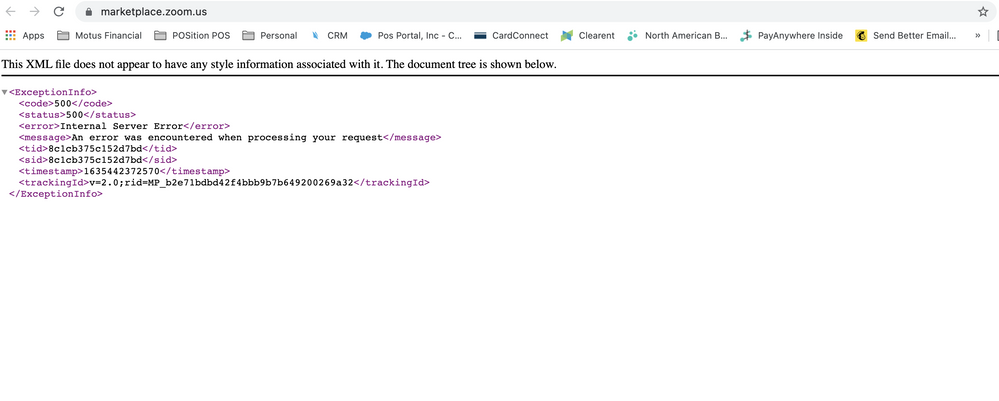
I can't connect Calendly to this Zoom account. I keep getting this error.
I've disconnected and reconnected. I've cleared browser caches. I've upgraded licenses on both Calendly and Zoom. Nothing works.
Zoomtopia is here. Unlock the transformative power of generative AI, helping you connect, collaborate, and Work Happy with AI Companion.
Register nowEmpowering you to increase productivity, improve team effectiveness, and enhance skills.
Learn moreKeep your Zoom app up to date to access the latest features.
Download Center Download the Zoom appDownload hi-res images and animations to elevate your next Zoom meeting.
Browse Backgrounds Zoom Virtual BackgroundsEmpowering you to increase productivity, improve team effectiveness, and enhance skills.
Zoom AI CompanionUser groups are unique spaces where community members can collaborate, network, and exchange knowledge on similar interests and expertise.
Help & Resources is your place to discover helpful Zoom support resources, browse Zoom Community how-to documentation, and stay updated on community announcements.
The Events page is your destination for upcoming webinars, platform training sessions, targeted user events, and more. Stay updated on opportunities to enhance your skills and connect with fellow Zoom users.
Zoom App Marketplace has more than 2,000 apps that enhance your Zoom experience and improve workflow and collaboration. Explore the Zoom Community's Recent Activity below to join the Marketplace conversation and connect with other members. If you're still looking for support, browse our Zoom Apps and Marketplace support articles or start a new discussion below!
I can't connect Calendly to this Zoom account. I keep getting this error.
I've disconnected and reconnected. I've cleared browser caches. I've upgraded licenses on both Calendly and Zoom. Nothing works.

1. I want to build an app that can be used in zoom meetings. What I am trying to achieve is very similar to what Kahoot/ Dive and many other apps have build, that is using their own UI elements in zoom. meeting. Please see attachments.
2. Secondly, I wanted to know how can we use chatbots in zoom meeting?
Show less
Hello, I was wondering what would happen if we changed the webinar date after users have already registered. the webinar has not occurred yet. for example I'm hesitant to change it since I worry it may cause a problem
Show less
When submitting an App for Zoom approval, am I allowed to make changes to things like app description or add app screenshots after submitting to Zoom? Does the approval process need to be started from scratch?
Thanks
I want to create zoom marketplace app, so I just want to getter information like on which programming language its going to build, please let me know if anyone knows
We are trying to implement the join webinar (meeting) feature in our existing mobile app. The same feature is implemented in the web tier already. In the web tier, its using the ZoomMtg.init, and ZoomMtg.join where it didn't pass any SDK Key and SDK Secret. For the ZoomMtg.join, it's passing meetingNumber, passWord, userName, userEmail, signature, apiKey, tk But in the iOS SDK, I couldn't find similar method, and looks like it always require the authentication with SDK Key, Secret or using JWT which also contain the SDK Key, Secret in some sort. So, the question is, for iOS SDK, is there an equivalent method that we can join the zoom meeting with only below parameter (same as the web function) meetingNumber, passWord, userName, userEmail, signature, apiKey, tk thanks.
Show less
I've integrated SDK for zoom meeting and getting error (Uncaught TypeError: _.isNil is not a function at eval (zoomus-websdk.umd.min.js:22772)) while joining the meeting.ZoomMtg.init({ isSupportAV: true, success: success => { ZoomMtg.join({ signature: 'ZFp6dkExTW9UQkNRN0NxOTE2dEZSQS45NjMxMTcwODAyMi4xNjM0MjkxNTczNjUxLjEuY09jTFI3cGc2V0FnNWl=', meetingNumber: 9631*****, userName: 'Testuser', apiKey: '**********', userEmail: 'test@test.com', passWord: '757915', role: 1, success: success => { console.log(success) }, error: error => { console.log(error) } }) }, error: error => { console.log(error) } })
Show less
For some reason, the screen sharing is not displayed in MacOS (when used as a host session from zoom-video-sdk-macOS-1.1.1) even though screen sharing is broadcasting fine by an iOS app (when used as participant from zoom-video-sdk-iOS-1.1.1). Any ideas?
Show less
I have gone similar topic regarding this topic. But I couldn't found the exact reason for my issue.
I have created an OAuth User-managed app. And I haven't published it.
And trying to install the app (authorize) using a different zoom account (other than the account that created the app )
this message was shown.
Unable to install this app without the developer's account. Please contact the app developer to install.
So basically I was trying to authorize(get access token) an account, using client id and secret which is from not published user-level type app. And the account I was trying to authorize was not the account which has created the app.
Much appreciate any feedback on this.
Show less
We are using Zoom Phone and that is integrated with Salesforce. Some of the Zoom Phone calls shows incorrect call duration in Salesforce. - Some of the Zoom Phone calls are beyond 1 hour and it show callduration of 6 seconds in Salesforce
- Zoom Phone integration creates a record for Zoom-CallLog for every call made.
Show less




