Zoomtopia is here. Unlock the transformative power of generative AI, helping you connect, collaborate, and Work Happy with AI Companion.
Register nowEmpowering you to increase productivity, improve team effectiveness, and enhance skills.
Learn moreEmpowering you to increase productivity, improve team effectiveness, and enhance skills.
Zoom AI Companion사용자 그룹은 커뮤니티 구성원들이 비슷한 관심사와 전문 지식에 대해 협업하고, 교류하고, 지식을 주고받을 수 있는 특별한 공간입니다.

도움말 및 리소스는 유용한 Zoom 지원 리소스를 찾고 Zoom 커뮤니티 사용 방법 문서를 검색하며 최신 커뮤니티 공지 사항을 볼 수 있는 공간입니다.
이벤트 페이지는 다가오는 웨비나, 플랫폼 교육 세션, 대상 사용자 이벤트 등을 위한 목적지입니다. 기술을 향상시키고 다른 Zoom 사용자와 연결할 수 있는 기회에 대해 최신 정보를 유지하세요.
날짜: 2023-04-13 08:06 AM
Hi @Elizabeth2308 @Pinkeshsharma @GV4 @ravikumar21 @eldhose & everyone else! I see some tickets around this issue, as this needs to be resolved with our Zoom billing support and they do not monitor the community. You can create a ticket here, thanks! 🙂
날짜: 2021-10-22 08:20 AM
Hey @eldhose, can you share the specific error message that you're receiving?
날짜: 2022-06-29 07:37 AM
Is it resolved. Iam also facing similar issue
날짜: 2022-08-31 09:37 AM
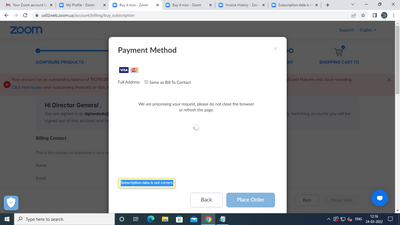
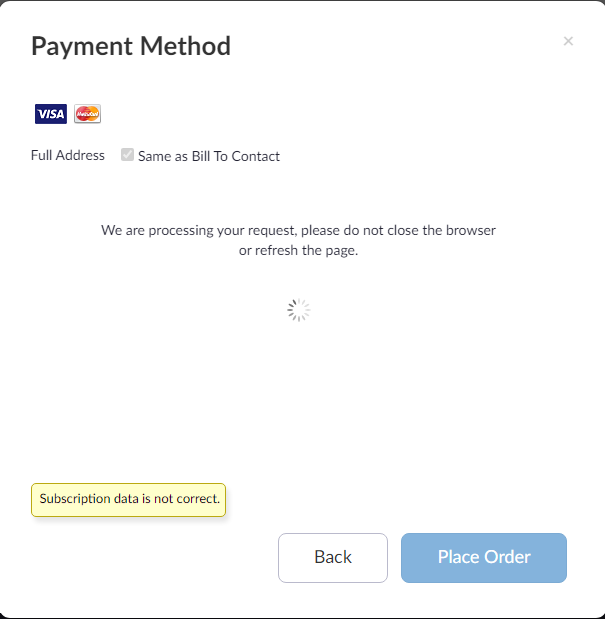
Hi, is there any resolution for this issue? Money has been debited from my card, but my plan has not been upgraded. When I try to access the payment page, I get a message saying "Subscription data is not correct."
날짜: 2022-08-23 06:42 AM
Same issue here ... Rs. 767 has been debited, and I got an email from zoom stating the same. However the subscription is not updated, it still shows basic plan. 23/Aug/2022... sigh!!
날짜: 2022-08-31 09:40 AM
Hi, is there any resolution for this issue? Money has been debited from my card, but my plan has not been upgraded. When I try to access the payment page, I get a message saying "Subscription data is not correct."
날짜: 2022-06-11 12:23 PM
Hey,
It is possible? If yes, how? I am getting the same error. But not expecting any reply from zoom support.
날짜: 2021-11-08 08:59 AM
I'm in India in case that helps troubleshoot the problem
날짜: 2022-06-07 11:40 PM
Hi,
Is that issue is resolved and how?
날짜: 2022-06-08 06:52 AM
I am getting the same problem. How to resolve this issue?
날짜: 2022-04-18 04:06 PM
I had a similar when trying to use Apple Pay...once I used normal credit card the issue didn't appear
2023-04-11 03:04 AM - 편집 2023-04-11 05:24 AM
I have the same problem here. Can anyone help me with that issue? Is there any support?? I paid for April with no problem, but they charged me for March (but I worked during March with Pro plan, strange 🤔) , and now my plan is still Basic!
날짜: 2023-04-13 08:06 AM
Hi @Elizabeth2308 @Pinkeshsharma @GV4 @ravikumar21 @eldhose & everyone else! I see some tickets around this issue, as this needs to be resolved with our Zoom billing support and they do not monitor the community. You can create a ticket here, thanks! 🙂
날짜: 2023-04-13 08:17 AM
Hi @Elizabeth2308 are you able to assign your license? Please go to https://zoom.us/billing to ensure that you have the plan on the account.
You may see a prompt "You have paid features and licenses that are not assigned to users. Assign licenses to new or existing users or manage your license count.", which would be my next recommendation checking to see if you are able to assign the license.
Otherwise, Zoom billing support will need to resolve your issue within the ticket you created, which I flagged for an update!
날짜: 2023-04-13 08:30 AM
Hi @RN ! Thank you so much for your reply! May be I miss something, but when I go to your link the only possible option to choose is Basic plan. To choose Pro plan I'm supposed to pay more. But I've already paid two times in April and once in March. Thank you in advance!
날짜: 2023-04-13 08:41 AM
@Elizabeth2308 doing my best to assist from the community's perspective! As per your reply, if you already paid, and still unable to see your license, I recommend continuing this conversation regarding your opened ticket with our Zoom Billing Support team.