[REMOVE]
Recently active
A user asked how Expo actually works in practice — could it support real vendor booths where attendees browse, click in, and end up in an actual conversation? Mike walked through a live example: build out exhibitors on a floor attendees can navigate, each with its own booth (PDFs, video content, downloadable material), and a "space" that launches a real Zoom meeting the moment someone wants to talk — breakout rooms included if the exhibitor wants to split off into a one-on-one. He's seen it work well for things like benefit fairs, where people walk the floor and duck into whichever vendor they need.[Watch the clip →]A couple of the other things we talked about this session:Simulive vs. Production Studio — when to use each How to keep your webinars from feeling boring Certification updates for recurring and legacy events[Read the full recap here →] [Register and join us next time →]
Zoom has a new tool called Content Studio and if you have an events license, they are giving you 8 hours a month use for free as a lanch offer. You need to take advantage of this as soon as possible beucase it could be withdrawn at any moment and become a paid option.Zoom needs poeple to try it so they can gain valuable feedback adn this is why they are making this free offer up front, so what is it.Here are my show notes, or watch the show yourself.All the best to you allJohn
👋 Welcome to the Zoom Slides Community Creating presentations is one of the most common parts of work. Yet for many people, it's still more time-consuming than it should be. Ideas are scattered across meetings, documents, chats, emails, and countless browser tabs. Turning those ideas into a clear and compelling presentation often takes hours of gathering, organizing, designing, and refining. We're building Zoom Slides to make that process simpler. A place where ideas can move naturally from thinking → creating → presenting → getting buy-in. 🚀 New to Zoom Slides? Get started here:slides.zoom.com This community is for everyone who creates presentations: ✨ Share feedback and ideas✨ Report bugs and usability issues✨ Discover new workflows and best practices✨ Preview upcoming features✨ Help shape the future of Zoom Slides We'd love to hear from you: 👉 What do you use Zoom Slides for today?👉 What part of presentation creation takes the most time?👉 What's working well for you?👉 What cha
Hi everyone!Big news — Zoom Sheets is now live as part of the AI Productivity Suite!Sheets is an AI-native spreadsheet built to help business users turn scattered data into reliable decisions. From data prep to smart analysis, from insight generation to sharing results — all in one place. 🚀 Get started here: sheets.zoom.us This community is for everyone who works with data: ✨ Share feedback and ideas ✨ Report bugs and usability issues ✨ Discover new workflows and best practices ✨ Preview upcoming features ✨ Help shape the future of Zoom SheetsWe'd love to hear from you: 👉 What do you use spreadsheets for today? 👉 What part of working with data takes the most time? 👉 What's working well for you? 👉 What challenges or frustrations have you run into? 👉 What should we improve next? Whether you're tracking business metrics, preparing reports, or analyzing data for your team — your feedback helps make Zoom Sheets better for everyone.Thanks for joining us. We're exci
Hi, everyone !Zoom Paper was live successfully with the AI Productivity Suite yesterday.We hope you will continue to use and enjoy Paper — and we warmly welcome any feedback, needs, or suggestions you'd like to share with our team!Let‘s make our Great ideas start on Paper from now on!Thank you once again! 🎉 Tedd - PM of Zoom Paper P.S.Official website: paper.zoom.us The feed back channels: Top menu of Zoom Paper → Help
I would appreciate the assistance of someone who knows about Zootopia and extra **materials. In the photo below you will see a link on the event page which indicated more materials were available. I was not able to access the materials because I couldn't validate since the email used to register was not the same as my Zoom account. So I was **blocked. Is there someone who knows how I can obtain the extra material that were available for the meeting? Thank you In advance. J.
Hi all,Trying to assist a colleague here, when she receives a Zoom invitation in her Outlook.com inbox, the Zoom invitation is not a hyper link (Blue), and she is forced to copy and paste the link onto the browser to join the meeting.I have seen online that this is a known issue and it has something to do with having to enable "Use HTML format email for Outlook plugin" in account settings in your Zoom portal. Can anyone assist me with fixing this issue and/or finding where the HTML format is located? I cannot seem to find it.Thank you,
Is there a way to download or save the AI summary to a word processing application? I only have the option to share, edit (on screen in Zoom) or delete the summary. I have the Zoom Pro license.
I have trouble when I share my screen. The mute button to talk while sharing my screen does not work. In the Zoom meeting, they can hear the recordings I am sharing, but I cannot unmute myself to talk to the group.
After recent update, I am unable to start or join meeting from the meetings listed in the Calendar sidebar. The app shows all my scheduled meetings, and the start button is blue, but nothing happens when I click "Start"
Hi community. I have read a little about zoom meeting have a translation feature. I will be meeting with a woman from Spain and wanted to know how that feature works. Does it produce text like subtitles when one speaks a different language? Does the voice that translates the language override the voice of the person speaking the foreign language. I would like the translation feature just to write text like a subtitle and still hear her voice in her Spanish language and for her to hear me in the same way. Thanks.
Getting a list of attendees used to be easy. Simply click Accounts Management then Reports and there it was. But now there is no Accounts Management item and so far I have not been able to find any attendance report anyplace.Thanks
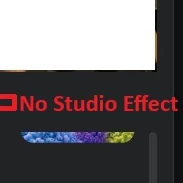
Hi Friends, I no longer have the studio Effect option available. Is anyone having this issue? I have the latest version installed 7.2.1(48556) Bishwa
أولًا: الباقات والأسعار1. ما الباقات المتاحة التي تتيح استمرار الحصة التعليمية لأكثر من 40 دقيقة دون انقطاع؟2. ما أسعار الاشتراكات الشهرية والسنوية لكل باقة، وهل توجد أسعار خاصة للمدارس والمؤسسات التعليمية؟3. هل يمكن الاشتراك بأكثر من حساب للمعلمين، وما تكلفة كل حساب إضافي؟ثانيًا: تسجيل الحصص التعليمية4. كيف يمكن تسجيل الحصص كاملة بالصوت والصورة، مع إمكانية الاحتفاظ بالتسجيلات للرجوع إليها لاحقًا؟5. هل التسجيل متاح على الجهاز مباشرة أم على السحابة (Cloud Recording)؟ وما سعة التخزين المتاحة في كل باقة؟6. هل يمكن تسجيل الحصص تلقائيًا دون الحاجة إلى بدء التسجيل يدويًا في كل مرة؟ثالثًا: مشاركة التسجيلات مع أولياء الأمور7. ما الطريقة المناسبة لإرسال تسجيل الحصة إلى ولي الأمر بعد انتهائها؟8. هل يمكن مشاركة رابط التسجيل بحيث يستطيع ولي الأمر مشاهدة الحصة في أي وقت، دون الحاجة إلى الاشتراك في Zoom أو تنزيل البرنامج؟9. هل يمكن حماية التسجيلات بكلمة مرور، أو تحديد صلاحية الوصول إليها، أو منع تنزيلها، حفاظًا على خصوصية الطلاب؟10. هل توجد إمكانية لتنظيم التسجيلات حسب الصف والفصل والمادة الدراسية،
I am using the zoom mobile app on a Galaxy S22. When I attempt to share a PowerPoint Point presentation using the share screen single app option but it will open for a second then the app no longer shows and the option to share reappears.
When my participants use the annotation away, it stays on every slide and I cannot erase it. I have to stop sharing and start sharing all over again to get the arrows to disappear.
Hello have an HP elite book laptop and all of a sudden the camera follows me and makes my face really big no matter how far I am away from screen. Not able to fix in my settings on laptop as on Google fix it so what else can I do?
After the update, my annotations don’t show correctly. They only show if I’m on the zoom tab. Before, I could open the tab I was sharing and hit the annotate button. Now that doesn’t work. Also, when I share my screen, I can no longer see my student’s video. This only happened after the update. I have been using Zoom for years, but this will greatly effect the efficiency of my tutoring business. I have to continue to switch tabs to zoom in/out and scroll down the page I want to annotate on because the annotation only shows on the zoom tab.
Hi all - we have the Zoom mobile app installed on an iPhone. When the iPhone is locked, either by the user locking it or by the iPhone timing out to the lock screen, incoming calls to the Zoom app are silent. Personal calls to the iPhone still ring when it's locked, just not Zoom. It shows a missed call, but there's no audible alert. If the phone is unlocked, the Zoom call rings. Any ideas?
The video on my Lenovo FHD webcam will show only a black screen when I attempt to use it with Zoom. The camera is otherwise functional, and it will do audio on Zoom. I am using a MacBook Air running Mac OS 15.5.
I recorded an important ~35-minute Zoom interview on October 20. The recording has complete audio, but the converted MP4 is entirely black.I still have the ORIGINAL local recording files, including double_click_to_convert_01.zoom (~837 MB), double_click_to_convert_02.zoom, recording.conf, and the resulting MP4/M4A.I have already tried normal conversion, manual conversion using Zoom's Transcode.app on macOS, a new-meeting conversion workaround, and multiple video players. Transcode consistently creates a 1280×720 H.264 video containing black frames for the entire meeting.My camera/recording worked correctly in a test Zoom recording immediately before this meeting.I’ve tried almost every workaround but honestly need to know if there was a glitch or no way of recovering so I can redo this meeting if so.
I've noticed with the most recent update that meeting invitations are no longer successfully copying. There is a "copy invitation" tab like before, but it fails to actually copy (I usually paste the copy into emails). I can manually copy the meeting link, but that doesn't contain the meeting date & time details. Very annoying. Does anyone who a fix? Thanks.
Hi everyone,I'm running into a frustrating issue with chat handling since the latest Zoom Workplace updates, and I'm wondering if anyone has found a solution or if this is a known bug.Previously, we could manage participant chat settings smoothly. However, we're now experiencing two major pain points during meetings: Split Chat Windows: When we set participants to message the "Host and Co-hosts only," individual chats now open as separate, separate threads instead of staying consolidated within one window. Missing Settings: The old “Meeting chat - Private group messages” toggle no longer seems available in the settings to enable or disable. This makes it extremely difficult to chat privately with individual participants during a live meeting while keeping everything organised and private.Has anyone else noticed this, or found a way to keep participant chats unified under the current version? For a while it worked when we were using older version of Zoom, but with the latest Zoom upda
Greetings! How do I get transcripts of my meetings without time stamps?
The latest update appears to have removed GIFs from Team Chat. Was this meant to happen or is it a glitch?
Already have an account? Login
Enter your E-mail address. We'll send you an e-mail with instructions to reset your password.