


🎉 Zoom Sheets is officially here! | Community
Skip to main content
Lax Wang
Employee
Employee
June 4, 2026
Pinned

🎉 Zoom Sheets is officially here!
  • June 4, 2026
  • 7 replies
  • 146 views


Hi everyone!

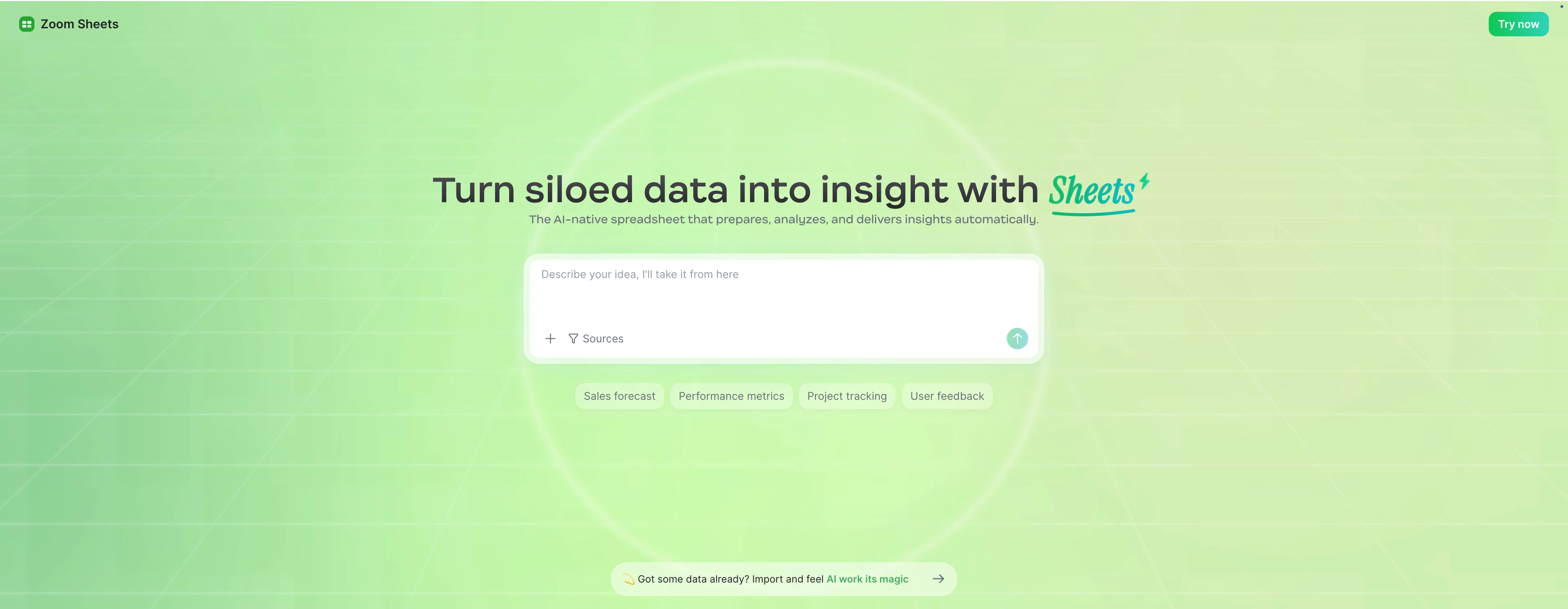
Big news — Zoom Sheets is now live as part of the AI Productivity Suite!

Sheets is an AI-native spreadsheet built to help business users turn scattered data into reliable decisions. From data prep to smart analysis, from insight generation to sharing results — all in one place.


🚀 Get started here: sheets.zoom.us


This community is for everyone who works with data:

   ✨ Share feedback and ideas

   ✨ Report bugs and usability issues

   ✨ Discover new workflows and best practices

   ✨ Preview upcoming features

   ✨ Help shape the future of Zoom Sheets

We'd love to hear from you:

   👉 What do you use spreadsheets for today?

   👉 What part of working with data takes the most time?

   👉 What's working well for you?

   👉 What challenges or frustrations have you run into?

   👉 What should we improve next?


Whether you're tracking business metrics, preparing reports, or analyzing data for your team — your feedback helps make Zoom Sheets better for everyone.

Thanks for joining us. We're excited to build Zoom Sheets together with all of you. 🚀


    7 replies

    Bri
    Community Manager
    Community Manager
    June 4, 2026

    Super excited about this release! Thanks for sharing ​@Lax Wang 😎

    Community Super Champion | Partner
    June 14, 2026

    Hi ​@Lax Wang 

    Cell formula is case sensitive and must be entered with caps, i.e. B2 not b2.

    Cell formula must be entered with a leading “+” sign, i.e. +B2*C2.  “=” does not work.

    Cell formula displays with a leading “=” sign, i.e. =B2*C2.

    Print does not display gridlines even when gridlines is selected.

    Where can we find user manual?

    https://sheets.zoom.us/spreadsheet/RJ_T8xgaTkyxHYUTHltJHw

    thanks,  eliot

    Lax Wang
    Employee
    Lax WangAuthor
    Employee
    June 15, 2026

    Hi ​@Eliot ,thank you so much for your feedback !

    Based on your feedback, I verified this again with our QA teammate. Here’s what we found:

    • For cell references, lowercase input is supported and will be converted to uppercase after pressing Enter.
    • Formulas can be entered with either + or =
    • For the printing issue, when “Show gridlines” is selected, the gridlines do appear in the printout. However, they may be too light to notice clearly. We’ll look into improving this.


    Community Super Champion | Partner
    June 15, 2026

    hi ​@Lax Wang 

    my mistake.

    when i enter the formula in the cell, everything works as you describe.

    what i was doing incorrectly was to enter the formula on the fx line.

    thanks,  eliot

    Community Super Champion | Partner
    June 14, 2026

    hi ​@Lax Wang 

    when file is exported to xlsx, font sizes change for different rows, i.e.

    Row, Font Size

    1,11

    2,9

    3,11

    4, 11 (overflow)

    5,11

    6,11

    7,9

    8,9

    9,9

    10,11

    How can Sheets font size be maintained when exported to xlsx?

    thanks,  eliot

    Lax Wang
    Employee
    Lax WangAuthor
    Employee
    June 15, 2026

    Hi ​@Eliot , we may need access to the original sheets file to check the font. Could you please share the link and grant access to me(lax.wang@zoom.us) and my QA colleague (yixiao.zhang@zoom.us)?

    Thank you so much!

    Community Super Champion | Partner
    June 14, 2026

    hi ​@Lax Wang 


    Zoom Sheets

    As of June 14, 2026, these are ZOOM support articles, Explore Zoom, and blogs related to Zoom Sheets:


    Zoom Sheets is officially here!

    https://community.zoom.com/sheets-93/zoom-sheets-is-officially-here-80739

    Zoom Sheets Support

    https://support.zoom.com/hc/en/sheets?id=sheets

    Love talking data? Zoom Sheets turns talk into action.

    https://www.zoom.com/en/products/ai-sheets/

    Getting Started with Zoom Sheets

    https://support.zoom.com/hc/en/article?id=zm_kb&sysparm_article=KB0084933

    Sheets featured topics

    https://support.zoom.com/hc/en/sheets?id=sheets

    Using Zoom Sheets

    https://support.zoom.com/hc/en/article?id=zm_kb&sysparm_article=KB0084935

    Release notes for Zoom Sheets

    https://support.zoom.com/hc/en/article?id=zm_kb&sysparm_article=KB0084931

    Using Zoom Sheets during a meeting

    https://support.zoom.com/hc/en/article?id=zm_kb&sysparm_article=KB0084939

    Your guide to getting started with Zoom Sheets 2026

    https://www.zoom.com/en/blog/zoom-sheets-getting-started/

    Using Zoom Sheets keyboard shortcuts

    https://support.zoom.com/hc/en/article?id=zm_kb&sysparm_article=KB0084932

    Using AI Function in Zoom Sheets

    https://support.zoom.com/hc/en/article?id=zm_kb&sysparm_article=KB0084943

    Using Zoom Sheets content generation and revision

    https://support.zoom.com/hc/en/article?id=zm_kb&sysparm_article=KB0084941

    Enabling or disabling Zoom Sheets

    https://support.zoom.com/hc/en/article?id=zm_kb&sysparm_article=KB0084934

    Using AI Formula in Zoom Sheets

    https://support.zoom.com/hc/en/article?id=zm_kb&sysparm_article=KB0084945

    Zoom Sheets User permission types

    https://support.zoom.com/hc/en/article?id=zm_kb&sysparm_article=KB0084940

    Using Google Sheets with ZoomMate and Zoom Virtual Agent

    https://support.zoom.com/hc/en/article?id=zm_kb&sysparm_article=KB0084339

    Adding charts to Zoom Sheets

    https://support.zoom.com/hc/en/article?id=zm_kb&sysparm_article=KB0084936

    Using functions and formulas with Zoom Sheets

    https://support.zoom.com/hc/en/article?id=zm_kb&sysparm_article=KB0084938

    Managing Zoom Sheets default access permissions

    https://support.zoom.com/hc/en/article?id=zm_kb&sysparm_article=KB0084937

    Managing Zoom Sheets as an administrator

    https://support.zoom.com/hc/en/article?id=zm_kb&sysparm_article=KB0084947

    Enabling or disabling downloading attachments from spreadsheets

    https://support.zoom.com/hc/en/article?id=zm_kb&sysparm_article=KB0084950

    Enabling or disabling Generate and revise spreadsheets content with AI Companion

    https://support.zoom.com/hc/en/article?id=zm_kb&sysparm_article=KB0084942

    AI Sheets Demo

    https://www.youtube.com/watch?v=7uqH9wDPdC4


    thanks,  eliot

    Community Super Champion | Partner
    June 14, 2026

    hi ​@Lax Wang 


    where do i find information on how to create a gantt chart similar to the sample project gantt chart?


    thanks,  eliot

    Lax Wang
    Employee
    Lax WangAuthor
    Employee
    June 15, 2026

    Hi ​@Eliot , the user manual is still being prepared. However, for this use case, I recommend using AI Creation. You can first create a file from the template, then add that file as a reference and ask AI to generate a similar Gantt chart tailored to your needs.

    ExpertswhoJohn
    Community Super Champion | Customer
    Community Super Champion | Customer
    June 15, 2026

    Thanks ​@Lax Wang ,

    We are featuring the productivity suite for our Lord Zoom Live Tuesday, 15th June at 3 pm EST
    From your great intro, I will need more time!

    https://hub.lordzoomevents.com/ev/c/40215971/LordZoomLive


    All the best


    John Drinkwater

    Zoom Community Super Champion

    I am not a Zoom Employee


    https://www.youtube.com/@boomwithlordzoom


    ExpertswhoJohn
    Community Super Champion | Customer
    Community Super Champion | Customer
    June 17, 2026

    thank you ​@Lax Wang ,

    This is a great addition to the Zoom family of products.


    All the best


    John Drinkwater

    Zoom Community Super Champion

    I am not a Zoom Employee

    https://www.linkedin.com/in/johndrinkwaterlordzoom/

    https://www.youtube.com/@boomwithlordzoom