cancel
Showing results for 
Search instead for 
Did you mean: 
Effective January 9th, 2026 through January 22nd, 2026: The Zoom Community is currently in read-only mode with login disabled, to deliver you a new and improved community experience!

The site is still accessible to view, however, the ability to login, create content, or access your community account is temporarily unavailable. We appreciate your patience during this time. If seeking support, please browse existing community content or ask our Zoom Virtual Agent.

Remove or Disable Alternative Host: previous posted solutions don't work

schoenle
Explorer
Explorer

During a meeting hosted in my personal meeting room, I added a co-host. Now, this person shows up as an alternative host for all meetings in my personal meeting room, and they receive emails about all my Zoom meetings. How can I remove them? 


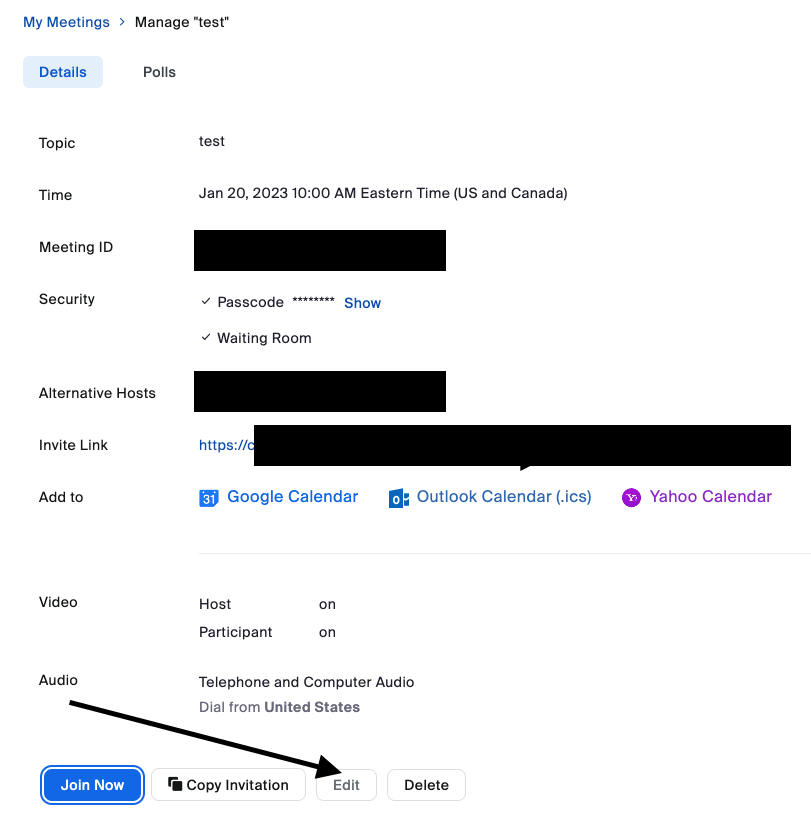
I schedule Zoom meetings through MS Outlook or in the Zoom app (on my Macbook). I tried to follow the suggestions posted on the community and Zoom support (see links below), but neither work. I do not use the Chrome extension, and there is no meeting that shows up on my Zoom for the date that I added the alternative host because I did it in my personal meeting room. When I open a Zoom meeting that I create, the Edit meeting button is not engaged OR when I edit, the alternative host is not an option I can change. I would appreciate any suggestions!!


I have tried following the steps on this thread and help page, and they have not worked:

-https://community.zoom.com/t5/Meetings/REMOVE-Alternative-Host/m-p/32008

-https://support.zoom.us/hc/en-us/articles/4403249620493-Managing-scheduling-privilege-and-alternativ...

1 ACCEPTED SOLUTION

schoenle
Explorer
Explorer

FIXED! I got an answer from Zoom. See below:

Thank you for contacting Zoom Support.
I checked your account and do see that currently under your Personal Meeting Room, XXX is listed as an Alternative Host.
 
To remove them as an Alternative Host, you can go to your Meetings page, Personal Room tab, XXX , select Edit, click the "Show" link next to Options which will show the Alternative Hosts field, and click the "X" next to their name to remove them as Alternative Host for your Personal Meeting Room.
 
Please let me know if you have any questions or issues about this. 
 
Best Regards, 
 

View solution in original post

2 REPLIES 2

schoenle
Explorer
Explorer

FIXED! I got an answer from Zoom. See below:

Thank you for contacting Zoom Support.
I checked your account and do see that currently under your Personal Meeting Room, XXX is listed as an Alternative Host.
 
To remove them as an Alternative Host, you can go to your Meetings page, Personal Room tab, XXX , select Edit, click the "Show" link next to Options which will show the Alternative Hosts field, and click the "X" next to their name to remove them as Alternative Host for your Personal Meeting Room.
 
Please let me know if you have any questions or issues about this. 
 
Best Regards, 
 

MDH1
Newcomer
Newcomer

I have a different problem. My personal room does not have alternative hosts but my company has a setting to add zoom and the alternative hosts from my last project all show up when I add it there.  How do I solve this?