cancel
Showing results for 
Search instead for 
Did you mean: 
The Zoom Community will be placed in read-only mode January 9th, 2026 through January 22nd, 2026 to deliver you a new and improved community experience!

The community will still be accessible, however, the creation of any new discussions or replies will be temporarily unavailable. We appreciate your patience during this time.

Canvas Zoom Unauthorized

KelliA
Explorer
Explorer

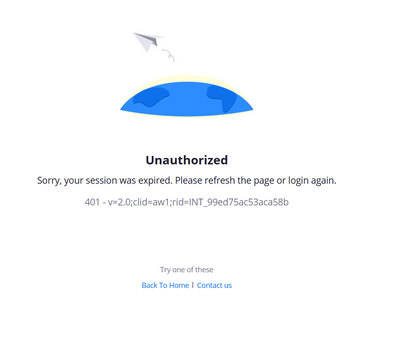
I have scheduled zoom meetings through canvas but when I try to start them I get this

KelliA_0-1655770817203.png

What's going on here? I have used Zoom in canvas for years and never had this issue until now.

1 ACCEPTED SOLUTION
10 REPLIES 10

Freddi_G
Community Champion | Employee

Hello, can you tell me 


  • What LTI version you are running
  • Which browser you are running
  • Are you able to access LTI Pro and view upcoming meetings page and the error occurs only when you click schedule or
  • Does it happen when access the LTI Pro tool?
  • As a start can you try clearing cache or using another browser or computer to test.
  • Are all instructors experiencing the same issue?

driveira
Newcomer
Newcomer

I am using Firefox, and also began receiving this same error yesterday.  Yesterday, it worked just fine in my morning class, then, I received that error in my second class.  I am now continuing to receive that error.  I can log in if I go to the Zoom website. 


I deleted all of my scheduled classes in Canvas, and rescheduled all of them.  That didn't work.  I deleted cookies.  That didn't work.

A different browser DOES work, but, I really like Firefox...

Freddi_G
Community Champion | Employee

Hello, I am wondering if its related to a Firefox change that got implemented in Firefox 96, released on 1/11. Mozilla turned SameSite cookies (more information can be found at https://developer.mozilla.org/en-US/docs/Web/HTTP/Headers/Set-Cookie/SameSite could you take a look at this and update the setting to "  network.cookie.sameSite.noneRequiresSecure to true" as specified in the link here to test? https://hacks.mozilla.org/2020/08/changes-to-samesite-cookie-behavior/#:~:text=Test%20your%20site%20...

I did that, and it is still not working.

hivelyr
Explorer
Explorer

I have an end user with a similar issue. I believe it does prompt to approve for LTI before it happens.

Yes, this link fixed the issue for me. I finally decided to clear cookies and cache and I saw this enhanced tracking was turned on. Turning it off fixed the problem!

Freddi_G
Community Champion | Employee

@driveira can you confirm if the above solution solves your problems?


Thank you for sharing @hivelyr !!!

Yes!  That fixed the issue!

Freddi_G
Community Champion | Employee

Excellent! Glad to hear this!!