Explorer
September 30, 2025
Solved

WHERE DID THEY MOVE SCHEDULE MEETINGS????

I just logged into try and schedule some meetings and the whole interface has been changed.  I go to click on meetings and it gives me the option to "host" or "join" a meeting....  Sigh.....  Where the heck did they move the dashboard when you used to log into your account and it launched right then and there.  Now it's filled with all sorts of garbage promoting more services to buy that don't interest me and clutter up my screen.


And, where do you request support to chat with a support agent?  I'm not interested in their stupid AI bots.


I don't understand why they have to make things harder.
Don.zAnswer
Community Manager
October 15, 2026

Great news! 👋

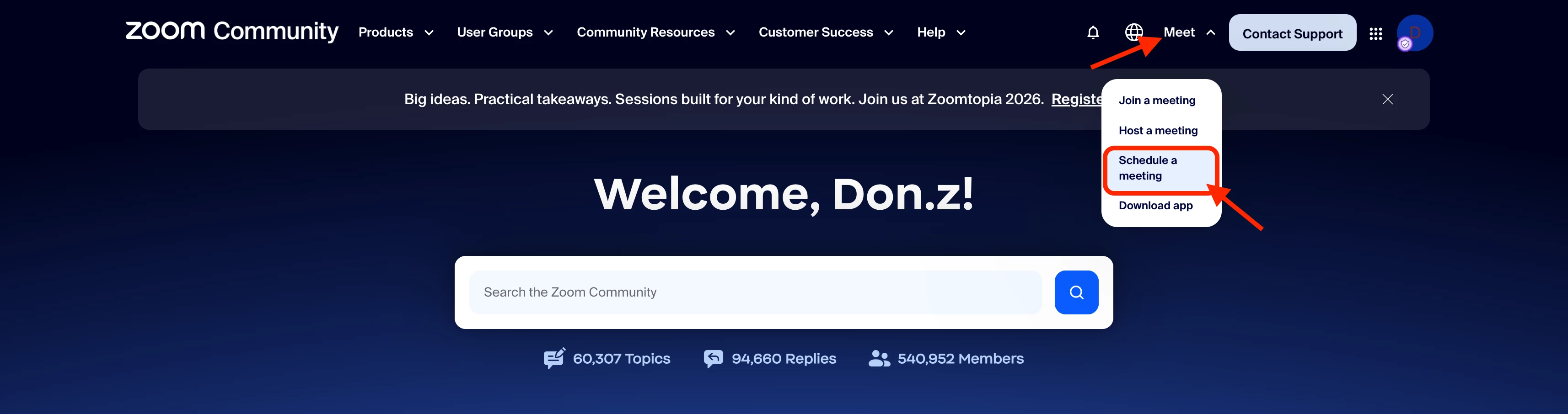
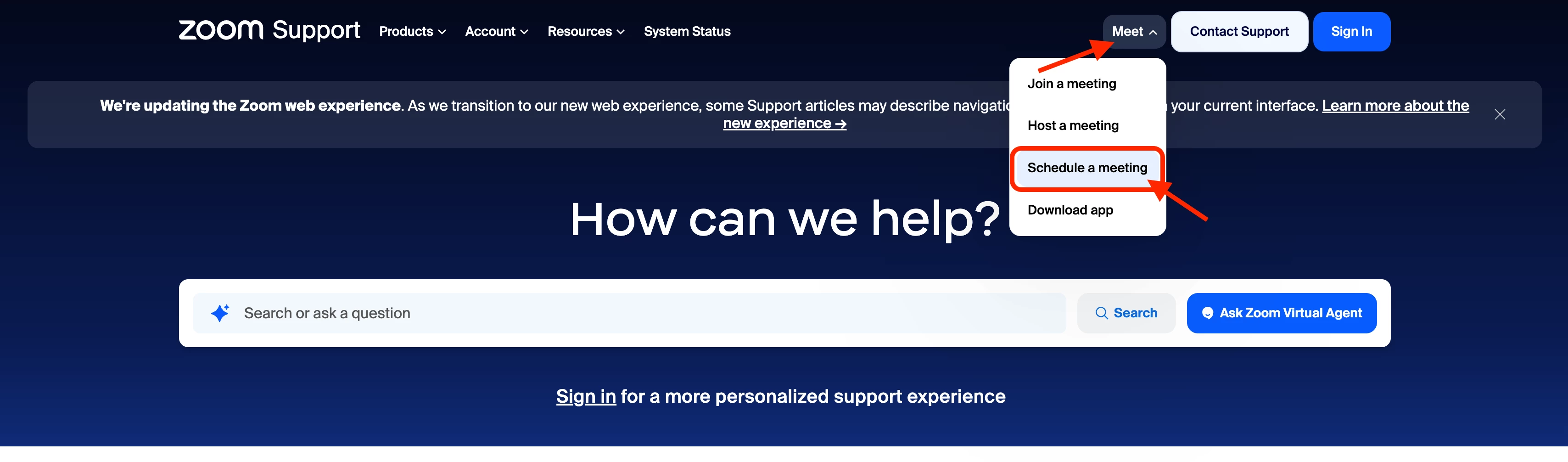
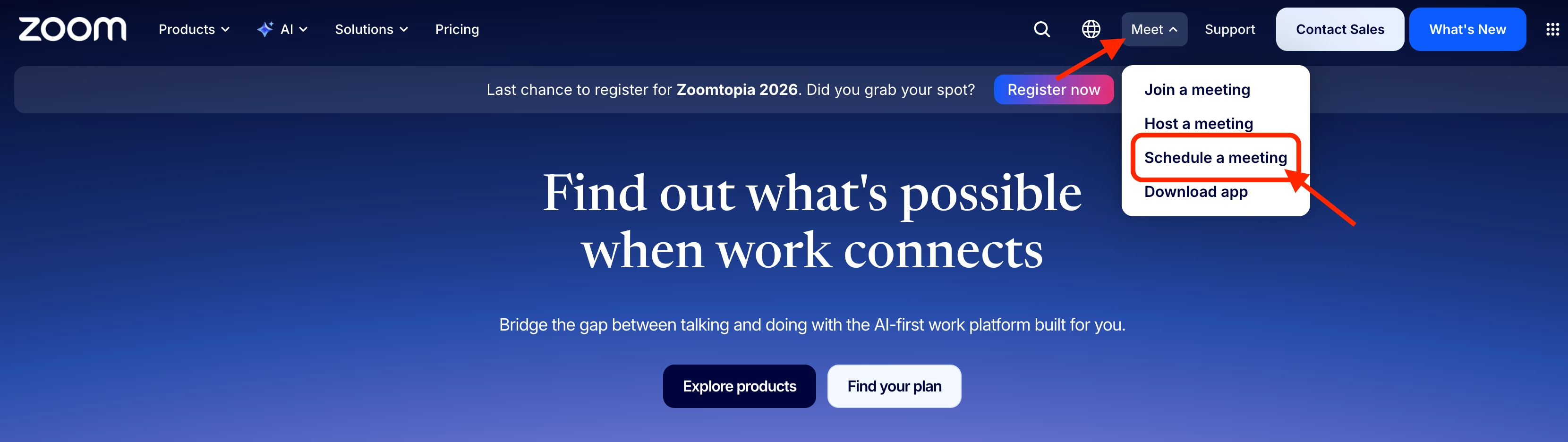
Following the feedback many of you have shared about how difficult it was to find the Schedule a meeting option, the updated Meet dropdown is now available across Zoom.com, Zoom Community, and the Zoom Support Center, making it easier to find the meeting options you need.

When you select Meet, you'll find Join a meeting, Host a meeting, Schedule a meeting, and Download app directly in the dropdown.

You can find the updated navigation on all three sites:

Zoom.com

Screenshot 2026-10-16 at 4.09.14 AM.png

Zoom Community

Screenshot 2026-10-16 at 4.59.39 AM.png

Zoom Support Center

Screenshot 2026-10-16 at 4.34.25 AM.png

If you'd prefer to go directly to the scheduler, you can access it here: Schedule a meeting. If you use it frequently, we recommend bookmarking the link in your browser for quick and easy access.

Looking for meetings you've already scheduled? You can view your upcoming and previous meetings in the Zoom web portal.

We appreciate everyone who took the time to share feedback in this thread. Thank you for your patience and for helping us improve the Zoom experience. We hope this update makes finding the scheduling option a little easier!

Regards,
Zoom Community Team

90 replies

Newcomer
March 17, 2026

I’m wasting all my time trying to find how to schedule a zoom call. I hate this because you have now effectively made this MORE DIFFICULT!!!

Translate
Newcomer
March 23, 2026

Here for the same reason.  Terrible idea to move the button.  Sigh.

Translate
Newcomer
March 24, 2026

So fully agree with you :) 

Translate
Newcomer
March 24, 2026

SOOOO Maddening! Why do they need to change everything all the time. It just took me 10 minutes to find out where to schedule meetings. UGH - stop changing things - it is NOT always for the better.

Translate
Newcomer
March 26, 2026

It’s now 2026 and the scheduling meetings is STILL missing. How do I get to Schedule a Meeting? I have clicked on a bunch of different links with no success. This is absurd.

Translate
Newcomer
April 7, 2026

This is nuts. Used to be easy. Now it takes me at least 5mins to find the place to schedule after several fallse starts. Zoom much be getting too successful, they think they can just make it harder and we will still use it. I’m getting many more invites from competitors than I ever used to get. Get smart Zoom. Make it easier to use.

Translate
Newcomer
April 8, 2026

Agreed, what an idiotic spot to put the main reason why I’m here to begin with hidden in settings. Not at all intuitive.

Translate
Newcomer
April 14, 2026
Newcomer
April 21, 2026

This is ridiculous.  If Zoom doesn’t put it back on the landing page, I seriously am going to end my subscription.  BTW I still can’t find it.  And NO, I WILL NEVER PUT THE APP ON MY COMPUTER

Translate
Newcomer
April 26, 2026

I am severely sight impaired and just about manage with zoom and accessibility software.

I am screaming with frustration how to schedule the next classes I am teaching.

Why?????????


Translate