[REMOVE]
Recently active
September is packed with events designed to help you level up your Zoom knowledge, connect with experts, and explore what’s new. Mark you calendars: 📆 September 3 - Zoom Workplace Open Office -Your chance to learn more about Zoom Workplace and get answers straight from the experts. 📆 September 10 - Zoom Phone Open Office - Everything you need to know about Zoom Phone—bring your questions! 📆 September 11 - What's New at Zoom -Catch up on everything new we released in August—don’t miss it! 📆 September 17 - Zoomtopia - Zoom's biggest event of the year which will showcase our most compelling innovations, customer stories, and strategic vision for the future of collaboration. 📆 September 24 - Zoom Contact Center Open Office -Dive into Zoom Contact Center and see how it can transform customer experiences. For more events,
Ready to take you and your organization's Zoom usage to the next level? Below is a list of upcoming events in August tailored to you: 📆 August 6 - Zoom Workplace Open Office - Learn more about Workplace and ask all of your questions! 📆 August 7 - How Zoom Lowers TCO vs Microsoft & Google – Executive Webinar - This session will show you how Zoom can help simplify your tech stack, drive significant cost savings, and deliver enterprise-wide value. 📆 August 13 - Zoom Phone Open Office - Get up to speed on Zoom Phone and ask the experts all of your questions! 📆 August 14 - What's New at Zoom - Discover everything new Zoom released in July, a must-see! 📆 August 19 - Zoom AI Companion Deep Dive: What Every User Needs to Know - Learn how to get more done with AI Companion, includ
Hey there! Just wanted to give you a heads-up about this cool safety feature on Zoom called Emergency Notifications. Thought you might find it useful to know about! With our Emergency Call Notification app for Zoom, you can designate any Team Chat channel as a safety team hub that connects with both Zoom Rooms and Digital Signage. When emergencies occur, notifications are automatically sent to this channel, allowing safety personnel to quickly distribute alerts and directions to specific Rooms and Signage displays throughout your organization. Here are the requirements for using Emergency Call Notification. Pro, Business, Education, or Enterprise account Account owner or admin privileges* Zoom Phone license Zoom Rooms license Active Zoom Room or Digital Signage devices with location data configured Note: If the admin user that added the app to the account loses admin access, is deleted, disassociated, or deactivated, emergency call notification
I misunderstood when creating my account and accidentally created an educator account but stopped before signing the docusign and now I cannot log in to change the account settings and I also cannot log in to get customer support.
When will Zoom, finally, again offer an integration with iCal ? Or do you really want me to terminate my subscription and move top another provider ??
We’re experiencing an issue with the Zoom app on a Lenovo tablet running the Android operating system. When the tablet is in Gallery View and a co-host shares an image or video, the shared content is displayed as expected. However, once the sharing ends, Zoom does not automatically return to Gallery View—it has to be manually reactivated.This is a challenge because the tablet is mounted on a lectern during physical meetings that are also broadcast via Zoom. There are many different speakers, and they may not be familiar with the tablet’s functions. However, they need to:See Gallery View when no content is being shared, so they can monitor if anyone on Zoom raises their hand or wants to comment.View the images and videos being shared during the meeting when relevant.Important note: This issue only occurs when using the Zoom app. If we access Zoom through a web browser, everything works as expected—the view automatically returns to Gallery View aft
Hi there, We hope this update finds you well! Ready to take you and your organization's Zoom usage to the next level? Below is a list of upcoming events in August tailored to you:August 6 - Zoom Workplace Open Office - Learn more about Workplace and ask all of your questions! August 7 - How Zoom Lowers TCO vs Microsoft & Google – Executive Webinar - This session will show you how Zoom can help simplify your tech stack, drive significant cost savings, and deliver enterprise-wide value. August 13 - Zoom Phone Open Office - Get up to speed on Zoom Phone and ask the experts all of your questions! August 14 - What's New at Zoom - Discover everything new Zoom released in July, a must-see! August 19 - Zoom AI Companion Deep Dive: What Every User Needs to Know - Learn how to get more done with AI Companion, including real world examples, use cases, and demos. August 20 - Zoom AI Companion Open Office - Dive into AI Companion and get all your questions answered! Augus
Zoom Auto Dialer Takes Sales Outreach to the Next Level The Challenge: Sales and revenue teams have long struggled with manual dialing tasks and juggling multiple tools, including CRM systems, email, voicemail, and calendars. Each switch slows momentum and eats into precious selling time. The Solution: Zoom Auto Dialer Zoom introduced the AI‑first Auto Dialer, a powerful add-on to Zoom Phone deeply integrated into the Zoom Revenue Accelerator (ZRA) Here’s what makes it stand out: Power dialing & smart cascading: Move through call lists faster by skipping disconnected lines and repeating numbers intelligently. Voicemail drop: Instantly leave pre-recorded messages when a call goes to voicemail, no dialing required. Local presence dialing: Match caller IDs to prospects’ local area codes to increase pickup rates. Full CRM sync & call automation: Pull contact lists directly from Salesforce, Outreach, Salesloft, or your CRM without switching betwee
Como lo oyen, ahora existe la posibilidad de unir dos o más Clips de Zoom en uno solo haciendo un par de clicks. Está función puede ser muy interesante para añadir introducciones y outros estándar permitiéndonos ahorrar tiempo y así concentrarnos en el contenido principal del Clip. Les explico más en este Clip demostrativo: Si aún no están utilizando Zoom Clips, les dejo unos casos de uso comunes pque quizás les resulte útil: Colaboración en proyectos Reuniones diarias (Daily standups) - Proporcionar actualizaciones claras sobre proyectos y evitar idas y vueltas innecesarias Capacitaciones - Entregar formaciones simples y digeribles de una manera fácil de consumir Comunicación asincrónica - Comunicarse claramente entre grupos de trabajo en diferentes zonas horarias Colaboración global - Trabajar en tu propio tiempo y dar actualizaciones de proyectos Comunicación con clientes Demostraciones de productos - Mostrar fácilmente nuevos productos y características p
In a highly distributed and security-conscious environment, what are the most advanced strategies and configurations for ensuring end-to-end encryption, access control, and data integrity within Zoom meetings and webinars, especially when dealing with diverse compliance requirements across regions and industries? How can organizations leverage Zoom's advanced security features to maintain confidentiality and compliance, and what are the best practices for seamless integration with existing IT infrastructure?
Good afternoonAt first, I would like to mention that my performance in the English language is far from being the best.I would like to know if anyone else is getting an error message like mine.I get a message that the file igdb9dxva64.dll is not designed to run on Windows. Tell me the error status is 0xc0000005.Can anyone inform me of the possible causes of this error?
Last year alone, marketers and event organizers hosted over 6 million virtual events on Zoom, reaching 268 million attendees. But in today’s experience-centric economy, it’s no longer just about getting people to join—it’s about delivering meaningful, high-quality experiences at scale. At the Zoom Events Summit, we showcased how Zoom Events, our all-in-one virtual event platform, is helping marketers reimagine what’s possible through the power of AI, automation, and production innovation. Why virtual events still matter Virtual and hybrid events have become a cornerstone of modern marketing strategies—supporting brand building, lead generation, and community engagement. The numbers speak for themselves: 6 million+ events hosted on Zoom within the last year 268 million attendees 30 billion minutes of content consumed But with growing expectations, how do marketers create exceptional, community-driven event experiences without burning out? From
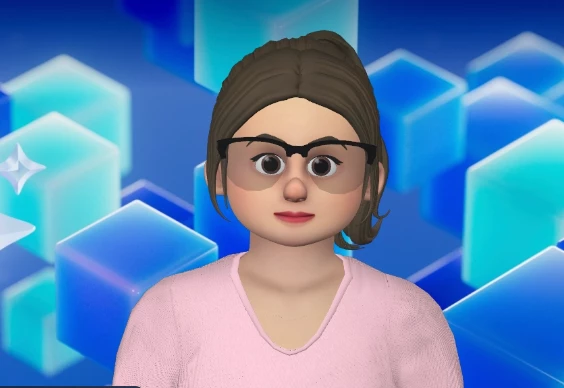
You know how Zoom is always coming up with new ways to help us connect and collaborate? Well, get ready for something really cool: Zoom Clips Custom Avatars! I am so excited to share this feature because it adds a personal and dynamic touch to how we share updates, record messages, or just express ourselves when you need to connect but everyone's not available for a live meeting. So whether you're juggling a busy team, leading remote projects, or reaching out to a wider audience, these new customer avatars let you connect on your own terms, with your own unique flair. Curious how it looks? Here's a link to a clip where I used Zoom Clips' Custom Avatar.So, What Exactly Are Zoom Clips Custom Avatars?You might already know about Zoom Clips, which lets you record and share short video messages. Now, with the new Custom Avatars, you can record those clips using a personalized 3D avatar. It's an awesome way to inject personality and creativity into every message without ever nee
I'm excited to share a game-changing feature from Zoom that’s designed to streamline your workflow and help you stay on top of your to-do list: Zoom TasksSo what is Zoom Tasks? Zoom Tasks is a new feature in Zoom Workplace that leverages on AI Companion to help you quickly create, track, and manage your to-do list within the Zoom platform. It brings all your tasks together in one place, so you can organize things from meetings, chats, calls, and more, helping you stay productive and work better with your team. It can automatically capture action items discussed during meetings, identify tasks from phone conversations, extract tasks from chat messages, and add those tasks to your to-do list, to keep you on top of everything you need to do. With Zoom Tasks, you can also assign tasks to team members, share them, and keep track of progress without any hassle.What are its features? Assign tasks seamlessly: With Zoom Tasks, you can assign tasks to team members and monitor pr
Say goodbye to generic meeting notes. With the latest enhancement to our AI Companion, you can now turn your meetings into tailored, actionable summaries—thanks to 11 purpose-built templates designed to match your specific meeting goals. Whether you're conducting a team sync, preparing for a client review, diving into a problem analysis or conducting an online class to students, there's a template ready to fit the structure and tone you need. Ten templates are available right now with AI Companion, and for those using our Custom AI Companion add-on, you'll gain access to a special Problem, Root Cause & Solution (PRS) template—ideal for issue resolution workflows. Pick a Template, Boost Your Focus Customize your default summary template for all meetings, or switch it up depending on the conversation. Having a 1-on-1? There’s a format for that. Running a brainstorming session or retrospective? There’s a format for that too. Each template ensures your meeting output aligns with your i
昨日Zoom Experience Day Summerにご来場いただいた方々、また日頃からUser Communityを盛り上げていただいている皆様、いつもありがとうございます。 今回は日本のコミュニティグループのご紹介となります。 上部のUser Groups > Japan > Join User Groupよりご参加ください。 日本語でのご質問やご相談はこちらで実施いただくとスムーズに解決するかもしれません!ご参加のほどよろしくお願いいたします。Join User Group
ちょっとした依頼に、大きなプロジェクトの割り当て—気が付けば、完了すべきタスクの山に囲まれています。何を達成しなければならないのか、誰をフォローアップする必要があるのか、どの締め切りを守らなければいけないのかを把握するのは、新たな依頼が来るたびに負担に感じることもあります。 もう、タスク管理のために手間をかける必要はありません。Zoom Tasks は、Zoom Workplaceに組み込まれたAIファーストの新しいソリューションです。AI Companion*で、To-Doリストをよりスピーディーに処理できるようサポートします。 Zoom TasksはZoom Workplaceの一部であるため、ミーティング要約やチャットの会話からアクション項目を特定することができます。また、(ユーザーの確認と承認を得て)タスクの完了を代行することも可能です。さらに、チームはプロジェクトを把握して連携し、遂行を強化するために必要な情報を得ることもできます。 組み込み型タスク管理のためのAIエージェント タスク管理ソリューションは、付箋に殴り書きしたTo-Doリストの現代版であると言えるでしょう。タスクの締め切り、プロジェクトとの関連、関係者などを把握するのに役立ちます。 さらに、タスク管理ソフトウェアは個人のアクション項目を超えた働きをします。ファイル・進捗状況・障害などの可視化をチームに提供します。 ZoomとMorning Consult による調査によると、リーダーの3分の1(34%)が、プロジェクトやタスクの進捗状況を確認するために、チームとのやり取りで1時間以上を費やしていることが判明しました。この時間は1人のマネージャーあたり年間約16,000ドルの損失につながる可能性があります**。 タスク管理におけるAIの革新 AIエージェントを取り入れることで、タスク管理はまったく新しい意味を持つようになります。AI Companionがミーティングやチャットからタスクを抽出し、To-Doリストを自動で整理。さらには、次に何をすべきかを提案・実行支援まで行います。 日々の業務をよりスムーズにするための仕組み 一日中ミーティングが詰まっている時... AI Companionがミーティング中にアクション項目を把握・整理してくれるため、集中力を維持できます
Checkout our Whats New recap for June! This blog post was created fully by Zoom AI Companion within Zoom Events, a new AI feature! ✨ For a link to the full recording as well as more info on AI generated content with Zoom Events scroll to the end of this post ✨ Zoom's Latest Innovations: AI Companion Updates, Productivity Enhancements, and Contact Center Advancements In our recent "What's New at Zoom" webinar, we shared exciting updates and feature releases that are transforming how organizations connect, collaborate, and deliver exceptional customer experiences. From significant AI Companion enhancements to new productivity tools and Contact Center capabilities, these innovations reflect our commitment to building an AI-first work platform designed for human connection. Let's explore the highlights from our June releases. AI Companion: Smarter, More Multilingual, and More Customizable Our AI Companion continues to evolve with capabilities
Real-world insights from a midsize U.S. staffing agency's recent onboarding session. If you're curious about how organizations are leveraging Zoom Custom AI Companion to achieve significant productivity gains, you're not alone. Recently, a midsize U.S. staffing agency demonstrated clear and measurable ROI by incorporating AI into their daily workflow. Here's a practical breakdown of three key use cases—and actionable steps your team can replicate today. 1. Streamlined Meeting Summaries with Structured Templates 📝🔖📂 Real-Life Use Case: 📌🗒️️📋 Recruiter and sales teams built structured summary templates for: Candidate screening interviews Reference checks New-client intake meetings New-job intake sessions Why It Matters: ✅🗃️️🖥️️ By auto-populating essential details directly into their ATS/CRM, the agency eliminated repetitive manual data entry, standardized notes, and ensured accur
Running a nonprofit isn’t easy. Between tight budgets, limited resources, and the constant pressure to maximize impact, nonprofit teams are often spread thin. That’s why many organizations have turned to artificial intelligence (AI) tools to automate repetitive tasks and free up time to focus on their mission. A recent study found that as many as 82% of nonprofits use AI to streamline operations and boost productivity. Anytime there’s a major technological shift, it’s imperative to consider how it could affect your organization, for better or for worse. So, let’s explore how AI can be a safe, easy, and cost-effective way for nonprofit teams to reduce mundane administrative work and get back to helping communities and agencies in need. Minimize administrative tasks that eat up your time Nonprofits are often operating with small teams and limited resources, which means every minute counts. But if you’re consumed with drafting meeting minutes and sending cal
Ready to do more with Zoom this July? Unlock new ways to work smarter, connect better, and stay ahead with this month’s power-packed lineup of live sessions. From insider updates to expert tips and open Q&As, we’ve got everything you need to sharpen your skills and get the most out of your Zoom experience. Here’s what’s coming up: 📅 July 2: Zoom Workplace Open OfficeUnlock the full potential of Zoom Workplace! Learn productivity tips, explore features, and bring your questions — our experts are ready to help. 📅 July 9: Zoom Phone Open OfficeMaster seamless communication with Zoom Phone. Join us to learn best practices, streamline call workflows, and get real-time support. 📅 July 10: What’s New at Zoom?Catch up on everything Zoom released in June! Discover fresh features, key improvements, and how they can make your day-to-day smoother. 📅 July 16: Zoom AI Companion Open OfficeTap into the power of AI! Explore how Zoo
We finished a 4-hour meeting 20 hours ago and the processing hasn't finished yet. How can we fix this?
Hi,i have provided a valid VAT (from Germany) and zoom still charges me 19% VAT.I cannot find a Zoom support so I ask in this forum.How can I add "reverse charge" to my zoom account? Thank you in advance!Sebastian
Customer expectations have never been higher, and businesses are feeling it. As consumers, we want a fast resolution to product or service issues when and where they arise. Anything less only leads to unnecessary frustration. Meeting these standards isn’t just vital; it’s what separates thriving brands from struggling ones. That’s where the power of AI comes in. But while AI has incredible potential for customer experience (CX) transformation, simply implementing it isn’t enough. Many companies are falling short, frustrating customers and agents alike. In this post, we bring you into the era of agentic AI. We explore the shift from reactive chatbots that follow scripts to intelligent AI agents that reason, adapt, and act to solve complex challenges autonomously. Plus, we’ll share how Zoom brings agentic AI to life through the next evolution of Zoom Virtual Agent — an always-on, and proactive self-service solution that doesn’t just respond, but acts
I am on a Lenova laptop using Windows 11. My video camera is working properly with the uptodate driver, but when I begin a meeting in Zoom my screen shows only black. I have tried using the Video controls, deleting the Zoom program and reinstalling, etc. My computer driver is up to date as is my version of Zoom. This problem used to occur infrequently but now it occurs in every meeting. I have follwedd all the suggestions previously posted here and on the Lenovo support webpage. Your help would be greatly appreciated to solve this problem. Thanks. Topics:Videocameravideo
Already have an account? Login
Enter your E-mail address. We'll send you an e-mail with instructions to reset your password.