Need help exporting transcript of "My Notes" | Community
Skip to main content
Explorer
April 16, 2026
Question

Need help exporting transcript of "My Notes"

  • April 16, 2026
  • 20 replies
  • 2259 views

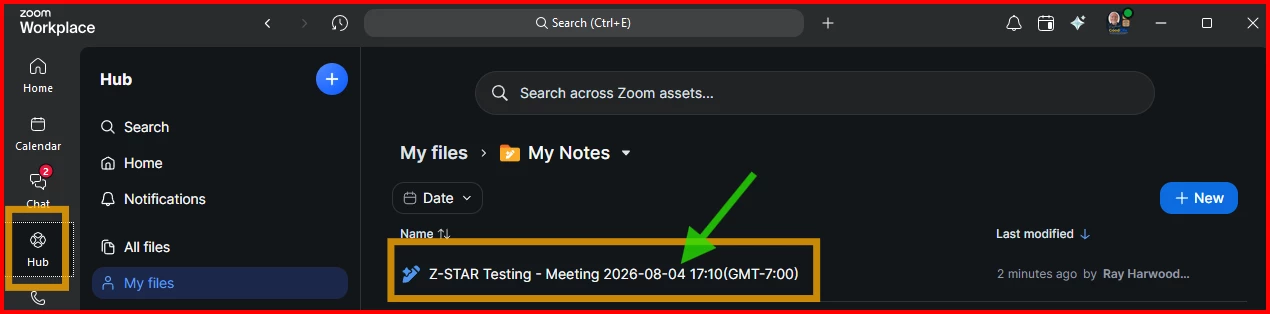
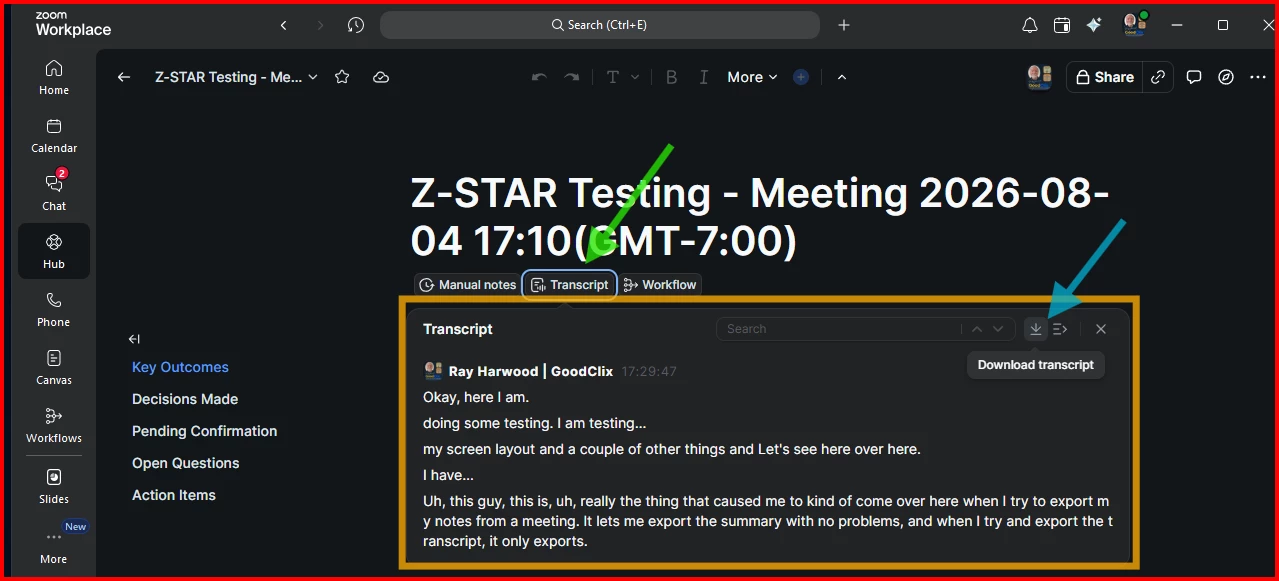
When I try to export “My Notes” from a meeting, it lets me export the “summary” with no problems, but when I try to export the “transcript”, it only exports the title of the meeting without the transcript.

I’ve tried all the solutions google has found for me but none of them worked.  I’m hoping someone can help me.

Thank you.

20 replies

ElephantInTheZoom
Explorer
Explorer
April 16, 2026

Yeah, this needs to work better. ​@Gladys Stefany, Open the meeting notes/transcript on the WEB PORTAL (not the app). You can print to PDF or copy into a doc. 

ElephantInTheZoom
Explorer
Explorer
April 16, 2026

Hi ​@Gladys Stefany, Does your browser have a “print” option, maybe under the “file” menu? Usually if you select print, you can find an option to print to PDF. 

Or are you able to select the text and paste it into a word document?

ElephantInTheZoom
Explorer
Explorer
April 16, 2026

@Gladys Stefany Found a bit more of an explanation (see below)…

👉 So,
WEB PORTAL access/signing in through a BROWSER (do not use the Zoom app) gets you to your “My Notes”;

From there, you can either:

  1. Copy and paste them into a new Word document/file (or similar).
  2. The other option is to select “File” > “Print” in your browser window, then look for the “save to PDF” option.

********
“Based on Zoom’s public documentation, “My Notes” and Meeting Summary transcripts are handled differently.
Zoom describes “My Notes” as a personal note-taking feature, and says the resulting notes are yours and are not automatically shared with the host or other participants. By contrast, Zoom admins & hosts can see and distribute Meeting Summary transcripts.” 

Newcomer
May 28, 2026

Had the same problem. From all my testing, the most convenient option is to copy and paste the entire transcription into a document. It is an extremely inconvenient process, and leads to a janky output. Would love if the export feature worked.

Newcomer
May 29, 2026

yes, definitely a half baked functionality here.

I just paid a subscription to be able to export transcripts to find out I have to copy paste in Word to get something awfully formatted.

Needless to say I won’t be renewing my subscription.


Things really shouldn’t be that complicated. 

Who even comes up with such bad ideas? 


Let me export the transcript, and for those who want, add a AI summary.

ElephantInTheZoom
Explorer
Explorer
June 15, 2026

@Lax Wang - Please see ​@Dave123’s comment above re: not renewing (line 3). Seems like this issue/underlying limitations needs to be escalated. 

Newcomer
May 30, 2026

@Dave123 this annoyed me endlessly, so I built a little something to download the transcript. I still hate that I have to do this, but if you open the notes in the browser, click open the transcript, then you can use this little bookmarklet that I created to download the raw transcript as an .md. Feel free to give it a go: https://namolnad.github.io/zoom-to-markdown/

Newcomer
June 4, 2026

And it works!
Amazing!
Thanks a million!

ElephantInTheZoom
Explorer
Explorer
June 15, 2026

@Dan Loman, nice work! 😊 Suggest registering your IP ASAP.
 

New Member
July 6, 2026

This seems to have broken! Was working great as of a couple weeks ago. Have you noticed? Are you building an updated version by any chance?

New Member
July 6, 2026

Wait - nevermind. Looks like Zoom launched the feature natively?

Newcomer
July 8, 2026

You can download a Markdown of the note, but not the transcript. 

New Member
July 22, 2026

With the recent changes to even ban the selection of text in the transcript window in addition to breaking the bookmarklet, it seems that at this point, Zoom is actively ruining the product to try to push the Notes platform as a source of truth. While I am sure this drives some important KPIs for a product manager there, I think it's rather customer hostile to restrict these features. Zoom My Notes is not a complete replacement for everything that I would want do with a transcription from a meeting. If the intent is to compete with dedicated transcribing note-taking apps, the only result is that Zoom completely fails at core functionality here.

New Member
July 22, 2026

100% agree.  Zoom trying to hold on to your transcripts that you can clearly read in the UI but not export, is truly scummy behavior.

New Member
July 22, 2026

@Dan Loman‘s bookmarklet above no longer works.  I wrote a bookmarklet (inspired by ​his) that works with the latest version of zoom:


Setup (one-time)

1. Show your browser's bookmarks bar (Cmd+Shift+B on Mac, Ctrl+Shift+B on Windows/Chrome).
2. Right-click the bookmarks bar → *Add page* (or *Add bookmark*).
3. For the *name*, put something like `Zoom Transcript Extractor`.
4. For the *URL*, paste the full code block below exactly as-is (it starts with `javascript:`):

javascript:(function(){var blocks=document.querySelectorAll('.sc-hEvKXk.goBswG');if(!blocks.length){alert('No transcript entries found. Make sure the transcript panel is open and loaded.');return;}var lines=[];blocks.forEach(function(block){var nameEl=block.querySelector('.sc-fecFrY.fSmovs');var timeEl=block.querySelector('.sc-jjtohW.fLOVPu');var name=nameEl?nameEl.textContent.trim():'Unknown';var time=timeEl?timeEl.textContent.trim():'';var textEls=block.querySelectorAll('.sc-MZsgf.bmMpcJ');var text=Array.prototype.map.call(textEls,function(el){return el.textContent.trim();}).join(' ');lines.push('['+time+'] '+name+': '+text);});var transcript=lines.join('\n\n');navigator.clipboard.writeText(transcript).then(function(){alert('Copied '+blocks.length+' transcript entries to clipboard.');}).catch(function(){var win=window.open('','_blank');win.document.write('<pre>'+transcript.replace(/&/g,'&amp;').replace(/</g,'&lt;')+'</pre>');});})();

5. Save the bookmark.


Using it

1. Open the Zoom Doc/Notes page for your meeting in your browser  (if vieweing the notes from within Zoom, you can click the Open In Browser icon)
2. Open the *Transcript* panel and make sure it's fully loaded (scroll through it once so all entries render — Zoom loads them lazily).
3. Click the *Zoom Transcript Extractor* bookmark.
4. You'll see an alert confirming how many entries were copied — the full transcript is now on your clipboard as `[timestamp] Speaker: text` lines, ready to paste anywhere.

If clipboard access is blocked by your browser, it'll instead open a new tab with the transcript as plain text you can select and copy manually.

New Member
July 22, 2026

Until yesterday, I could reliably download meeting transcripts (as a .txt file) from the transcript/summary screen in the Zoom Workplace app (Hub/Notes workflow). Today, the download option is gone, and the transcript text can’t even be highlighted for copy/paste—despite the transcript still being viewable.

This change breaks a workflow I’ve used for months to archive transcripts and move them into our documentation systems. If this is an intentional policy/security change, it needs to be clearly communicated and controllable by admins. If it’s a bug or regression, it needs an urgent fix.

In addition to removing the transcript download option, the transcript viewer now prevents basic text selection— I can’t even highlight the transcript to copy/paste it into another document. This blocks normal documentation and compliance workflows where we need to move transcript text into our own systems.

From a user perspective, this feels like a deliberate restriction that pushes people toward using Zoom’s built-in AI features instead of letting customers export and work with their own meeting data. If this is a security/admin-controlled setting, it should be clearly labeled and configurable. If it’s a product change, it needs transparent communication and an alternative export method.

New Member
July 22, 2026

Agreed this is a pain (again). Either let us download the transcripts or let us use skills instead of using your templates