Whiteboard on Mobile Phone - iphone 6 | Community
Skip to main content
February 11, 2026
Question

Whiteboard on Mobile Phone - iphone 6

  • February 11, 2026
  • 1 reply
  • 11 views

Hi there, 

I have just downloaded Zoom app on my mobile, an iphone 6 with iOS 15.8.6.  (I can't do any further ios updates, they no longer allow it for iphone 6.)

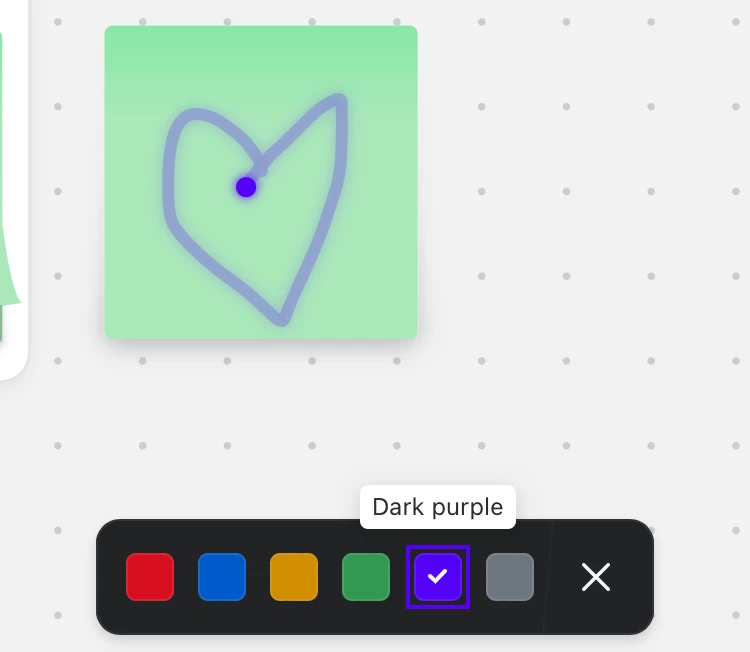
The behaviour of the drawing tool seems strange, and I'm wondering if that's normal or a fault with my phone situation. Anything you draw, only lasts for about 3 seconds and then fades to nothing. 

Below is an image of a shape I drew, I screen shotted it but it had already started to fade out as you can see, 

And under that is an image showing which tool I had selected. 

Is there someone with experience using Whiteboard on iphone, who can shed some light? 

Cheers

This is the tool I selected, the squiggly line -  for drawing? (I assumed)
And here is my rapidly fading image.  It lasted about 2 seconds. 


    1 reply

    Newcomer
    February 11, 2026

    Hi

    The tool you used is called Laser. The pen tool is placed in the bottom right corner.  After click the plus button. You can select pen tool there.


    Cab077Author
    February 12, 2026

    Ah right! Awesome .  I think there are some tools I can't see , in which case, it's most likely to do with having an old phone - I may have downloaded an old version of zoom.  time for a new phone maybe. Thanks for your reply