

Whiteboard Collaboration | Community
Skip to main content
Newcomer
October 4, 2023
Solved

Whiteboard Collaboration

  • October 4, 2023
  • 3 replies
  • 2 views

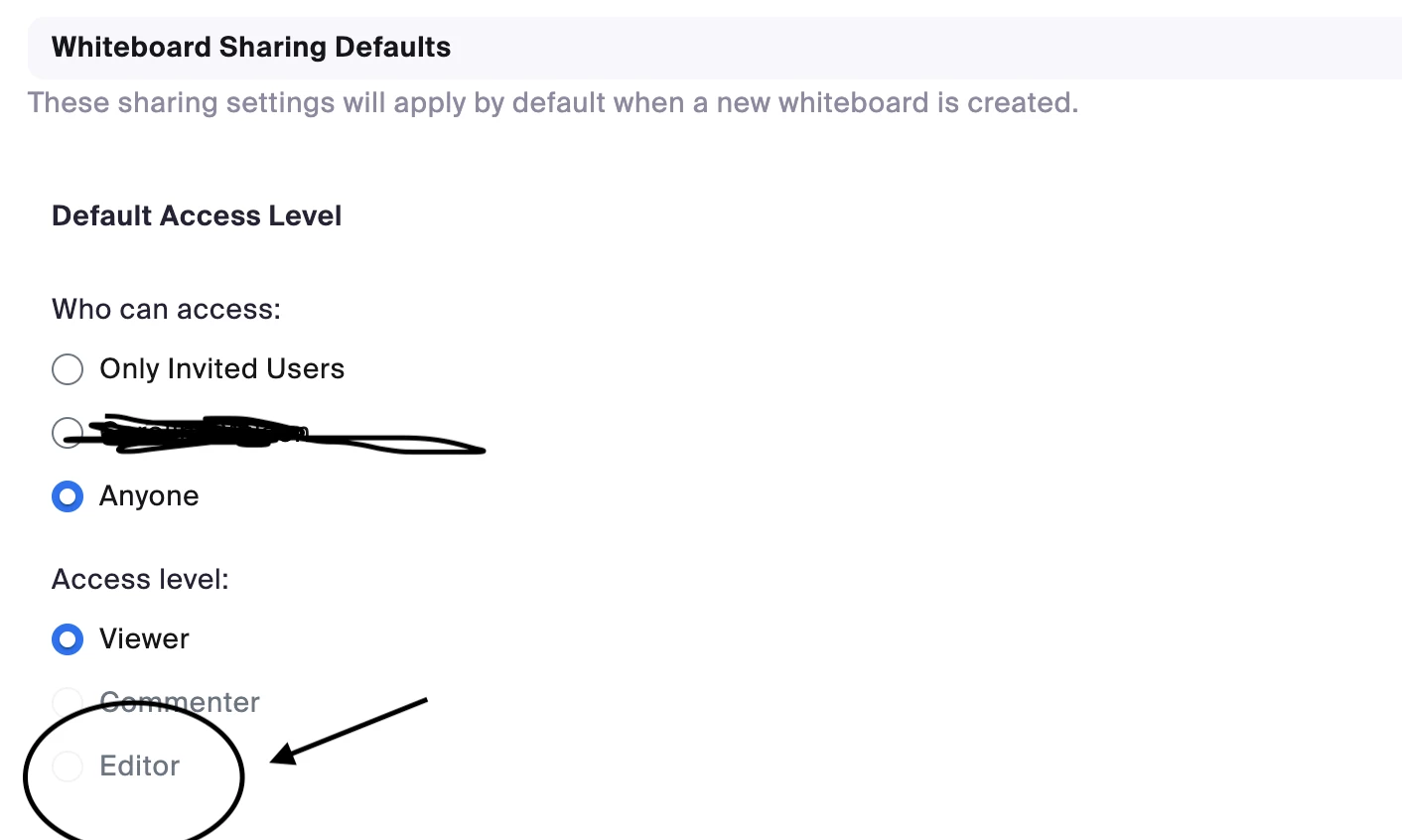
Can anyone help me with Whiteboard Collaboration? I want to use Zoom whiteboard to teach my online lessons but I cannot work out how to give participants 'edit' access. I've tried by opening the whiteboard in the meeting and checking the 'allow users to collaborate' box but the participant either gets an error message or the whiteboard opens as view only. It's really frustrating as I assume that collaboration is the whole point of the whiteboard?! I'd like my students to be able to write onto it. When I go into my settings the 'whiteboard sharing default' has the access level set to 'viewer' with 'commenter' and 'editor' greyed out. Please help me!!!!
Best answer by FlexLiu

Hi, we don't allow this to be done based on our current design - set 'commenter' and 'editor' for "anyone"

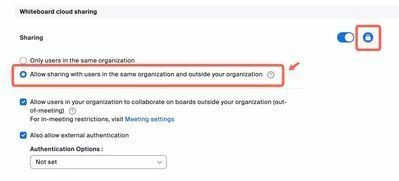
If you want all participants in a meeting can edit your board, you can set the sharing setting like the screenshot below. If there are no security issues, you can lock the setting at account level. https://zoom.us/account/setting


3 replies

Newcomer
January 9, 2024

Bonjour, même problème pour moi... Avez-vous trouvé une solution ?

Newcomer
January 9, 2024

Hello, same problem for me... Have you found a solution?


FlexLiuAnswer
Employee
January 11, 2024

Hi, we don't allow this to be done based on our current design - set 'commenter' and 'editor' for "anyone"

If you want all participants in a meeting can edit your board, you can set the sharing setting like the screenshot below. If there are no security issues, you can lock the setting at account level. https://zoom.us/account/setting