Explorer
Jun 17, 2023 10:34 AM UTC
Solved

I want participants to edit whiteboard

Hi,

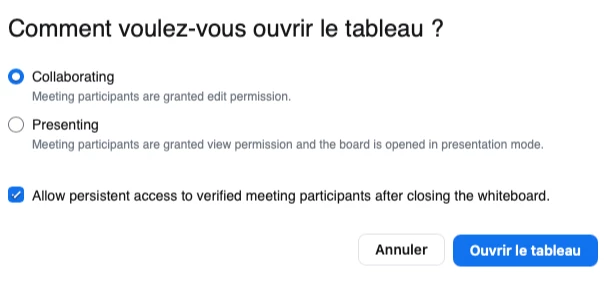
When I share a whiteboard to the participants (meeting), they can't edit it. They can only watch it.

I check the settings and allowed participants to share and so on.
But there is a setting which is in gray and maybe it is in connection with my problem (see screenshots).


Can you help me ?
I have a Zoom One Pro.

Thanks in advance

BakerHe
BakerHeAnswer
Community Champion | Employee
Jun 20, 2023 7:11 AM UTC

Your setting is correct.


Could you please check if participants'  zoom client version higher than 5.13.5 

If version lower than 5.13.5,  participants can only view the whiteboard, can't edit it.


Checking the Zoom version number doc: 

https://support.zoom.us/hc/en-us/articles/201362393-Checking-the-Zoom-version-number

12 replies

BakerHe
Community Champion | Employee
BakerHeAnswer
Community Champion | Employee
Jun 20, 2023 7:11 AM UTC

Your setting is correct.


Could you please check if participants'  zoom client version higher than 5.13.5 

If version lower than 5.13.5,  participants can only view the whiteboard, can't edit it.


Checking the Zoom version number doc: 

https://support.zoom.us/hc/en-us/articles/201362393-Checking-the-Zoom-version-number

Translate
AnneOFAuthor
Explorer
Jun 20, 2023 9:38 AM UTC

I BakerHe,


Thanks for your reply. I finally found that it was because of the old version of Zoom and computer.
You are right.


Thanks for your help.

Translate
Explorer
Dec 11, 2023 6:27 PM UTC

Hi! I'm running into the same problem, but I have the 5.16.10 version. Can anyone help?

Translate
Newcomer
Dec 26, 2023 10:38 PM UTC

Same. All settings set to allow collaboration. V.5.17. Worked just fine until suddenly not. I believe the problem began after the latest update. 

Translate