Guests in a meeting can't access Whiteboard upload tool | Community
Skip to main content
Newcomer
April 23, 2024
Solved

Guests in a meeting can't access Whiteboard upload tool

  • April 23, 2024
  • 2 replies
  • 3 views

Hi, 

I ran two Zoom meetings with whiteboard yesterday. In the first, my meeting guests (not part of my organization, they just got to the meeting via my Zoom link) could see the 'upload' tool in the tool panel.


In the second meeting, my (different) guests tell me they couldn't see the 'upload' tool.


As far as I'm aware, my settings were the same and I wasn't doing anything different. How can I ensure that my meeting guests in future have full access to whiteboard tools? I have a Zoom One Pro account.

Thanks,
Andy Smith

Best answer by BakerHe

Hi @AndySmithai For your question "How can I ensure that my meeting guests in future have full access to whiteboard tools?"

Follow 2 steps :

1. Meeting Participants must be login

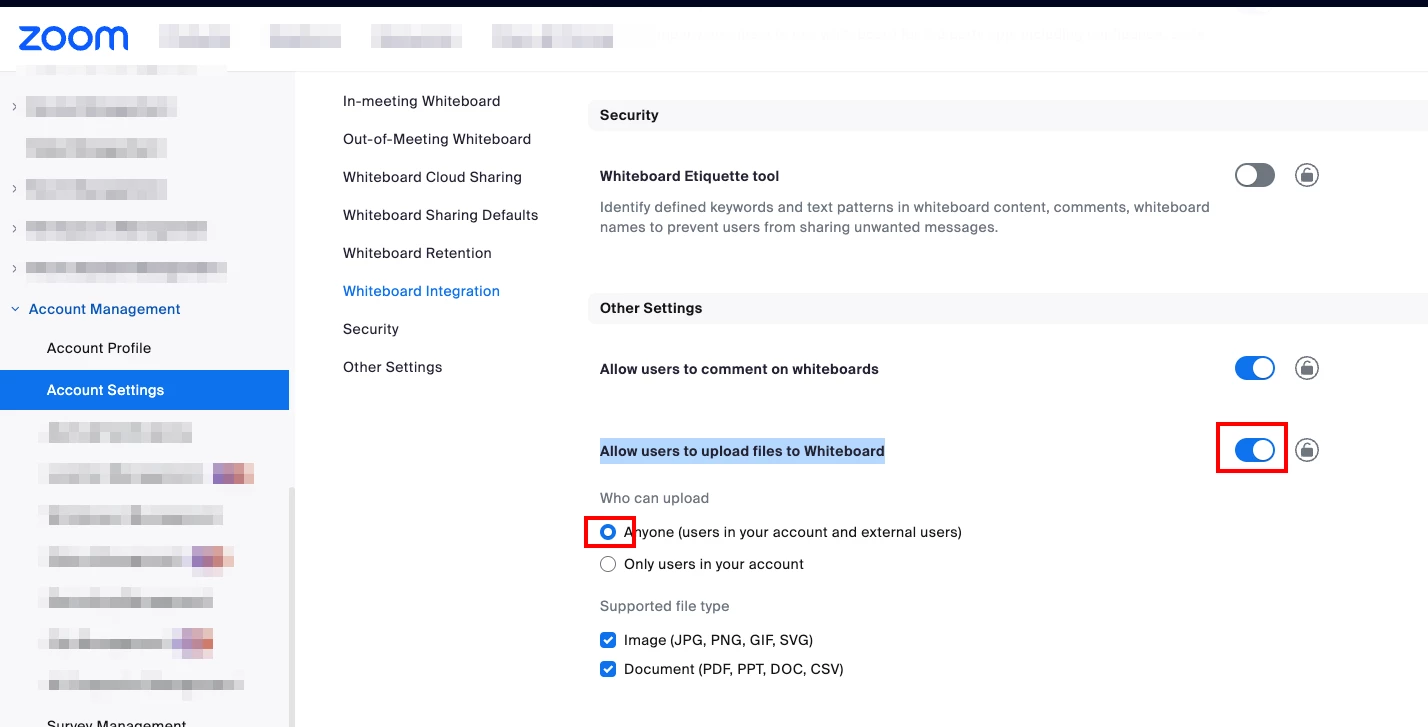
2. Make sure your whiteboard setting is : 

[Checked] Allow users to upload files to Whiteboard 

[Checked] Anyone (users in your account and external users)


Back to your situation 

In the first meeting, external guests can see the upload file icon , it means your whiteboard setting is correct.

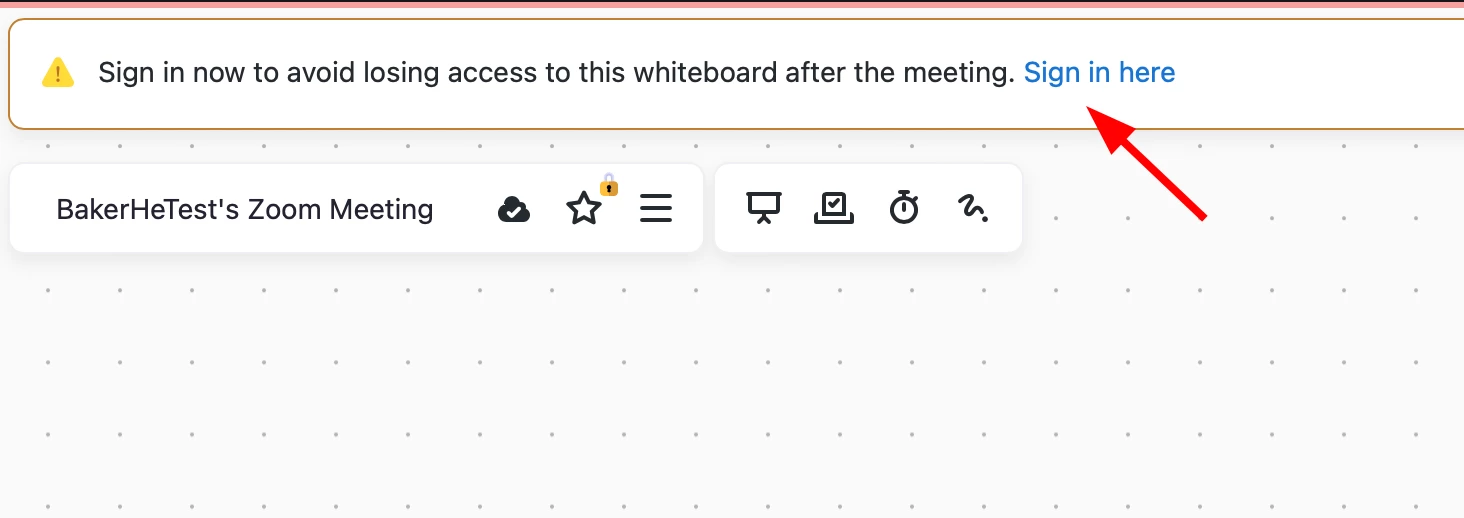
In the second meeting, guests can't see the upload file icon. They may not be login state. If they are not login, they will see following picture.


Feel free to ask me again if this does not resolve your question.


2 replies

BakerHe
Community Champion | Employee
BakerHeAnswer
Community Champion | Employee
April 25, 2024

Hi @AndySmithai For your question "How can I ensure that my meeting guests in future have full access to whiteboard tools?"

Follow 2 steps :

1. Meeting Participants must be login

2. Make sure your whiteboard setting is : 

[Checked] Allow users to upload files to Whiteboard 

[Checked] Anyone (users in your account and external users)


Back to your situation 

In the first meeting, external guests can see the upload file icon , it means your whiteboard setting is correct.

In the second meeting, guests can't see the upload file icon. They may not be login state. If they are not login, they will see following picture.


Feel free to ask me again if this does not resolve your question.


Newcomer
June 23, 2024

Thanks @BakerHe 

That's how my settings were. So guests have to have a Zoom account and be logged in before they can see the upload file icon? I didn't realise that.

As a general comment, the settings for Zoom are very complex and spread between the Zoom app and the Zoom website, which makes it very hard to find the relevant settings for problems like this. I hope the settings can be made more intuitive and user-friendly in the future.