

Google Drive Issues on WhiteBoard | Community
Skip to main content
Newcomer
April 30, 2024
Solved

Google Drive Issues on WhiteBoard

  • April 30, 2024
  • 1 reply
  • 3 views

Hi Forum,


I wanted to connect my Google Drive with Whiteboard. During the login and verification process, there was a permission checkbox at the very end, which I did not notice, and I clicked agree. So, my Google Drive connected with Zoom, but I could not access the files. So, I want to disconnect Google Drive from Whiteboard, but there is no option to do that. I have tried Chatbot and different threads. There is nothing on how to disconnect a Google Drive from Zoom Whiteboard. Please help me with this. Many thanks in advance.

Best answer by BakerHe

Hi @Nahin ,
For your first question , "can't access files", I tried and it is working.  Hope you can provide more details (eg: screenshoots ), then we can help you.


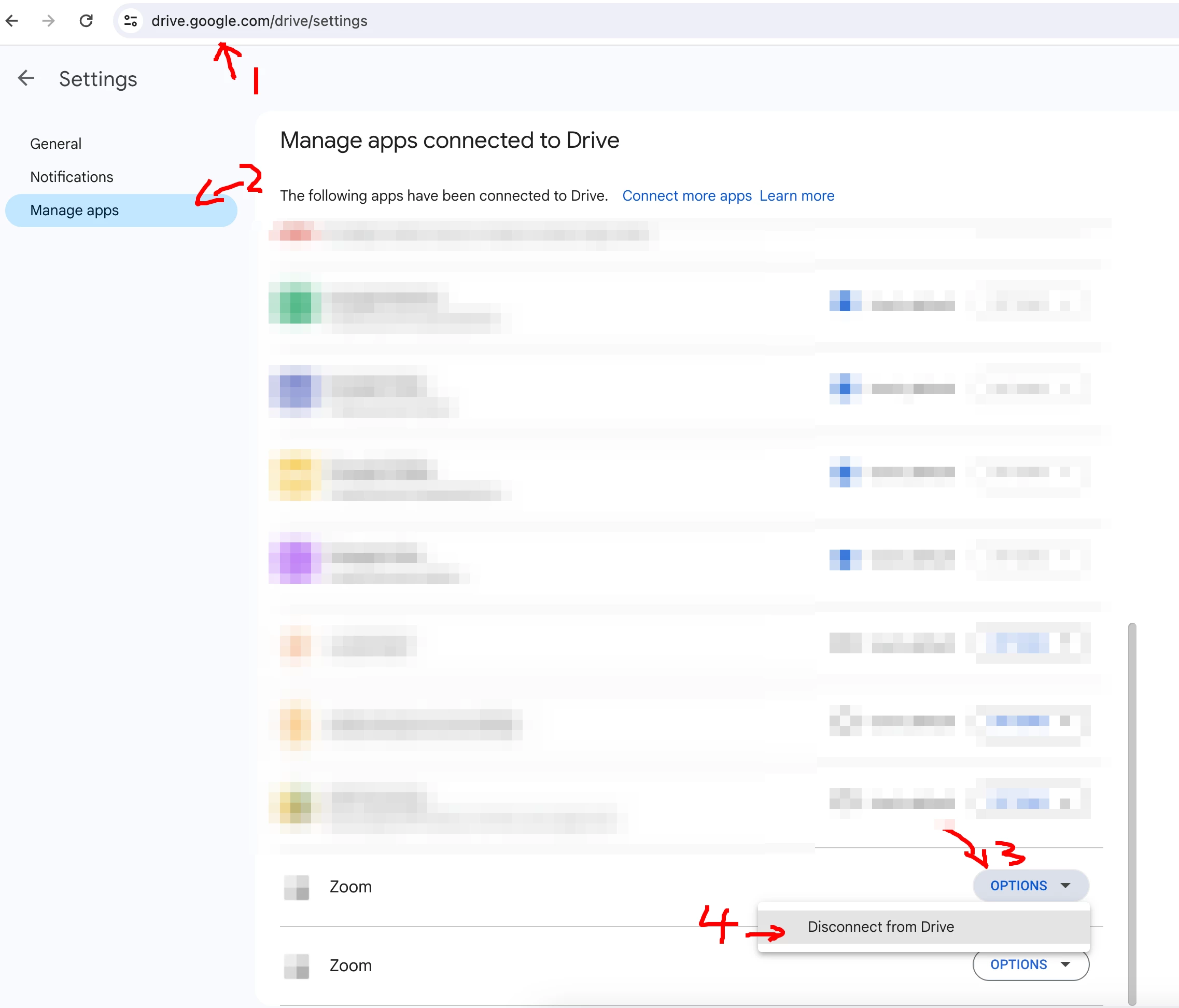
For your second question, you can disconnect Google Drive from Zoom by this way. 

Entry : https://drive.google.com/drive/settings


1 reply

BakerHe
Community Champion | Employee
BakerHeAnswer
Community Champion | Employee
May 2, 2024

Hi @Nahin ,
For your first question , "can't access files", I tried and it is working.  Hope you can provide more details (eg: screenshoots ), then we can help you.


For your second question, you can disconnect Google Drive from Zoom by this way. 

Entry : https://drive.google.com/drive/settings