Solved
Disabling Annotation
After searching diligently thru prior conversations for annotation controls, I've run across things like this:
- In the navigation panel, click Account Management then Account Settings.
- Click the Meeting tab.
- Under In Meeting (Basic), verify that Annotation is enabled.
I have no idea what the navigation panel is (there's nothing labelled as such), and I'm unable to find anything called "account management", "account settings", a "meeting" tab, or an "in meeting (basic)" item. I can locate "Settings" under the "Zoom Workplace" menu, but nothing in the resultant window refers to any of the above, let alone annotation controls.
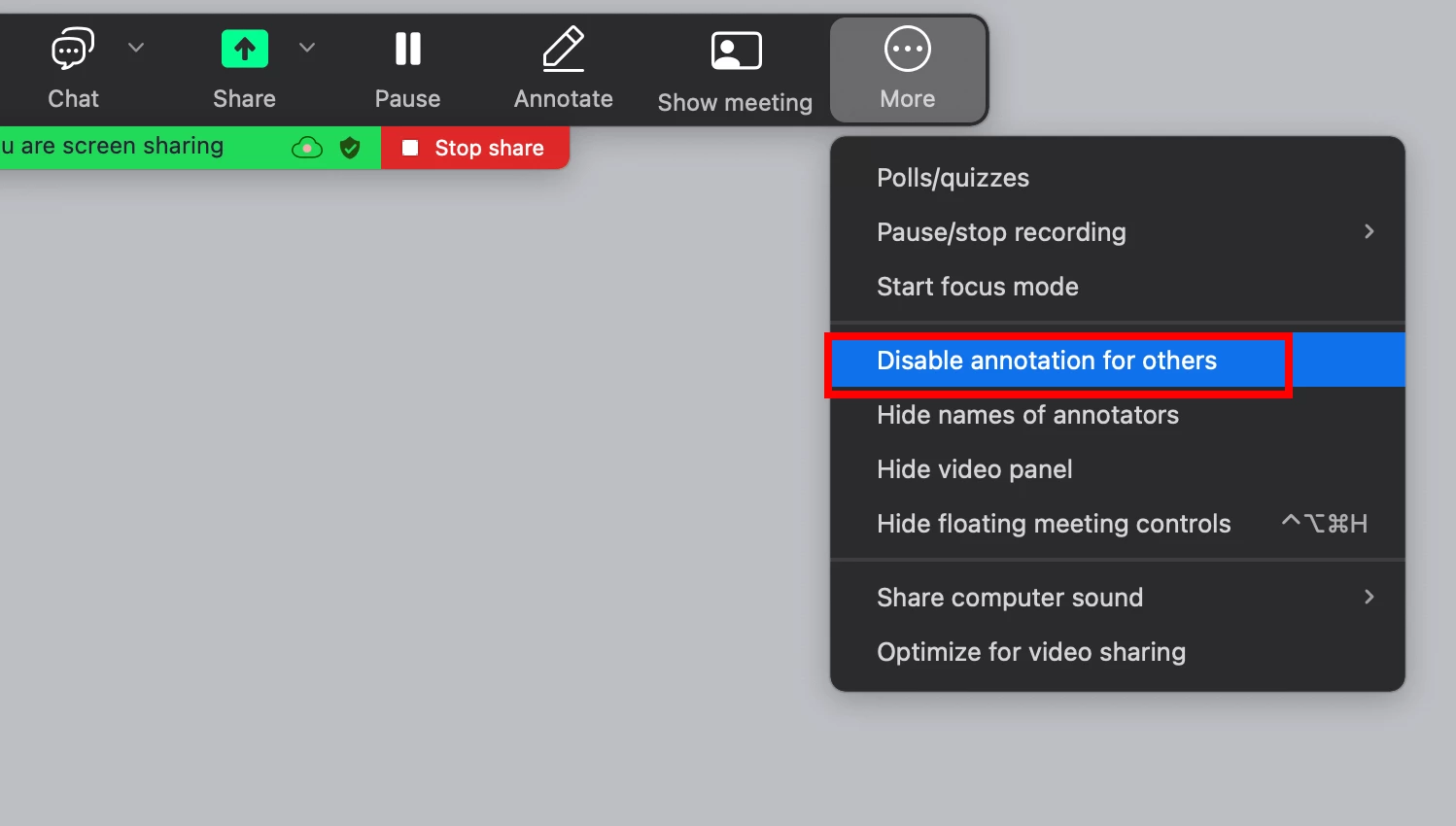
I don't want my users scribbling all over my screen during my presentation, but I can't find any way to turn off that ability. I'd expect it to be one of the items in the sidebar of the "Settings" window, but it's not. Where is it?