Can not use the collaboration on my whiteboard | Community
Skip to main content
Newcomer
March 6, 2024
Solved

Can not use the collaboration on my whiteboard

  • March 6, 2024
  • 3 replies
  • 0 views

Hi

I have a membership on Zoom, but I don't purchase the whiteboard part. However, as far as I know, I can share my 3 free whiteboards with my students. However, whenever I share and choose the collaboration mode, my students are always in the viewer mode. 

And I used to work for an organisation and let them be the admins of my account for some months, but now I stopped completely, and I'm not sure if they can do something with my account, which may prevent this  collaboration feature.

Note I'm from Vietnam. 
Thank you for your suggestions in advance

 

Best answer by mpaterno

Hi @dungnguyen123 ,


On the account settings page, where you've typed into the search bar, clear the search bar and navigate using the horizontal menu on that page. The first menu item should be General, then Meeting. If you scroll to the right, you'll find the Whiteboard settings and the particular setting Palmer pointed you to!

3 replies

Employee
March 8, 2024

Hello @dungnguyen123 ! Can you please check your account setting and verify that cloud sharing is set to "allow sharing with users in the same organization and outside your organization" Account management -> Whiteboard -> Whiteboard cloud sharing


Newcomer
March 14, 2024

Hi Palmer, 
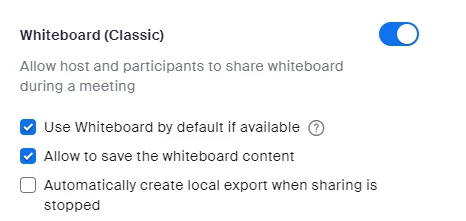
I can not find that option in my setting 

 and this is my whiteboard management


mpaternoAnswer
Employee
March 15, 2024

Hi @dungnguyen123 ,


On the account settings page, where you've typed into the search bar, clear the search bar and navigate using the horizontal menu on that page. The first menu item should be General, then Meeting. If you scroll to the right, you'll find the Whiteboard settings and the particular setting Palmer pointed you to!

Newcomer
March 20, 2024

It works thank you so much !!! And thanks Palmer