

Newcomer
April 16, 2023
Solved

Zoom registration links

Does Zoom allow for multiple registration links for the same event? I am looking for a means to track where the clients are coming from in regards to our team. I know we can ask "who invited you?" but not everyone has the answer because they will often have the link and not remember where the got it from. Thanks!
    Ray_Harwood
    Community Super Champion | Customer
    April 17, 2023

    Welcome to the Zoom Community, @ScottVarney.


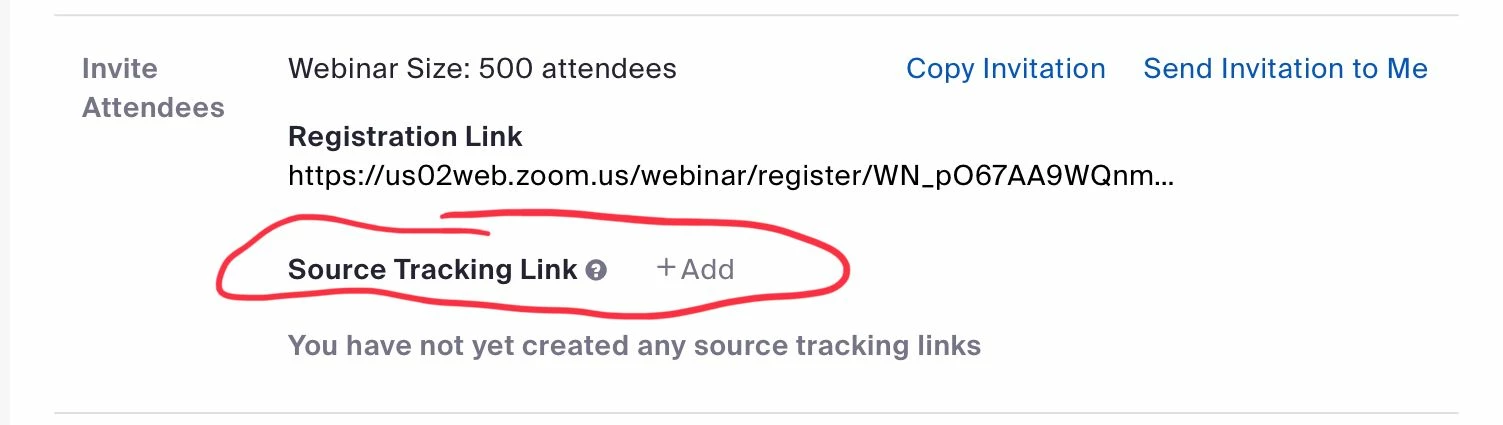
    This is available by using tracking links, but this is only available for Webinars:


    See this Zoom Support article for more info:

    https://support.zoom.us/hc/en-us/articles/360000315683-Creating-webinar-registration-tracking-links 


    If your question is Zoom Events specific, see the reply from @DeniseLahat to this post; unfortunately a lot has changed since this was posted:

    https://community.zoom.com/t5/Events-and-Webinars/Source-tracking-in-Zoom-events/m-p/34753 


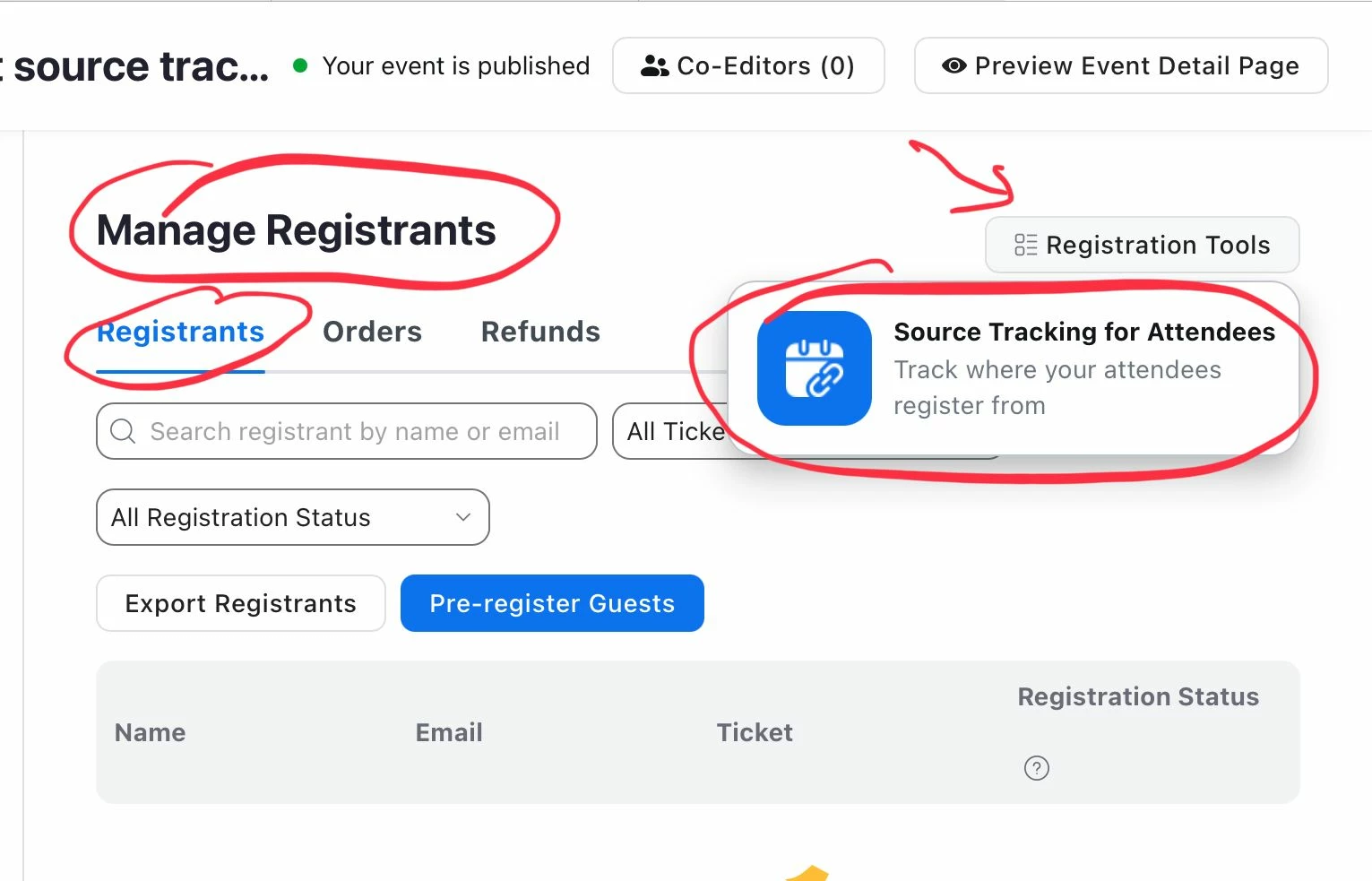
    Update: I found where this is done. It must be a public event with public registration:


    1 reply

    Ray_Harwood
    Community Super Champion | Customer
    Community Super Champion | Customer
    April 17, 2023

    Welcome to the Zoom Community, @ScottVarney.


    This is available by using tracking links, but this is only available for Webinars:


    See this Zoom Support article for more info:

    https://support.zoom.us/hc/en-us/articles/360000315683-Creating-webinar-registration-tracking-links 


    If your question is Zoom Events specific, see the reply from @DeniseLahat to this post; unfortunately a lot has changed since this was posted:

    https://community.zoom.com/t5/Events-and-Webinars/Source-tracking-in-Zoom-events/m-p/34753 


    Update: I found where this is done. It must be a public event with public registration:


    Translate