Webinar registration | Community
Skip to main content
Newcomer
November 17, 2023
Solved

Webinar registration

  • November 17, 2023
  • 1 reply
  • 3 views

Hi. I am setting up 2 webinars with registration required, both happening in one day. Is it possible to make a shared registration form for both webinars, where the form allows attendees to choose either webinar 1 or 2? Thanks

    Best answer by Ray_Harwood

    Welcome to the Zoom Community, @TFLHiggFEM2023.


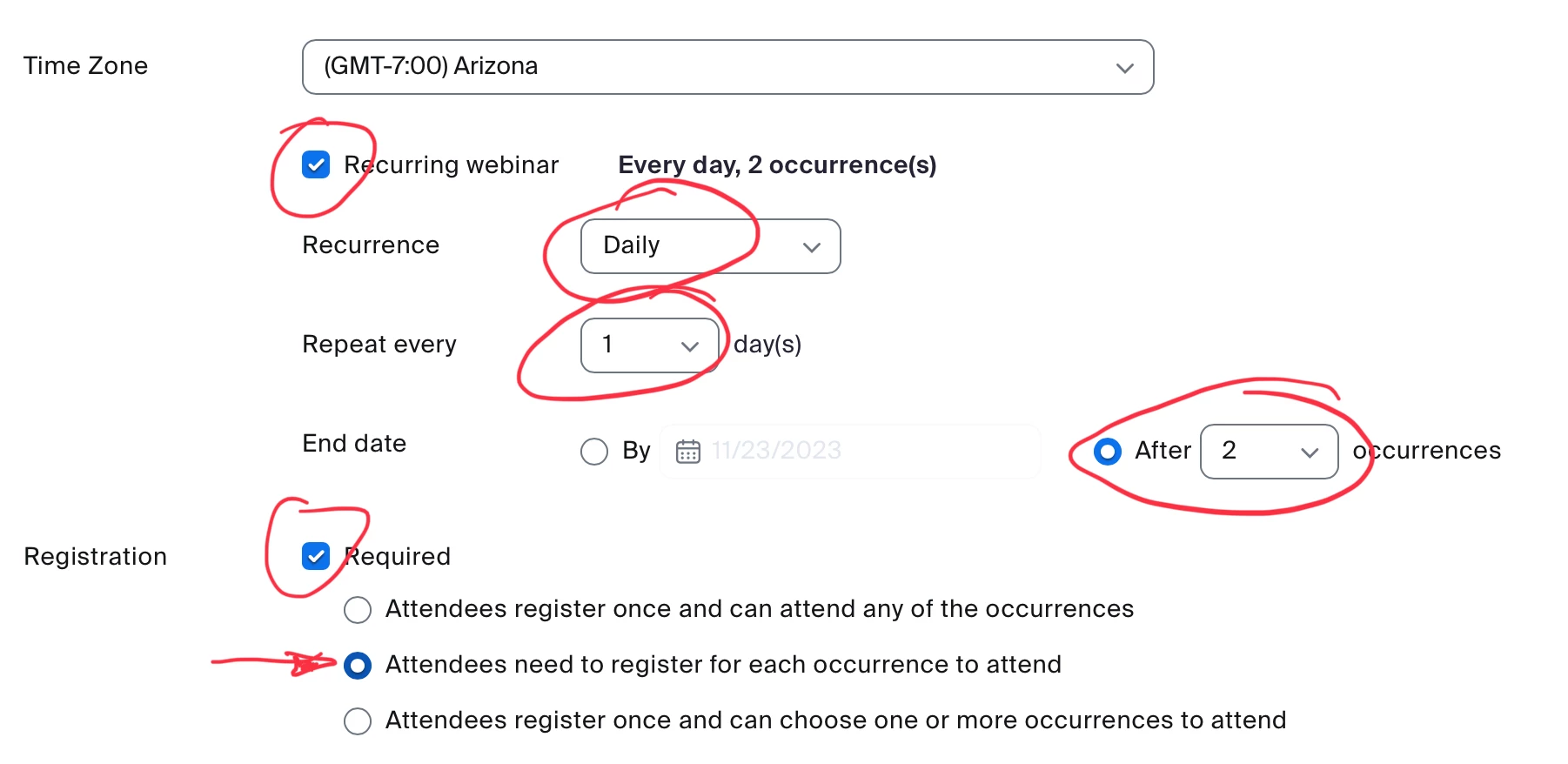
    Try setting up a recurring webinar for two days in a row at the same time, set it up with Registration Required, and select the option Attendees need to register for each occurrence to attend

    You might get some people who register for both. There isn’t an option that only allows them to pick one and only one occurrence. 


    Then click Edit next to the second occurrence and edit the date and time to the time of the second session, then save.


    That might not give you exactly what you’re looking for… but I think it’s as close as you’ll get. Set it up in a test run first, and register several times try see how it will work. 

    1 reply

    Ray_Harwood
    Community Super Champion | Customer
    Community Super Champion | Customer
    November 17, 2023

    Welcome to the Zoom Community, @TFLHiggFEM2023.


    Try setting up a recurring webinar for two days in a row at the same time, set it up with Registration Required, and select the option Attendees need to register for each occurrence to attend

    You might get some people who register for both. There isn’t an option that only allows them to pick one and only one occurrence. 


    Then click Edit next to the second occurrence and edit the date and time to the time of the second session, then save.


    That might not give you exactly what you’re looking for… but I think it’s as close as you’ll get. Set it up in a test run first, and register several times try see how it will work.