

Webinar Passcode Unselected but Still Requiring Passcode | Community
Skip to main content
Newcomer
November 4, 2021
Question

Webinar Passcode Unselected but Still Requiring Passcode

  • November 4, 2021
  • 4 replies
  • 5 views

I'm at a loss.  I have an on-demand webinar that requires registration to view, but DOES NOT require a webinar passcode.  Here are my settings:
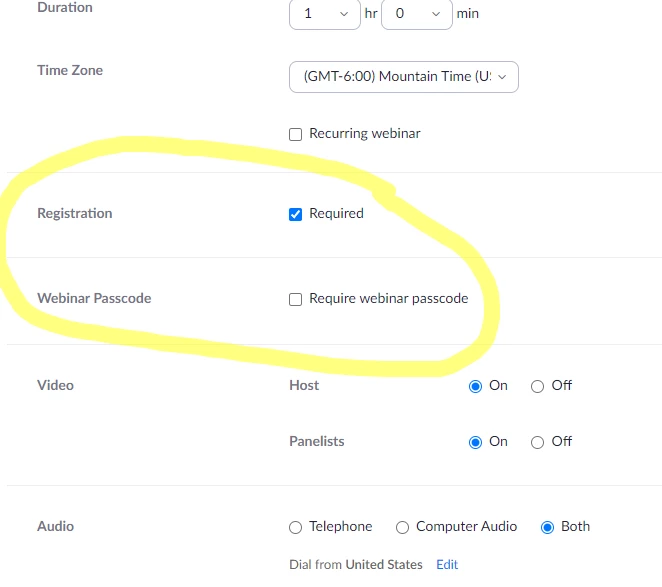


However, users who are registering for the webinar are being asked for a passcode after completing their registration.  This is the screen that pops up after registration (note, registrants are also not receiving a passcode via email post registration either):  
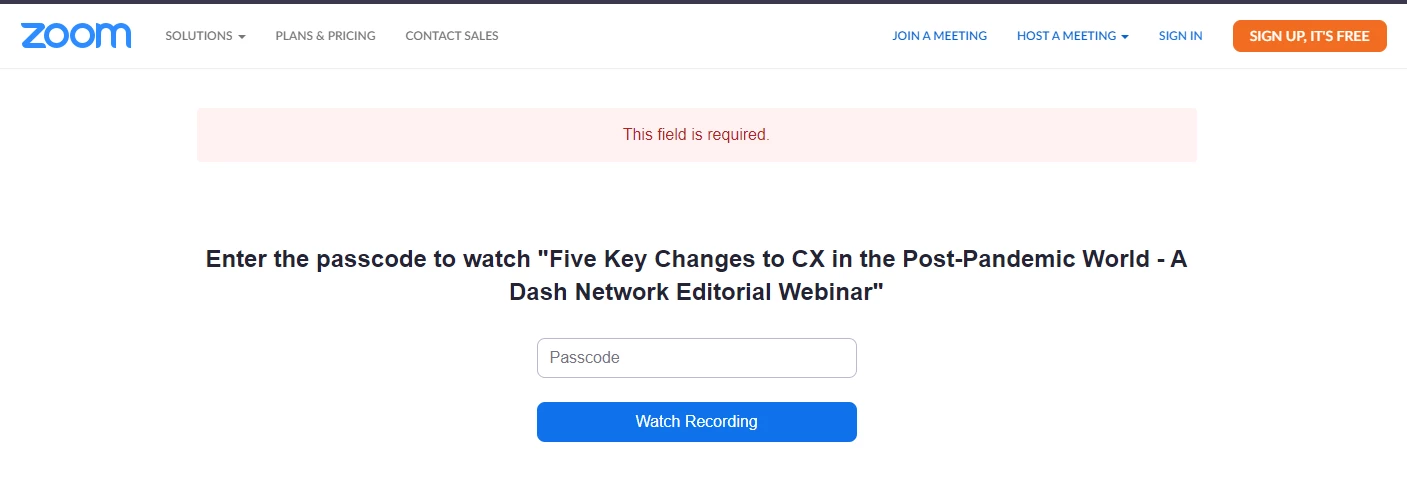


We want users to view the webinar after registering.  Can anyone help?

    4 replies

    Explorer
    November 4, 2021

    Hi! 

    My name is Pizzalover28 and I will happily assist you today. 

    I would recommend contacting Zoom Support. 

    If you would like to contact Zoom's technical support team, zoom offers a fiew support methods. 

    1. Submitting a web ticket. 

    You can submit a web ticket by going to the following link: https://support.zoom.us/requests/new 

    2. For more urgent issues, you can start a chat session. To start a chat session, first start by going to the zoom.us website and clicking on the blue chat bot icon at the bottom of the page. Once you click the chat bot icon, type support. 

    The zoom chat bot will give you a fiew options for teams to contact. 

    Select or type support from the menu. 

    After selecting, click on chat with a support agent.

    Newcomer
    January 22, 2024

    I just ran into the same issue and figured it out. Couldn't find any documentation on it and it's not very intuitive so posting here for posterity:


    Once the webinar is over the asset users are actually accessing the on-demand webinar on is actually managed in the "recordings" section and not the "webinar" section. Even though you disable the passcode on the "webinar" that actually doesn't mean anything, you need to disable the passcode on the "recording". The concept of the "webinar" is totally divorced from the concept of the "recording". Which is dumb.

    To fix:
    * Go to https://zoom.us/recording
    * Find the recording associated with your webinar

    * Click "share"
    * Click the "share settings" link at the bottom of the modal

    * Uncheck "Passcode" and hit save

    This is really obtuse and poorly documented. Zoom should do a better job here.

    CarlaA
    Community Manager
    Community Manager
    January 29, 2024

    Hi @jkeller! @kdottt  provided a useful solution. Did this answer your question? If so, please mark their reply as an accepted solution. If you have any more questions, feel free to reach out!


    Newcomer
    August 15, 2024

    THANK YOU!!!!! I was going nuts! 

    Newcomer
    October 15, 2024

    @CarlaA when someone recommends a ridiculous "solution" and says "this is dumb", it should be a clue that you should fix it. I don't know how Zoom isn't embarrassed by this.