

Syncing with Google Calendar | Community
Skip to main content
Newcomer
November 11, 2024
Solved

Syncing with Google Calendar

  • November 11, 2024
  • 1 reply
  • 3 views

Hello - 

We operate webinars from my zoom account but often have different people hosting based on the topic. They are added to the zoom webinars as 'alternative hosts' but those hosts are not receiving a meeting invite with link to join. Is there a way to fix this issue? 


Thank you.
Best answer by Ray_Harwood

Welcome to the Zoom Community, @Kim27.


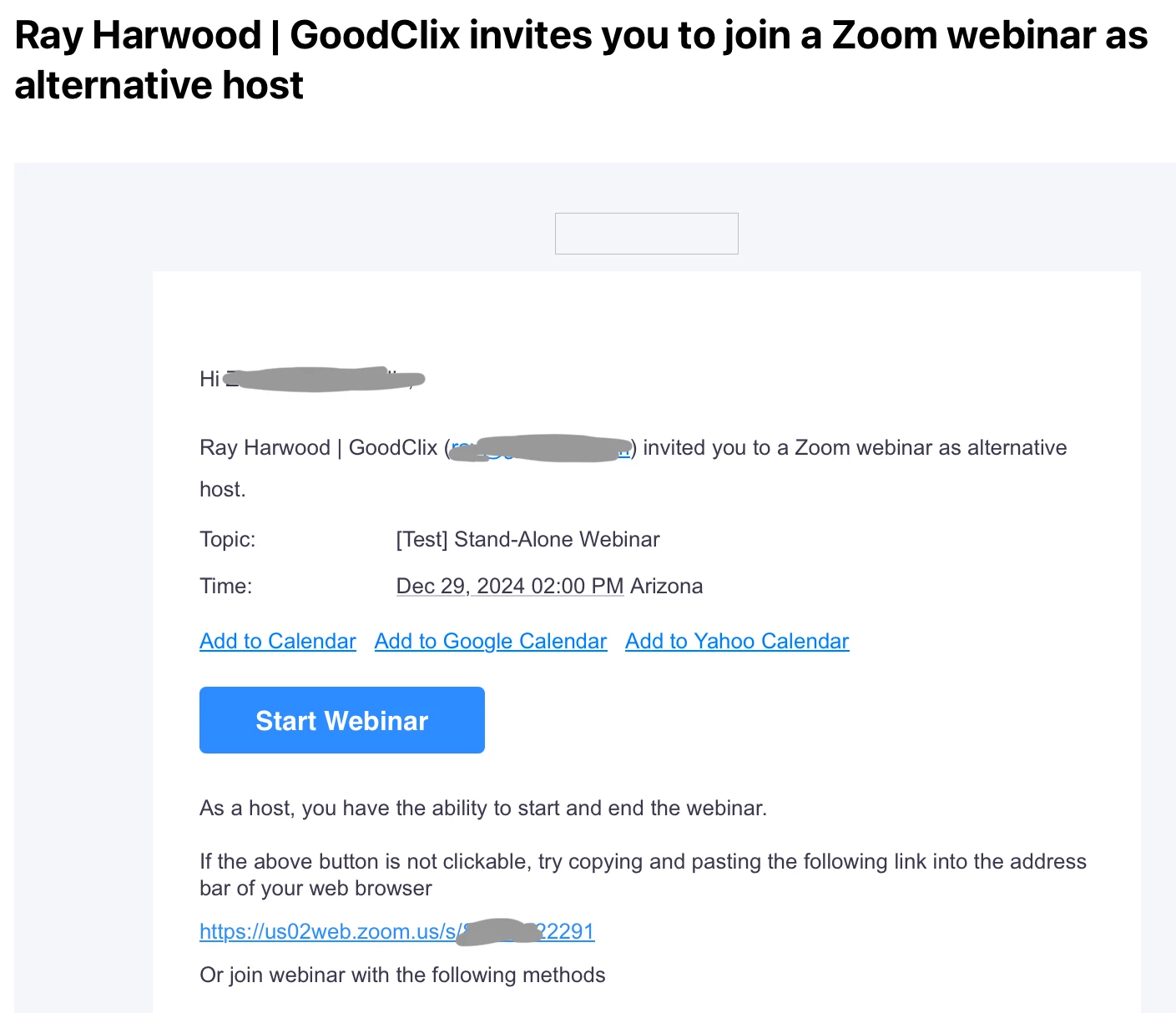
Zoom recently added the functionality of emailing designated Alt Hosts. I’ve tested this today for both Meetings and Webinars, and the Alt Hosts received the appropriate emails with Start buttons:

This works when scheduling from the Zoom Web Portal at Zoom.us. Note that Alt Hosts must be in the same organizational account and Licensed for Zoom (no Basic accounts).


How are you creating your webinars, and who are you designating as Alt Hosts?  I think Google Calendar doesn’t know that they’re an Alt Host, but they will get the email. 


1 reply

Ray_Harwood
Community Super Champion | Customer
November 12, 2024

Welcome to the Zoom Community, @Kim27.


Zoom recently added the functionality of emailing designated Alt Hosts. I’ve tested this today for both Meetings and Webinars, and the Alt Hosts received the appropriate emails with Start buttons:

This works when scheduling from the Zoom Web Portal at Zoom.us. Note that Alt Hosts must be in the same organizational account and Licensed for Zoom (no Basic accounts).


How are you creating your webinars, and who are you designating as Alt Hosts?  I think Google Calendar doesn’t know that they’re an Alt Host, but they will get the email. 


CarlaA
Community Manager
Community Manager
November 18, 2024

Hi @Kim27, thank you for posting your question to the Zoom Community. I have gone ahead and marked @Ray_Harwood's reply as the accepted solution as I believe it answers your question. if you need further clarification, please let us know!