
Slide Control Issues | Community
Skip to main content
Newcomer
February 15, 2024
Solved

Slide Control Issues

  • February 15, 2024
  • 1 reply
  • 18 views

I'm trying to enable Slide Control for a webinar we're hosting, but it's not showing up as an option in the toolbar even though I've ensured that it's enabled in Settings.  Any suggestions for troubleshooting this?

    Best answer by bstrelko

    Can you provide some additional info?

    • What OS and version of Zoom Client is being used on your local machine (the one that's attempting to offer Slide Control)?
    • What exactly is being shared (PPT application window, full monitor w/ presentation, Google Slides, etc)? Please outline your content selection process.


    Additionally, please confirm that you meet the requirements for Slide Control and aren't falling into one of the use-cases outlined in the limitations section (for instance, using Presenter View in Google Slides):
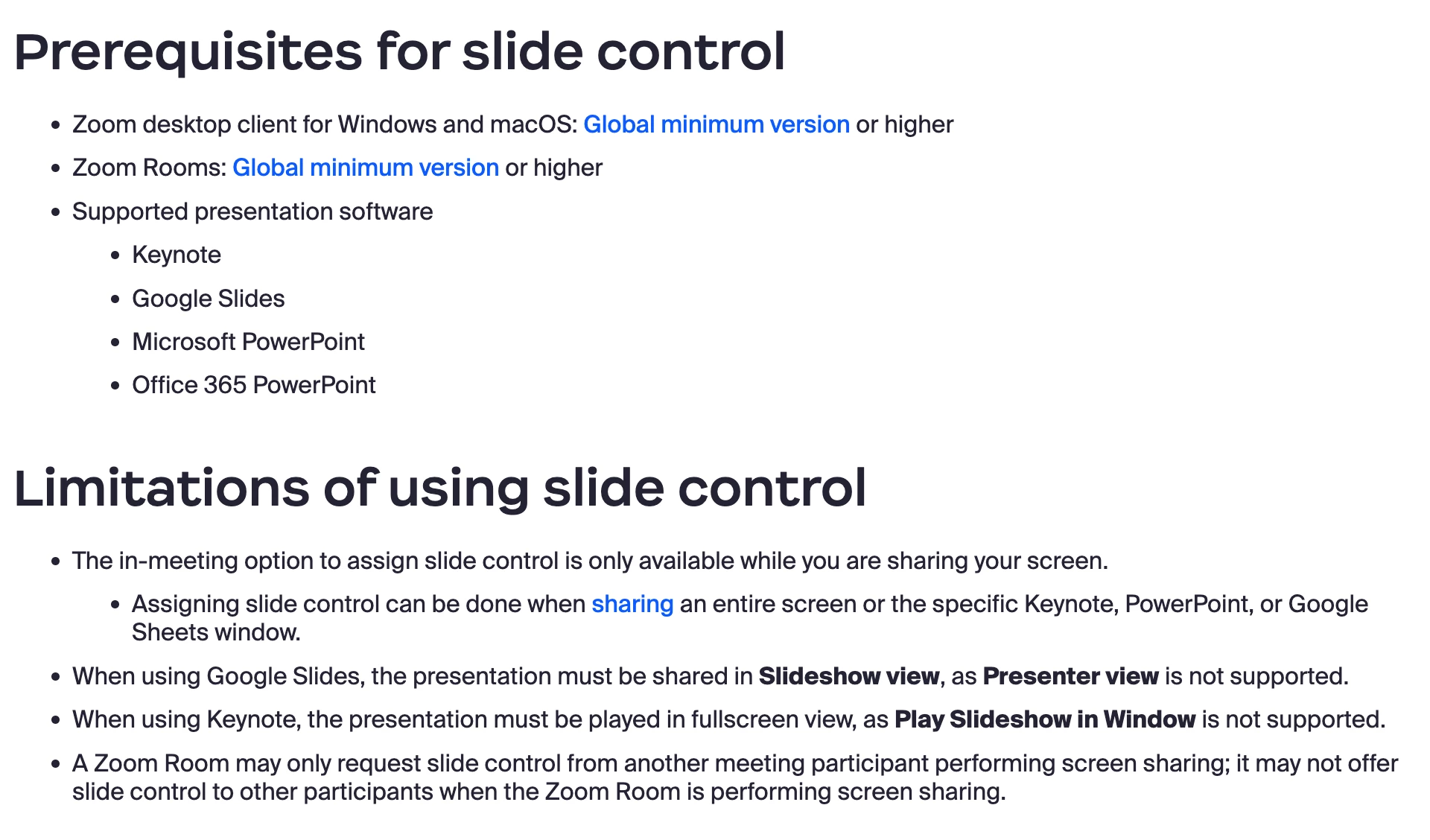
    More info here: https://support.zoom.com/hc/en/article?id=zm_kb&sysparm_article=KB0061986

    1 reply

    bstrelko
    Community Champion | Customer
    bstrelkoAnswer
    Community Champion | Customer
    February 15, 2024

    Can you provide some additional info?

    • What OS and version of Zoom Client is being used on your local machine (the one that's attempting to offer Slide Control)?
    • What exactly is being shared (PPT application window, full monitor w/ presentation, Google Slides, etc)? Please outline your content selection process.


    Additionally, please confirm that you meet the requirements for Slide Control and aren't falling into one of the use-cases outlined in the limitations section (for instance, using Presenter View in Google Slides):

    More info here: https://support.zoom.com/hc/en/article?id=zm_kb&sysparm_article=KB0061986

    Community Manager
    February 20, 2024

    Hello @ShanJ . Welcome to the community! I went ahead and marked @bstrelko  reply as the solution. Given the information about meeting the prerequisites for the "slide control" feature, were you able to double-check that those requirements were met, allowing you to use the feature? If @bstrelko  response did not resolve your issue, please mark the solution as "not as the solution" and tell us what didn't work with the resources provided!