

Remove Host Tile on Webinar | Community
Skip to main content
Newcomer
September 2, 2021
Question

Remove Host Tile on Webinar

  • September 2, 2021
  • 3 replies
  • 1 view

Hi All, I am going to host a webinar where I will be playing a pre-recorded video to attendees.  There will not be any Q&A, panelist, chat, raise hands, polls..etc.  


Attendees just watch a video and after 1 hour playback, we end the webinar.


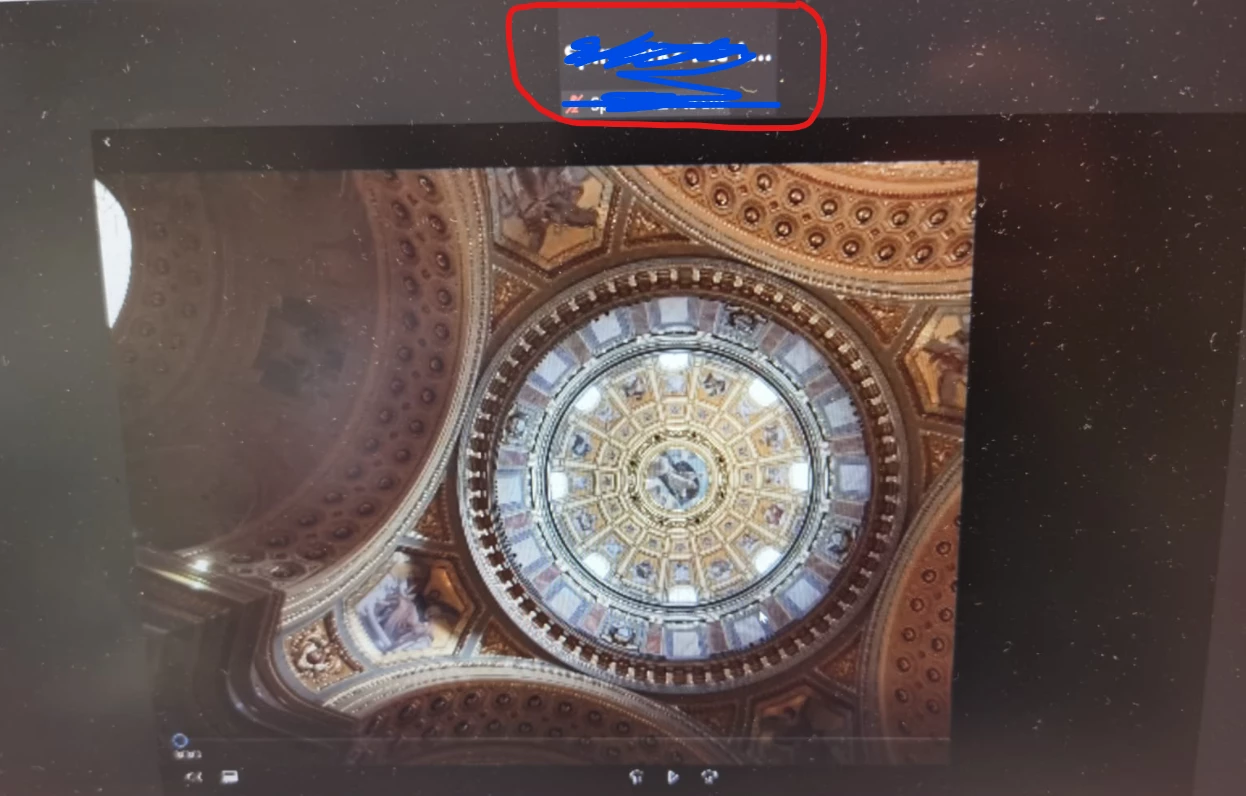
I did a test run with colleagues and noticed that the host tile  is always on the screen of the attendees.  How can I remove the host  tile (in RED) so that the attendees can expand the video to full screen on their screen ?  Please see below screenshot.  


Appreciate your help. Thanks
 

    3 replies

    Ohkawa
    Community Champion | Customer
    Community Champion | Customer
    September 2, 2021

    Hi,Davidlim


    How about client app's Video setting hide non-video participants?


    DeniseLahat
    Community Champion | Customer
    Community Champion | Customer
    September 2, 2021

    you can also use "follow host view" and then attendees will see what you see


    The_WebiNerd
    Newcomer
    Newcomer
    September 2, 2021

    Definitely make sure that all panelist videos are turned off. This may seem obvious, but any cameras being on, even if not seen by attendees, will cause the profile image to show. Also, when scheduling the webinar, confirm that you have set panelist and host videos to off by default. With your use case, you don't need them on ever.


    We have more success using OBS to play videos in a use case like this. The time to learn and set it up properly will be worth it if you plan to do this often. Here is a blog listing a few options for playing back videos which may help out. 
    https://thewebinerd.com/2021/05/26/sharing-video-clips-in-a-zoom-meeting/


    Here is another on using OBS with Zoom if you want to learn more. 

    https://thewebinerd.com/2021/01/11/using-obs-to-stream-pre-recorded-video-via-zoom/ 


    Hope this helps! Happy hosting!