

Panelists not receiving zoom email notification | Community
Skip to main content
New Member
March 5, 2026

Panelists not receiving zoom email notification

  • March 5, 2026
  • 1 reply
  • 4 views

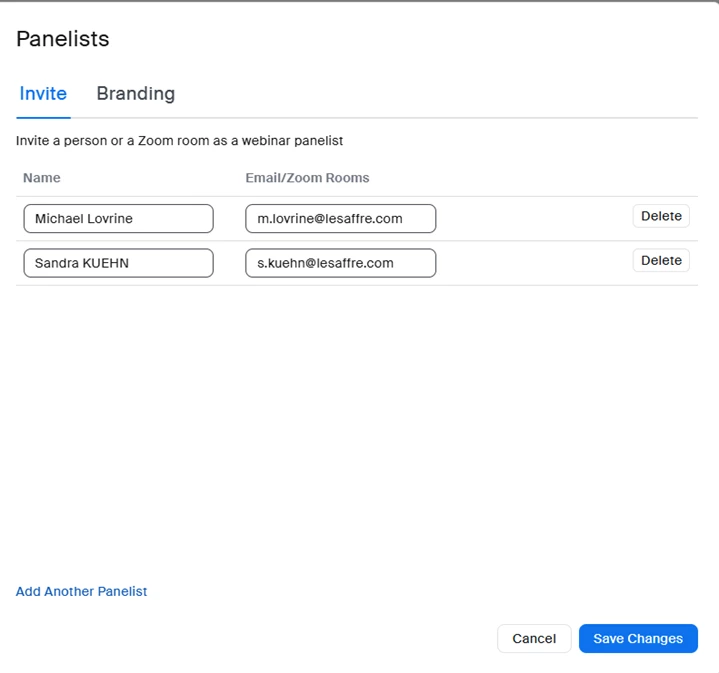
Can someone explain to me why on Tue this week when I added Panelists to my Webinar they all received Zoom email notifications of their specific link to enter webinar for practice session, yet on Wed when I added them to another webinar they checked box was not visible and the comments about sending email to Panelists was no longer visible.  Therefore the 2nd webinar, no-one received the Zoom email giving them access to the webinar early to practice?


    1 reply

    ExpertswhoJohn
    Community Super Champion | Customer
    Community Super Champion | Customer
    March 6, 2026

    hi ​@Lyn Cator ,

    In most cases, this is becuase the receiving email host has put it in the spam box. As it contains a link, it can look suspicious for that reason.

    If you save changes and then lick on their name you should see a popout panel which includes their personal link, so you could send it out again yourself.

    Please like and mark as the solution if this helps

    All the best


    John Drinkwater

    Independent Zoom Strategy Consultant

    Zoom Community Super Champion.

    Zoom Developer Champion

    https://www.linkedin.com/in/johndrinkwaterlordzoom/

    See my latest content. events, live and prerecorded to showcase features

    https://lordzoom.com/go/hub

    I run many events and upload most on my channel.

    https://www.youtube.com/@boomwithlordzoom