

Panelists not receiving zoom email notification | Community
Skip to main content
Newcomer
March 5, 2026
Question

Panelists not receiving zoom email notification

  • March 5, 2026
  • 2 replies
  • 22 views

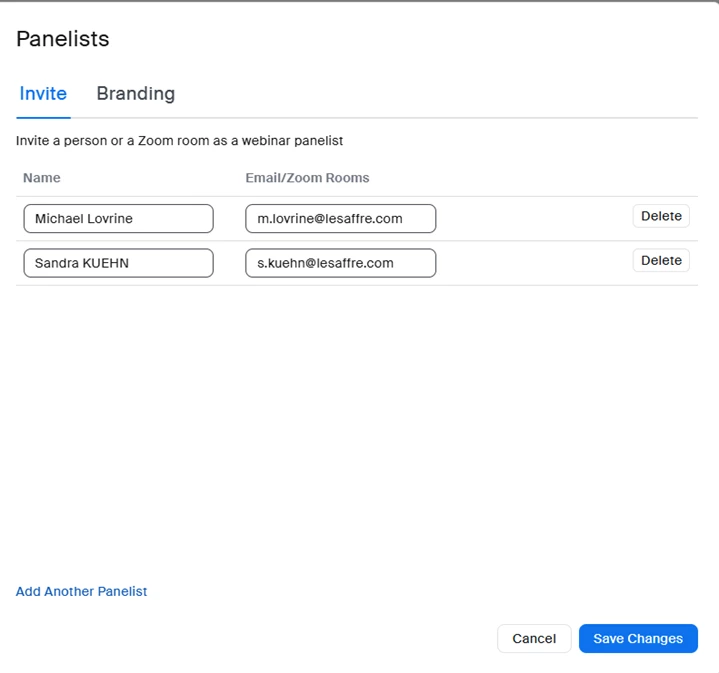
Can someone explain to me why on Tue this week when I added Panelists to my Webinar they all received Zoom email notifications of their specific link to enter webinar for practice session, yet on Wed when I added them to another webinar they checked box was not visible and the comments about sending email to Panelists was no longer visible.  Therefore the 2nd webinar, no-one received the Zoom email giving them access to the webinar early to practice?


    2 replies

    MGSR
    Community Manager
    Community Manager
    March 6, 2026

    Hello ​@Lyn Cator,

    If the option to send panelist email notifications (and the checkbox) was missing when you added panelists to your second webinar, it may be due to the "Track webinar emails" setting being disabled or changed. Only account owners and admins can enable this feature, which ensures panelists receive their invitation emails.

    Please check your account settings or contact your admin to confirm this setting is enabled for your webinars.

    Lyn CatorAuthor
    Newcomer
    March 6, 2026

    I will check, but the Admins DO NOT touch any of my Webinar template settings in my account, they know better and any case, why did it work the day before and not Wed?  I feel you are grabbing at straws because no-one can actually investigate it and come up with a answer that is logical or if the Zoom system was updated overnight and changed settings!  I don’t know, which is why I’m reaching out, but clearly you don’t know either, and no-one in Zoom wants to help or can be bothered to investigate, just keep giving me excuses to check?  Sorry, but that’s what I feel I’m dealing with.