

No VTT File | Community
Skip to main content
Newcomer
February 6, 2026
Question

No VTT File

  • February 6, 2026
  • 2 replies
  • 34 views

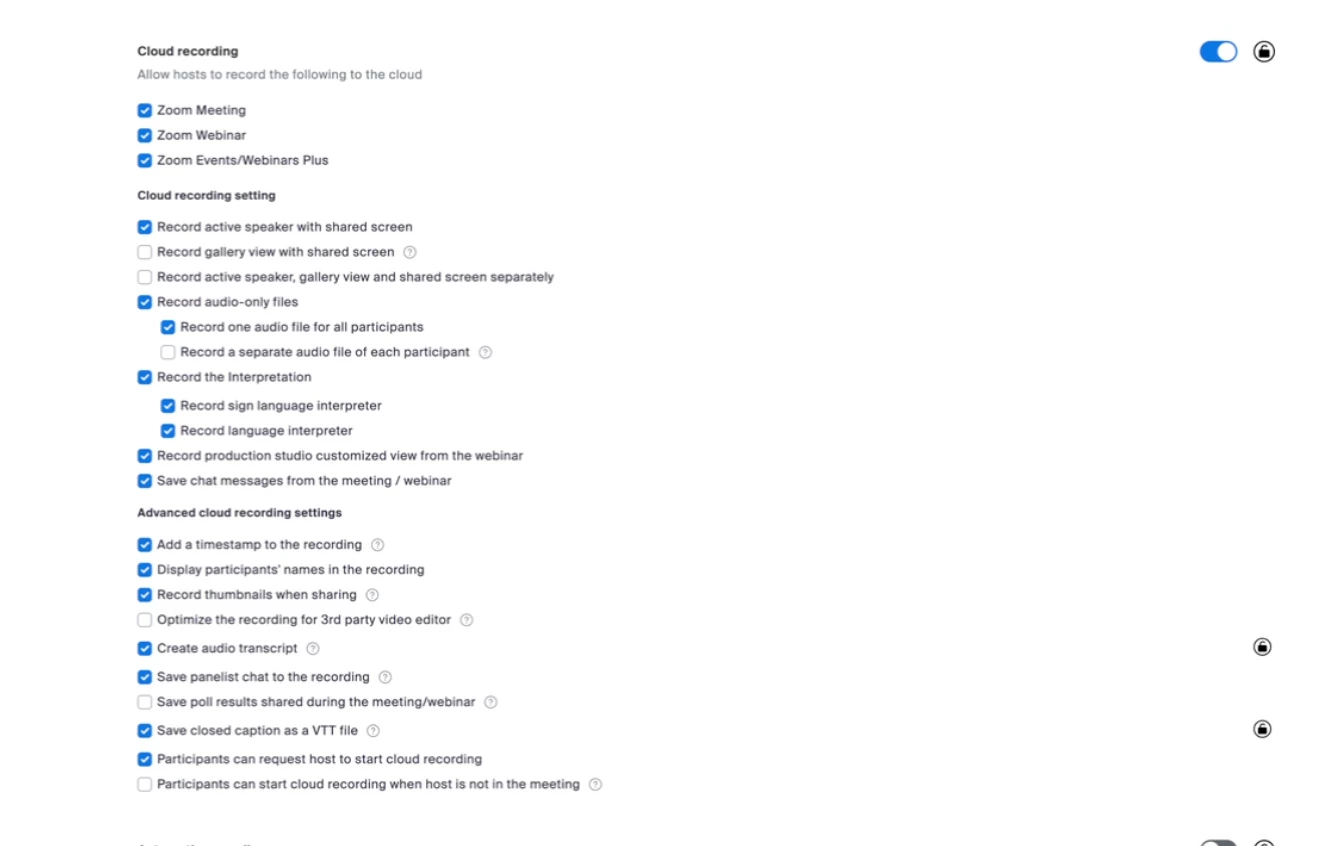
As far as we can tell we have all the correct settings turned on to record transcripts, however none of our webinars have any VTT files associated with them, its only the MP4 file. 

How can we ensure transcripts are happening and are accessible?
 

    2 replies

    DeniseLahat
    Community Champion | Customer
    Community Champion | Customer
    February 8, 2026

    When you are in the meeting or webinar, you need to turn on CC (Closed Captions) in order to generate the VTT file.

    ExpertswhoJohn
    Community Super Champion | Customer
    Community Super Champion | Customer
    February 9, 2026

    Hi ​@mjohnson ,

    Two things for you.
    FIrslty, enable closed captions, these should then be created live.
    Second, please note that the VTT is not connected, or installed into the recording. You have to add it yourself.

    So, if you were to upload to youtube or another platform. you would have to add both files.

     hope that helps. Please like my reply if it does


    John Drinkwater
    Independent Zoom Strategy Consultant
    Zoom Community Super Champion.
    Also Zoom Developer Champion - https://devforum.zoom.us/latest
    https://www.linkedin.com/in/johndrinkwaterlordzoom/

    See my latest content; events, live and prerecorded to showcase features
    https://lordzoom.com/go/hub

    I run many events and upload most on my Youtube Channel.
    https://www.youtube.com/@boomwithlordzoom