
Hide cancel registration link on Webinar Registration Approved page | Community
Skip to main content
Newcomer
December 2, 2021
Question

Hide cancel registration link on Webinar Registration Approved page

  • December 2, 2021
  • 2 replies
  • 22 views

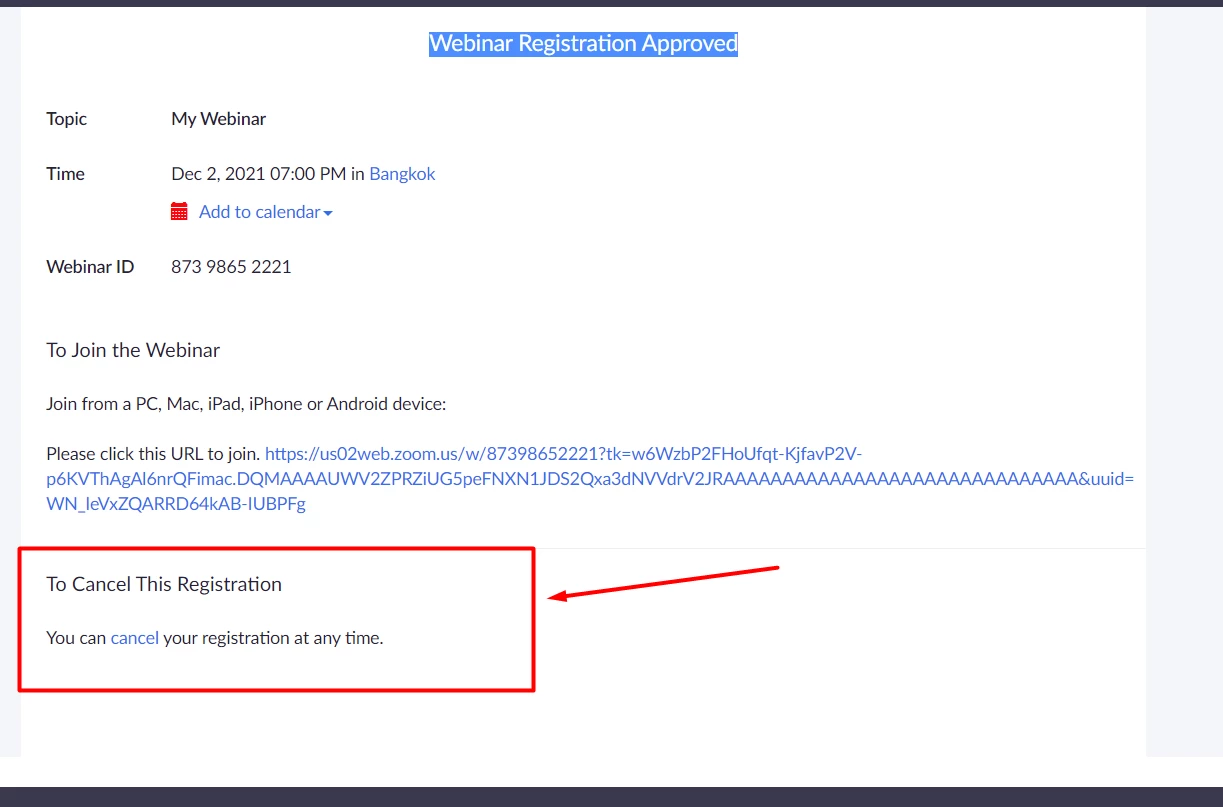
Anyone can help me: How could i hide or disable the text:

To Cancel This Registration

You can cancel your registration at any time.


Webinar Registration Approved page 

Thanks.
 

    2 replies

    RobF
    Employee
    Employee
    January 3, 2022

    In the Zoom Portal, Admin > Advanced > Branding. You can edit the "Registrants Confirmation Email to remove this part of the email. See attached picture.

    If my reply to your question resolved it for you, please click on "Accept as Solution" where my reply shows. This way, community member with the same question will know how to resolve it, and additional member won't spend time trying to respond to your request.

    Newcomer
    September 7, 2022

    Hi, im looking for the same thing as well!

    Is there anyway to hide the CANCEL link?
