


Audio settings exclusive mode | Community
Skip to main content
Italiangen2022
Explorer
Explorer
January 22, 2024
Solved

Audio settings exclusive mode

  • January 22, 2024
  • 1 reply
  • 29 views

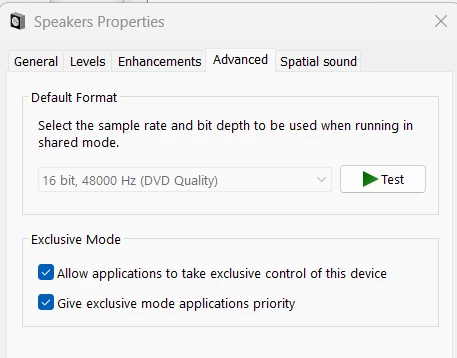
I am still unclear when or if I should enable Exclusive mode while on Zoom. 

My setup is W11, simple USB audio mixer for mics and standalone speaker output, webinars using screen sharing, YT video via G-browser, and mp4 files.  What does Zoom recommend?  I've read a few posts and MS definitions but is still unclear.


Thanks for your help.


IGG


    Best answer by Ray_Harwood

    Hi, @Italiangen2022.


    This is more of a Windows question than a Zoom one, but I do see where you'd be concerned with Zoom usage of mics or speakers regarding this setting.


    I rarely enable the Exclusive mode of any sound devices.  I don't want any one application to take full control over a mic or a speaker, as I'm frequently using a mixer (like Voicemeeter or the audio functions within vMix) or wanting to use audio from one device to go into multiple other inputs.  So unless a manufacturer or software package says "always use Exclusive mode or this won't work", I leave it disabled.

    1 reply

    Ray_Harwood
    Community Super Champion | Customer
    Community Super Champion | Customer
    January 23, 2024

    Hi, @Italiangen2022.


    This is more of a Windows question than a Zoom one, but I do see where you'd be concerned with Zoom usage of mics or speakers regarding this setting.


    I rarely enable the Exclusive mode of any sound devices.  I don't want any one application to take full control over a mic or a speaker, as I'm frequently using a mixer (like Voicemeeter or the audio functions within vMix) or wanting to use audio from one device to go into multiple other inputs.  So unless a manufacturer or software package says "always use Exclusive mode or this won't work", I leave it disabled.