Cannot acess Business Phone | Community
Skip to main content
Newcomer
September 19, 2024
Solved

Cannot acess Business Phone

  • September 19, 2024
  • 2 replies
  • 1 view

I ported my office number over to Zoom a few months ago. Since that time I have not been able to access any calls and even more importantly my voicemail. Fortunately most client have my cell number but not all. Somebody please give me some help. There is NO customer support that I can contact. I don't know if there is a plan where I can upgrade for help?

Best answer by Eliot

MrFrustrated-Zm,


First, you should open a support ticket with zoom.  Second, there are some things you check which I will list at the bottom.


Sign in zoom.us

https://support.zoom.com/hc/en



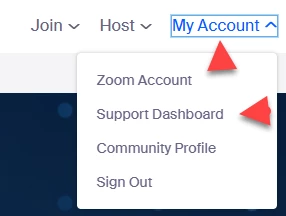
 Go to My Account and select Support Dashboard


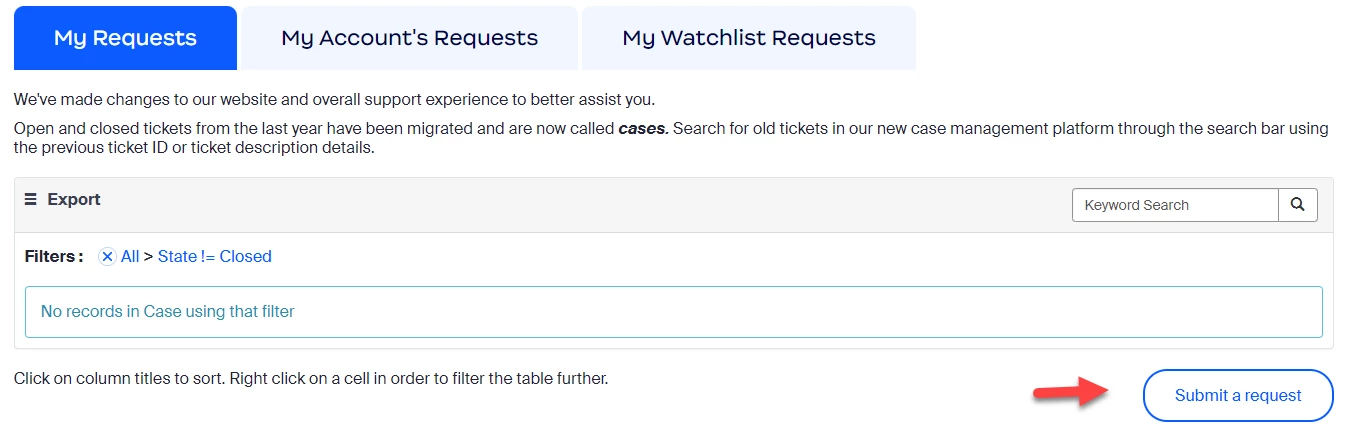
Click submit a request


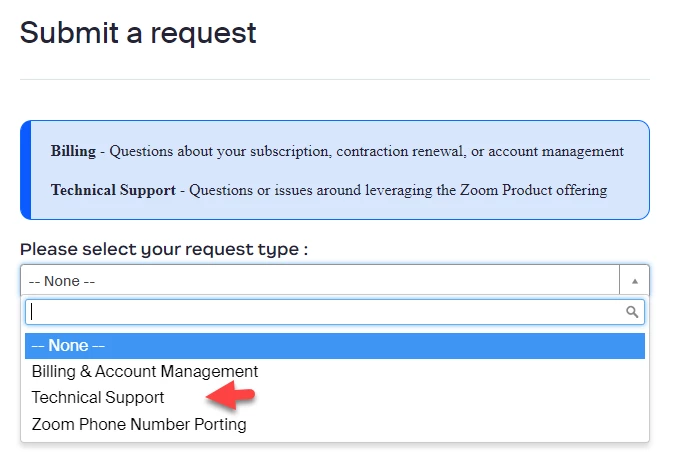
Select Technical Support from dashboard


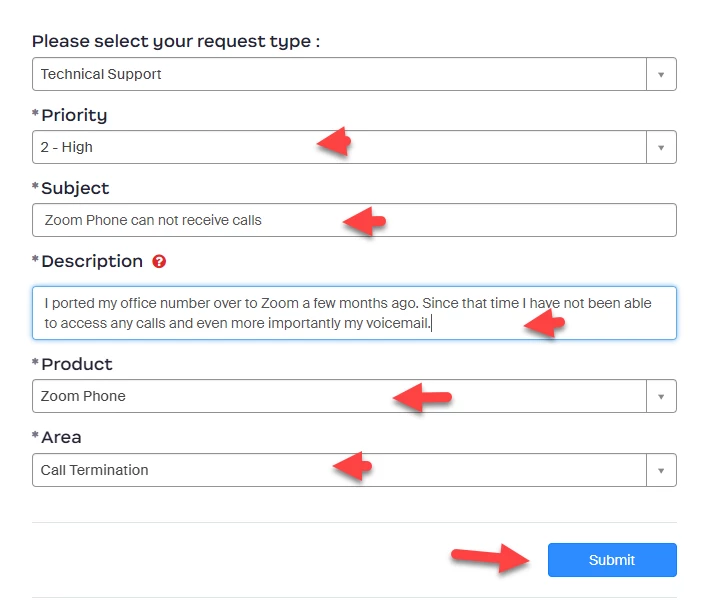
Fill out the request form and click submit.


Things to check.

  1.  To check your connection to zoom and to test your audio.  Dial *TEST  (*8378) on your keypad.  Were you able to connect and were you able to speak and hear a recording of your speech?
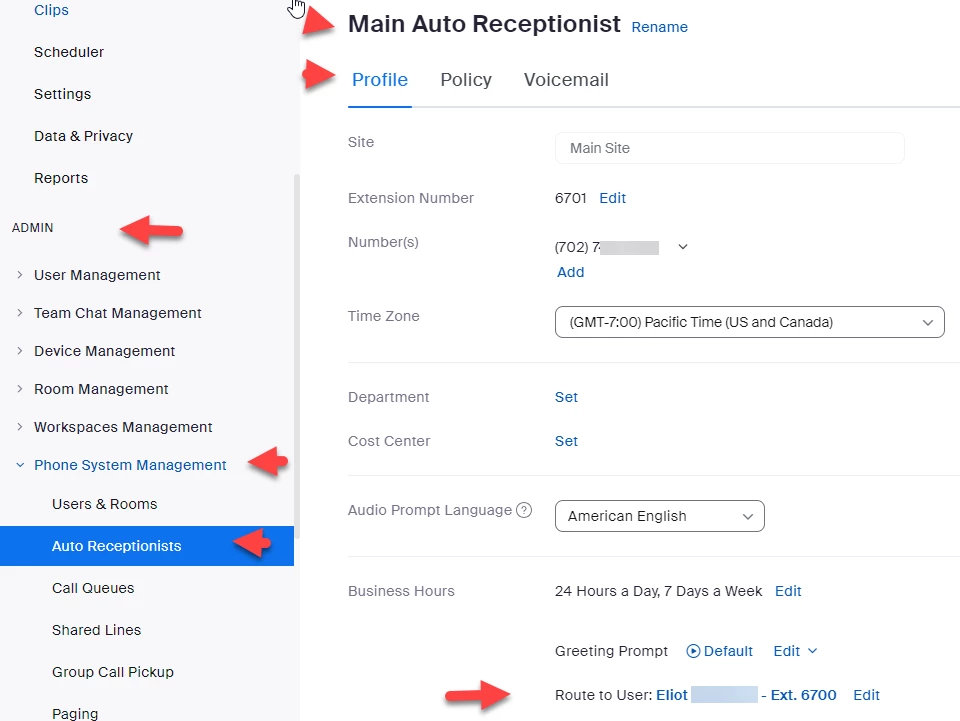
  2. Sign in to the Zoom Portal and go to Admin ->Phone System Management, Auto Receptionists, Main Auto Receptionist, Profile, Route to.  Edit Route To option to Route To User and select your extension from the drop down.  Now incoming calls will be routed to your extension. 
Did my response answer your question? If so, please don't forget to mark the reply as an accepted solution.


thanks,  eliot



2 replies

EliotAnswer
Community Super Champion | Partner
September 19, 2024

MrFrustrated-Zm,


First, you should open a support ticket with zoom.  Second, there are some things you check which I will list at the bottom.


Sign in zoom.us

https://support.zoom.com/hc/en


 Go to My Account and select Support Dashboard


Click submit a request


Select Technical Support from dashboard


Fill out the request form and click submit.


Things to check.

  1.  To check your connection to zoom and to test your audio.  Dial *TEST  (*8378) on your keypad.  Were you able to connect and were you able to speak and hear a recording of your speech?
  2. Sign in to the Zoom Portal and go to Admin ->Phone System Management, Auto Receptionists, Main Auto Receptionist, Profile, Route to.  Edit Route To option to Route To User and select your extension from the drop down.  Now incoming calls will be routed to your extension. 

Did my response answer your question? If so, please don't forget to mark the reply as an accepted solution.


thanks,  eliot



MGSR
Community Manager
Community Manager
October 4, 2024

Hi @MrFrustrated-Zm!

Given the time elapsed since we last heard from you, I've taken the liberty of marking the provided answer as the solution.

If you need further assistance, please let us know.

Have a fantastic day!

MGSR
Community Manager
Community Manager
September 26, 2024

Hi @MrFrustrated-Zm!

Did you see the previous response from @Eliot?
If it has resolved your inquiry, please press Accept as Solution.

If you need further assistance, please let us know.

Have a great day!
