

Zoom not connecting in Macbook | Community
Skip to main content
Newcomer
August 19, 2021
Question

Zoom not connecting in Macbook
  • August 19, 2021
  • 5 replies
  • 8 views

Hello,

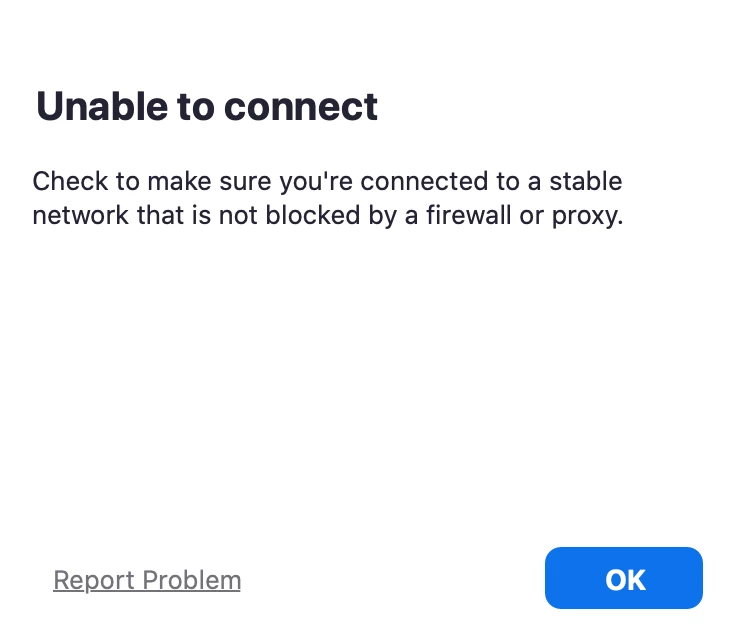
The above connection error shows up every time after entering meeting ID. Many options were tried including turning off firewall and anti-virus but none seems to work.

What network settings to use in order to make this work on Wi-Fi in Macbook

Thank you!!

    5 replies

    Dan_ZoomSE
    Employee
    Employee
    August 19, 2021

    Please review the following support document that details all of the required firewall rules )Ports and IP Ranges) that need to be opened up for Zoom.


    https://support.zoom.us/hc/en-us/articles/201362683-Network-firewall-or-proxy-server-settings-for-Zoom


    A good troubleshooting step is trying a different network as well.  Try moving your Macbook to a different network such as a personal hotspot or your nearest coffee shop or other free wifi.  This can help identify if the issue is with your network or local on your Mac itself.

    Newcomer
    September 10, 2021

    I appreciate your suggestions. They didn’t fix the problem, however.  I’ve also uninstalled zoom, shutdown, reinstall and still not working.  Argh!

    Newcomer
    September 8, 2021

    Did you get this resolved?

    I'm having the same issue today on my MacBook Air (M1 processor)

    Newcomer
    September 10, 2021

    I am having such problem also, previously had no issues at all, but was having problem since last week. Tried to disable all the proxy and firewalls but to no avail. 

    Ayushi1Author
    Newcomer
    September 15, 2021

    Not able to solve the problem yet!!

    Newcomer
    April 23, 2022

    this is really helpful article for me. thanks for sharing this wonder post with us to connect meeting on MacBook. this is best for my article meeting on burr grinder.