Zoomtopia is here. Unlock the transformative power of generative AI, helping you connect, collaborate, and Work Happy with AI Companion.
Register nowEmpowering you to increase productivity, improve team effectiveness, and enhance skills.
Learn moreKeep your Zoom app up to date to access the latest features.
Download Center Download the Zoom appDownload hi-res images and animations to elevate your next Zoom meeting.
Browse Backgrounds Zoom Virtual BackgroundsEmpowering you to increase productivity, improve team effectiveness, and enhance skills.
Zoom AI CompanionUser groups are unique spaces where community members can collaborate, network, and exchange knowledge on similar interests and expertise.
Help & Resources is your place to discover helpful Zoom support resources, browse Zoom Community how-to documentation, and stay updated on community announcements.
The Events page is your destination for upcoming webinars, platform training sessions, targeted user events, and more. Stay updated on opportunities to enhance your skills and connect with fellow Zoom users.
2025-10-09 12:18 AM
Solved! Go to Solution.
2025-10-11 09:29 PM
@Satishtosh san,
konnichiwa!
In Cloud Recording settings, check “Create audio transcripts” to record transcripts.
If the host has a translation subtitle license, a language change icon will appear on the right side of the subtitle window, allowing you to convert languages from there.The first conversion takes quite a while, but subsequent times will display the converted file immediately.
添付されている画像から、日本の方と推察いたしますので、日本語も併記します。
クラウドレコーディングの設定で、「オーディオ文字起こしを作成する」にチェックを入れると、レコーディング時にトランスクリプトが記録されます。ホストが、翻訳字幕ライセンスを持っている場合は、字幕ウィンドウの右側に言語を変更するアイコンが表示されるので、ここから言語を変換することができます。
最初の変換には、結構、時間がかかりますが、次からは、変換ファイルを表示するので、すぐに表示されるようになります。
昨年、日本地域コミュニティもできましたので、ぜひこちらの方にも登録をお願いします。
Japan User Group - Zoom Community
問題が解決した場合は、是非、[解決策として承認する]を押してください。
2025-10-13 09:15 PM
2025-10-11 09:29 PM
@Satishtosh san,
konnichiwa!
In Cloud Recording settings, check “Create audio transcripts” to record transcripts.
If the host has a translation subtitle license, a language change icon will appear on the right side of the subtitle window, allowing you to convert languages from there.The first conversion takes quite a while, but subsequent times will display the converted file immediately.
添付されている画像から、日本の方と推察いたしますので、日本語も併記します。
クラウドレコーディングの設定で、「オーディオ文字起こしを作成する」にチェックを入れると、レコーディング時にトランスクリプトが記録されます。ホストが、翻訳字幕ライセンスを持っている場合は、字幕ウィンドウの右側に言語を変更するアイコンが表示されるので、ここから言語を変換することができます。
最初の変換には、結構、時間がかかりますが、次からは、変換ファイルを表示するので、すぐに表示されるようになります。
昨年、日本地域コミュニティもできましたので、ぜひこちらの方にも登録をお願いします。
Japan User Group - Zoom Community
問題が解決した場合は、是非、[解決策として承認する]を押してください。
2025-10-11 11:16 PM
2025-10-13 09:15 PM
2025-10-13 09:46 PM
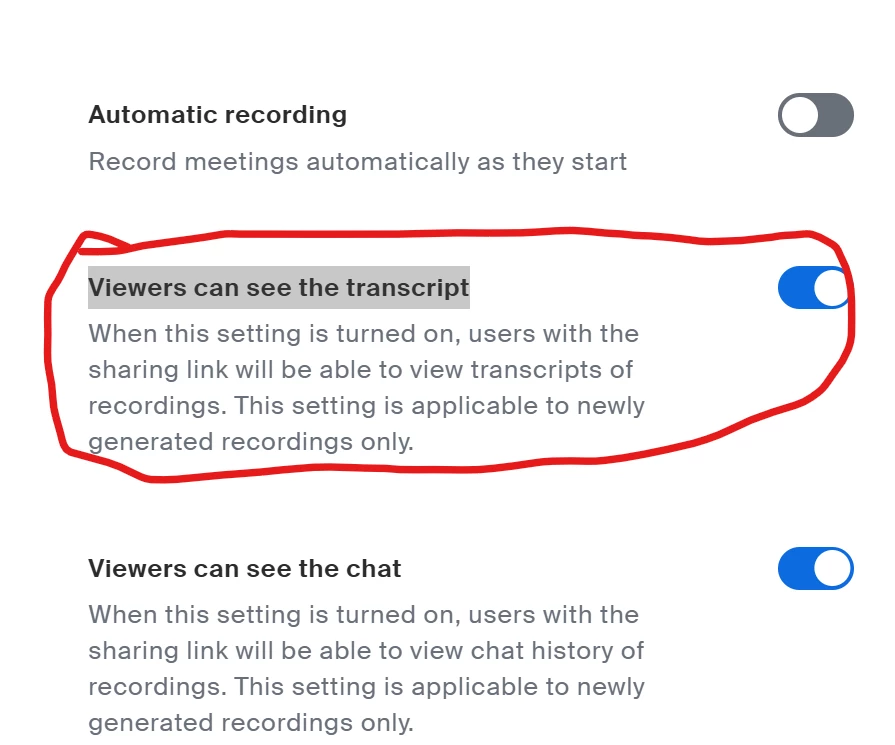
ありがとうござます!こちらWebポータルではオフになっていましたので、オンにして確認してみます。Thank you! It looks the setting that I am looking for! I will turn this on and see if it works.