

Sharing Recordings with Audio Transcripts converted to other languages | Community
Skip to main content
Explorer
October 9, 2025
Solved

Sharing Recordings with Audio Transcripts converted to other languages

  • October 9, 2025
  • 2 replies
  • 0 views
Can the audio transcription generated for a recording file be converted to other languages, and while the host can see it individually, can this recording file be shared with others?
When the link is shared with others, the audio transcription disappears, and the person it's shared with can only see the transcription in the original language which is unreadable for them. 
Best answer by Ohkawa

@Satishtosh san


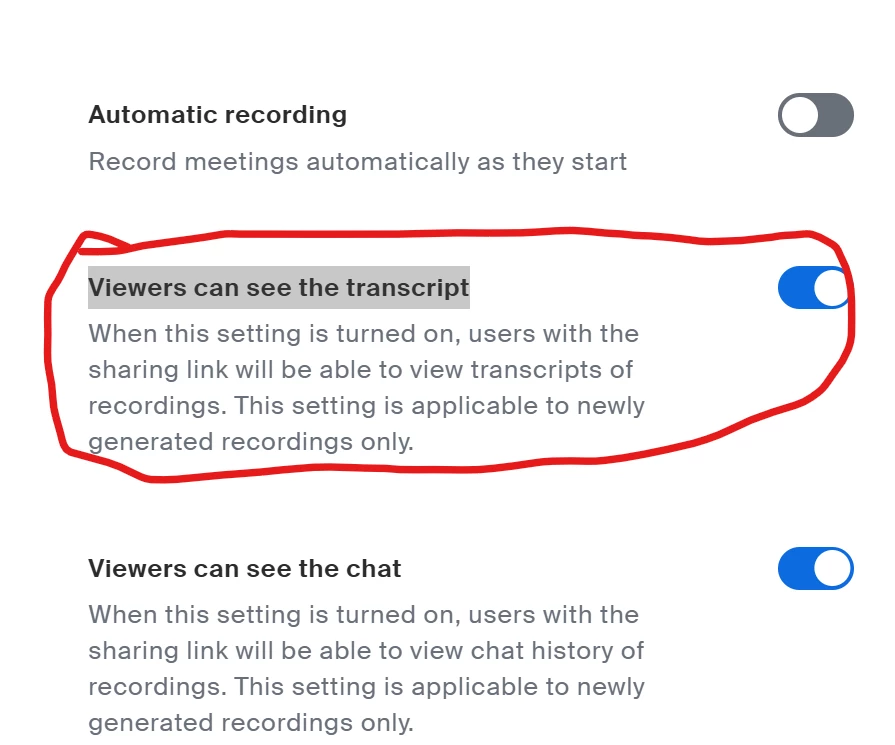
In the recording settings, try enabling “Viewers can see the transcript.”


2 replies

Ohkawa
Community Champion | Customer
October 12, 2025

@Satishtosh san,

konnichiwa!

In Cloud Recording settings, check “Create audio transcripts” to record transcripts.
If the host has a translation subtitle license, a language change icon will appear on the right side of the subtitle window, allowing you to convert languages from there.The first conversion takes quite a while, but subsequent times will display the converted file immediately.


添付されている画像から、日本の方と推察いたしますので、日本語も併記します。

クラウドレコーディングの設定で、「オーディオ文字起こしを作成する」にチェックを入れると、レコーディング時にトランスクリプトが記録されます。ホストが、翻訳字幕ライセンスを持っている場合は、字幕ウィンドウの右側に言語を変更するアイコンが表示されるので、ここから言語を変換することができます。

最初の変換には、結構、時間がかかりますが、次からは、変換ファイルを表示するので、すぐに表示されるようになります。

昨年、日本地域コミュニティもできましたので、ぜひこちらの方にも登録をお願いします。

Japan User Group - Zoom Community


問題が解決した場合は、是非、[解決策として承認する]を押してください。

Ohkawa
Community Champion | Customer
OhkawaAnswer
Community Champion | Customer
October 14, 2025

@Satishtosh san


In the recording settings, try enabling “Viewers can see the transcript.”


Explorer
October 14, 2025

ありがとうござます!こちらWebポータルではオフになっていましたので、オンにして確認してみます。Thank you!  It looks the setting that I am looking for! I will turn this on and see if it works.