
Zoomtopia is here. Unlock the transformative power of generative AI, helping you connect, collaborate, and Work Happy with AI Companion.
Register nowEmpowering you to increase productivity, improve team effectiveness, and enhance skills.
Learn moreEmpowering you to increase productivity, improve team effectiveness, and enhance skills.
Zoom AI Companion사용자 그룹은 커뮤니티 구성원들이 비슷한 관심사와 전문 지식에 대해 협업하고, 교류하고, 지식을 주고받을 수 있는 특별한 공간입니다.
도움말 및 리소스는 유용한 Zoom 지원 리소스를 찾고 Zoom 커뮤니티 사용 방법 문서를 검색하며 최신 커뮤니티 공지 사항을 볼 수 있는 공간입니다.
이벤트 페이지는 다가오는 웨비나, 플랫폼 교육 세션, 대상 사용자 이벤트 등을 위한 목적지입니다. 기술을 향상시키고 다른 Zoom 사용자와 연결할 수 있는 기회에 대해 최신 정보를 유지하세요.
날짜: 2023-11-24 06:28 AM
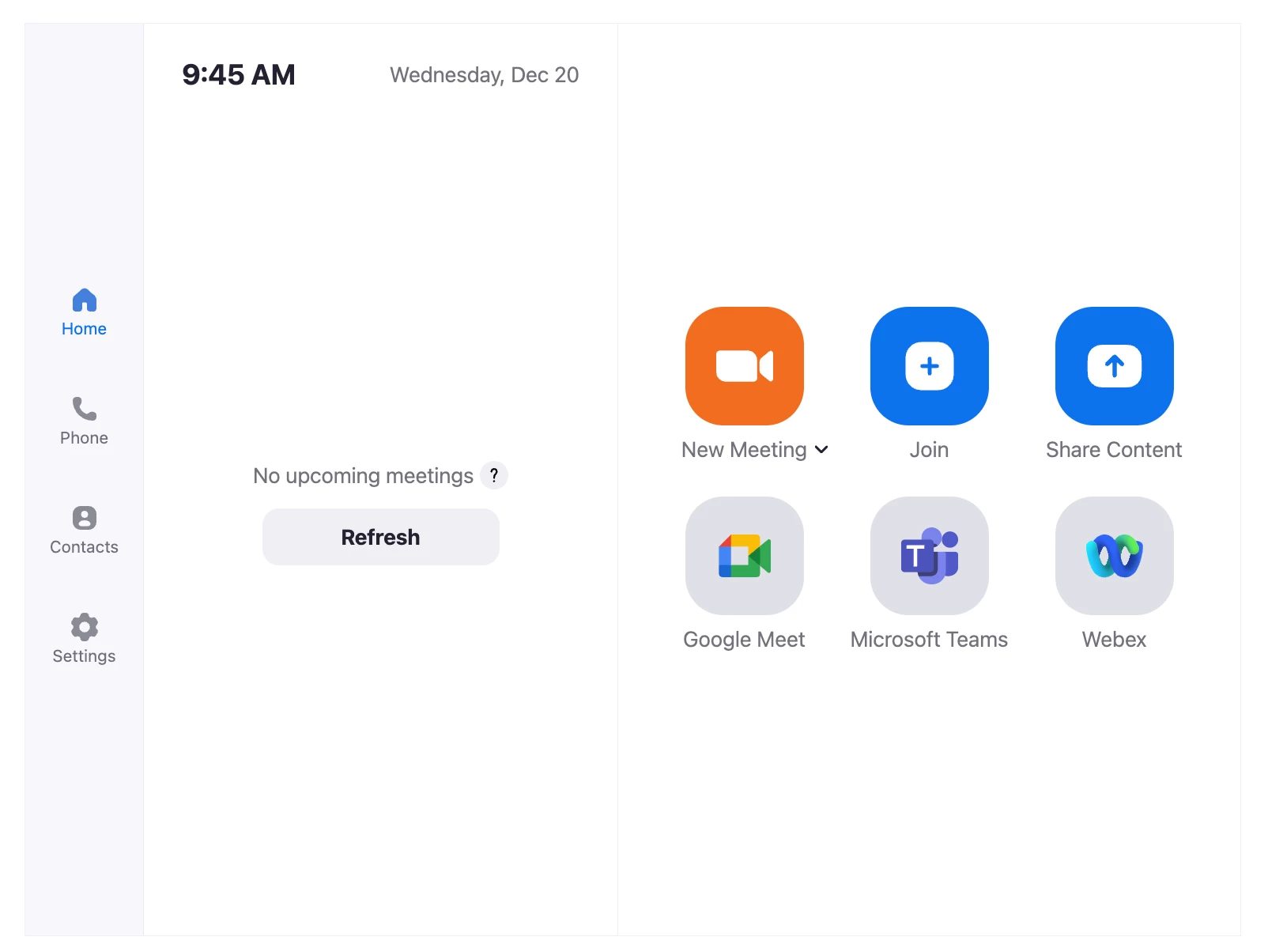
I am experiencing an issue with the Zoom Room Controller application on my Logitech Tap IP device. The icons for Microsoft Teams Join and Google Meet Join are not appearing on the controller interface. The only icon that is currently visible is for Webex.
I have already enabled the necessary configurations in both the account settings and room settings to support interoperability for Zoom Rooms, as per the guidelines provided. Despite this, the issue persists.
Zoom room version : 5.16.5
Could you please assist me in resolving this problem? I look forward to your prompt response.
해결되었습니다! 솔루션으로 이동.
날짜: 2023-12-20 06:46 AM
We can confirm that the feature is now working properly on Logitech Roommate 1.11.215 running Zoom 5.17.0.
날짜: 2023-11-26 11:47 PM
Hey, my appliance is Logitech Roommate 1.10.181
날짜: 2023-11-27 03:30 AM
Hi.
We are having the exact same issue with the same exact equipment. So frustrating. If you find a solution, please post details. I will do the same.
날짜: 2023-11-27 03:48 AM
Hi, okay. But when I integrate Zoom Room with my desktop, the three icons (Google, Teams, Webex) will appear. However, when I send an invitation from Microsoft Teams to my calendar, the invitation will appear, but the 'Join' button does not display.
Additionally, when I try another method by entering the meeting ID and passcode to join the meeting, an error message appears saying 'Meeting doesn't exist or unable to join currently.
날짜: 2023-11-27 06:53 AM
Hi. Per this article, looks like the answer is that the Roommate does not support this feature. Supported Microsoft Teams Rooms on Android Features on CollabOS – Logitech B2B Support
날짜: 2023-11-27 06:56 AM
Correct - please see Roomate and Zoom Interop for Microsoft Teams in Zoom Rooms :
At this time, Direct Guest Join is not supported by Roommate (however, it is supported on Logitech Rally and Rally Bar appliances, which run slightly different flavors of CollabOS [Android]).
Direct Guest Join launches a portable Chromium browser to connect to MS Teams and Google Meet sessions. Appliance manufacturers need to include this in their release - Logitech has not yet gotten around to adding it for Roommate's Zoom Rooms package.
The WebEx join button shows up because WebEx does not use Direct Guest Join under the hood, but rather a SIP connection.
날짜: 2023-11-30 06:21 AM
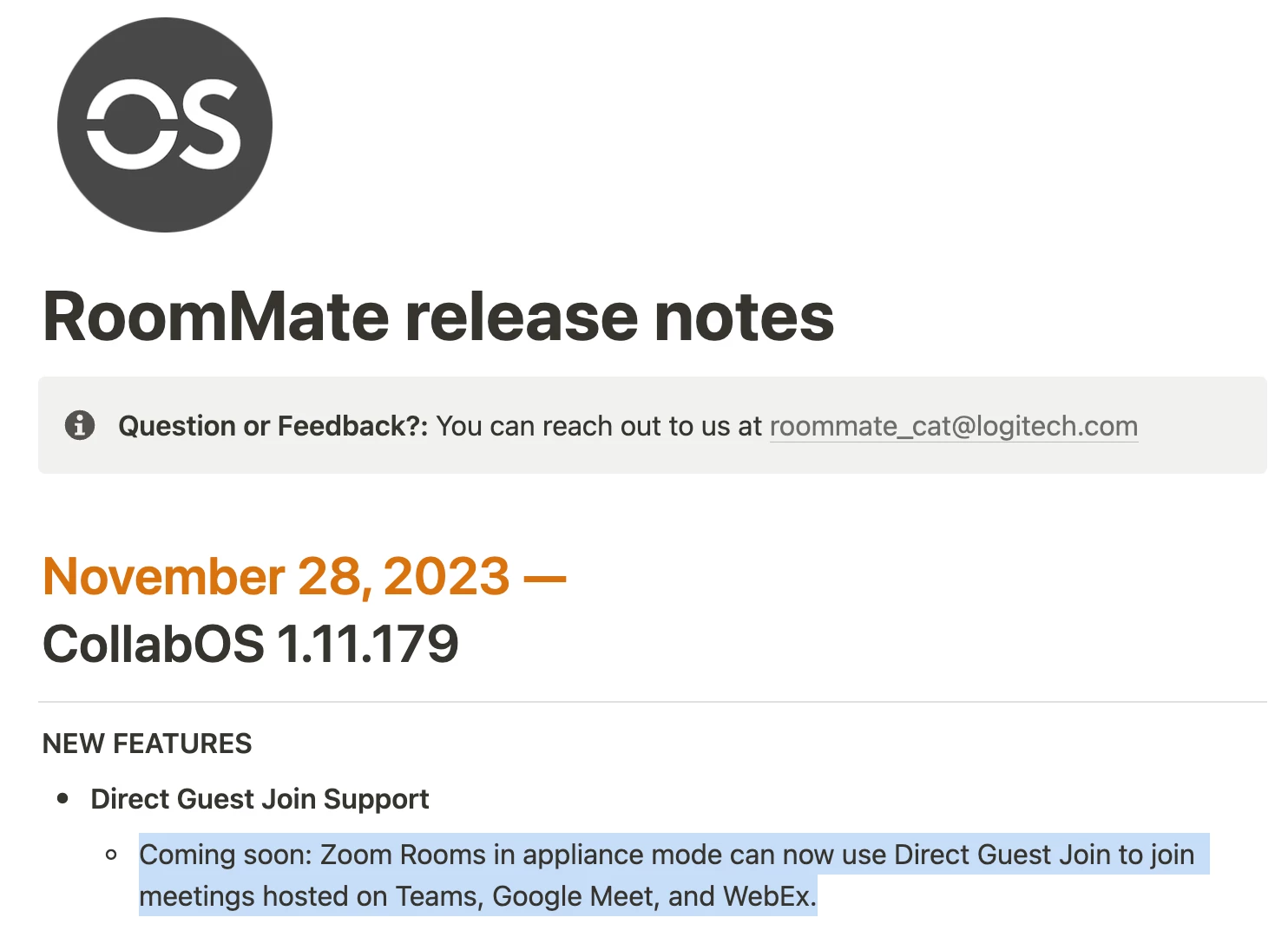
This now appears to be a roadmap item, per release notes for the latest beta:
날짜: 2023-12-20 06:46 AM
We can confirm that the feature is now working properly on Logitech Roommate 1.11.215 running Zoom 5.17.0.
날짜: 2023-11-28 01:04 AM
hello,
Hi,
When I integrate Zoom Room with my desktop, the three icons (Google, Teams, Webex) will appear. However, when I send an invitation from Microsoft Teams to my calendar, the invitation will appear, but the 'Join' button does not display.
Additionally, when I try another method by entering the meeting ID and passcode to join the meeting, an error message appears saying 'Meeting doesn't exist or unable to join currently".