
Solved
Alt +A Hot Key Issue
I recently have a issue with use Alt + A hotkey. It suppose to be mute the mic, but when I press it, it become a screenshot instead of mute the mic. Is this a common issue, before I did not have this issue.

I recently have a issue with use Alt + A hotkey. It suppose to be mute the mic, but when I press it, it become a screenshot instead of mute the mic. Is this a common issue, before I did not have this issue.
Hi @jmtacwa
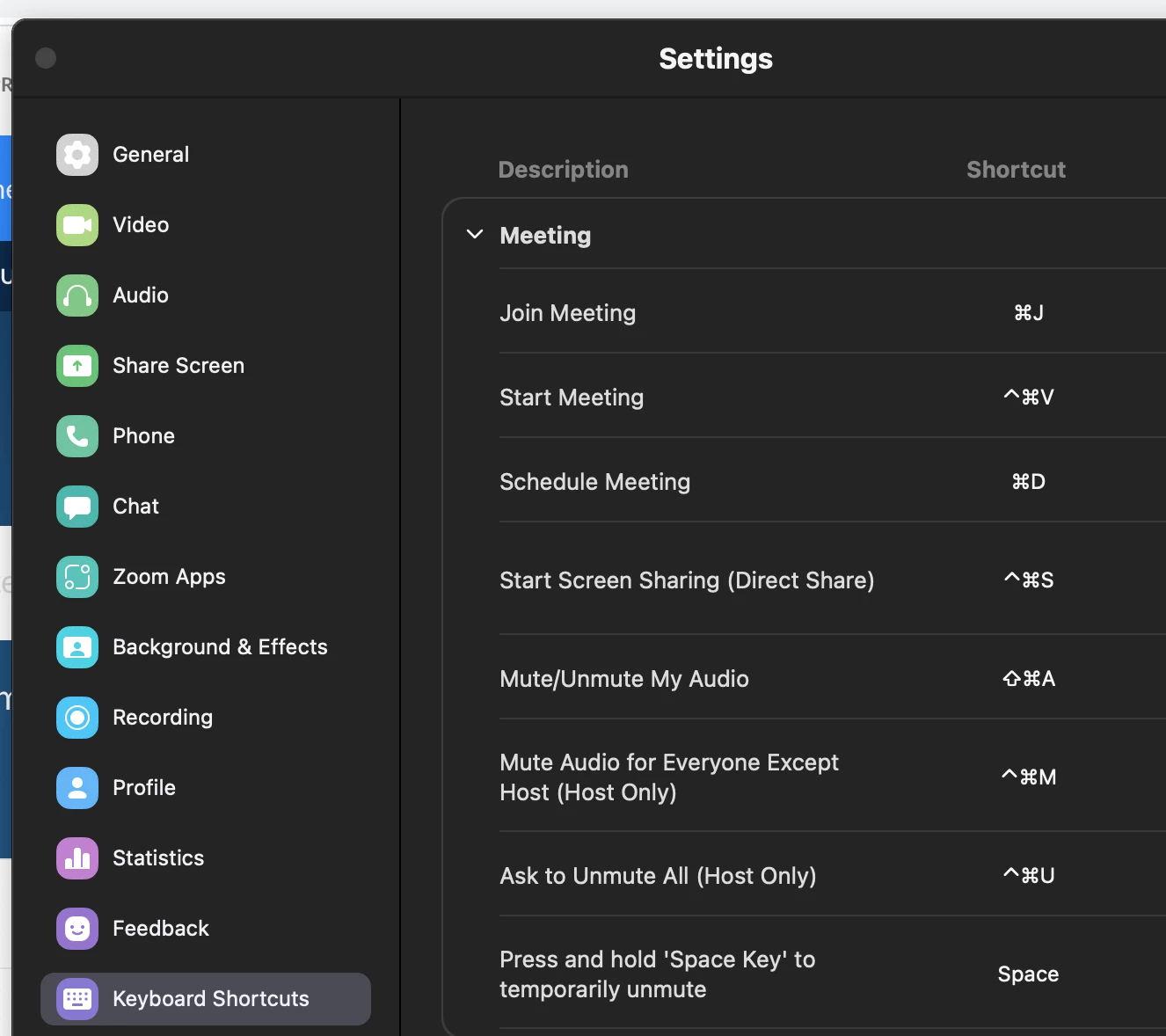
On your Zoom app, go to your picture icon then click on Settings > Keyboard Shortcuts > Make sure the settings under Mute is how you wanted it to be (Screenshot is taken from a MAC but you should see your windows OS equivalent once you go into your own settings). Click on the Shortcut to edit it.
If this has answered or help find a solution to your question , please click the Accept as Solution button below so that others in the Community may benefit as well.
No account yet? Create an account
Enter your E-mail address. We'll send you an e-mail with instructions to reset your password.